Dynamic pricing feature is integral in a number of ride-hailing applications.
In high service demand drivers working on several apps at a time tend to accept the offers with higher fares to make more money. If a company chooses not to apply dynamic pricing they risk:
1. drivers choosing competitor offers in high demand time periods
2. negative user experience and customer loss due to an increase of unaccepted offers with “No driver found” status.
3. company revenue drop as per the increase of orders with “CANCELLED_SEARCH_EXCEEDED” status.
- increase the number of executed orders and, hence, company’s revenue
- enhance driver loyalty by more competitive market price
- improve customer experience by fewer rejects and “no driver found” cases
Although in high demand periods dynamic pricing fares are much higher than in regular hours, customer waiting time decreases and the ride is always guaranteed.
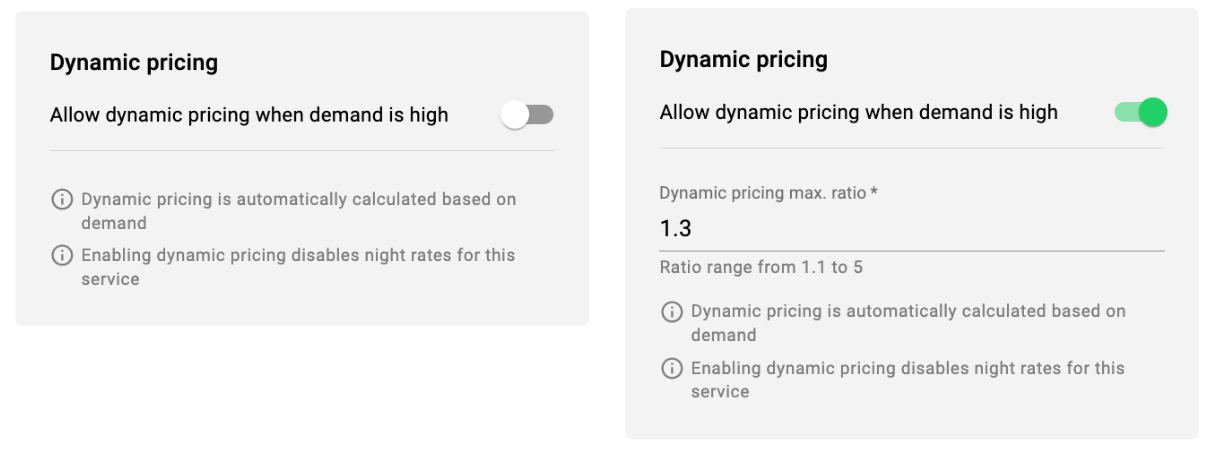
A company manager with access to Services can activate/deactivate/manage dynamic pricing feature on a Service level.
Access tab Services in My Hub > open the Service you want to activate Dynamic pricing for > in tab Payment methods find Dynamic pricing option and toggle the switch. After that, specify the maximum multiplier you want to apply in high demand. The maximum default multiplier value is 5.0, the minimum is 1.0.
1. the coefficient is checked for each company’s hexagon every 6 minutes and adjusted if recalculation conditions apply.
2. the coefficient recalculation is launched for a hexagon in case the number of initiated offers (created orders) in it within 6 minutes is >=2.
3. once the coefficient is launched for a hexagon, the initiated/accepted orders meter is started. Depending on the percentage of the search exceeded offers (initiated vs accepted) and customer waiting time the coefficient either increases or decreases.
4. the coefficient update is incremental. Coefficient is increased with 0.1 step and decreased with a 0.1 step.
5. the coefficient drops or rises only until it reaches the minimum or maximum allowance for the service.
Example 1
Let’s say the initial value of the coefficient in a hexagon is 1.0
A potential scenario can be as follows:
First increase - to 1.1
Decrease - to 1.0
Increase - to 1.1
increase - to 1.2
Decrease - to 1.1
Example 2
Let’s project a situation in a hexagon with in several 6 minute intervals:
1 interval, 1.0 coefficient , 2 orders in the hexagon - the coefficient recalculation is not launched
2 interval, 2 initiated orders, all accepted - 1.0 coefficient stays
3 interval, 7 initiated orders, 4 unaccepted - 1.0 coefficient is increased to 1.1
4 interval, 7 initiated orders, 2 unaccepted - 1.1 coefficient is decreased to 1.0
5 interval, 2 initiated orders, any final status - 1.0 coefficient stays
Estimated cost
Fixed cost
Fixed rate zones orders
Orders with Special cost from Operator app
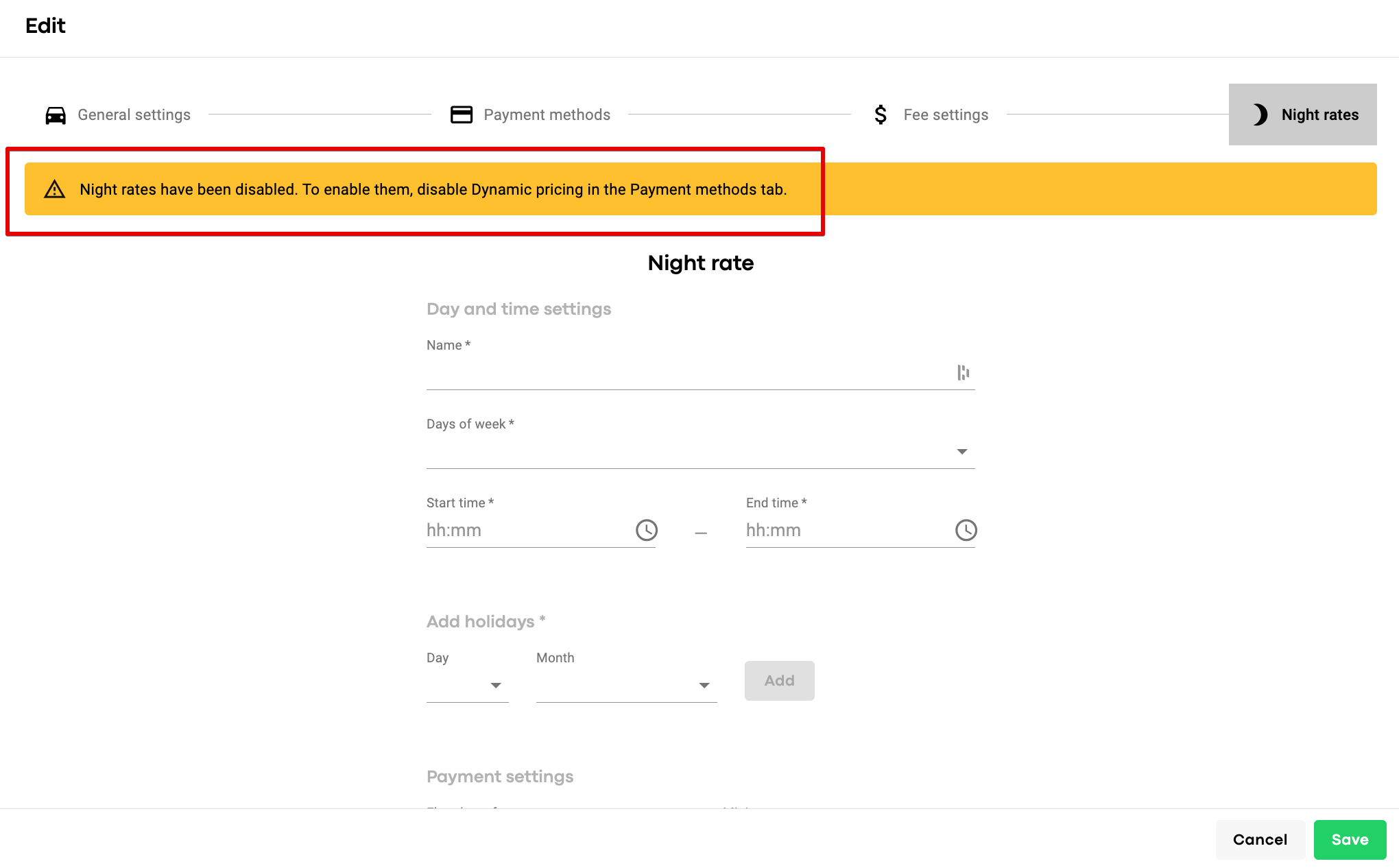
Night rates (for the fares not to conflict. Night rate is an attempt to manually manipulate with the rate in high demand, whereas dynamic pricing is based - is real time high demand data)
Dynamic pricing works for orders initiated in
-Customer app
-Operator app
-Web app (in development)
In case dynamic pricing coefficient applies for the order both customer and driver are notified
-customer sees the service rate marked Red and a “Dynamic pricing” banner with an alert
-driver sees the Red multiplier icon on the offer screen


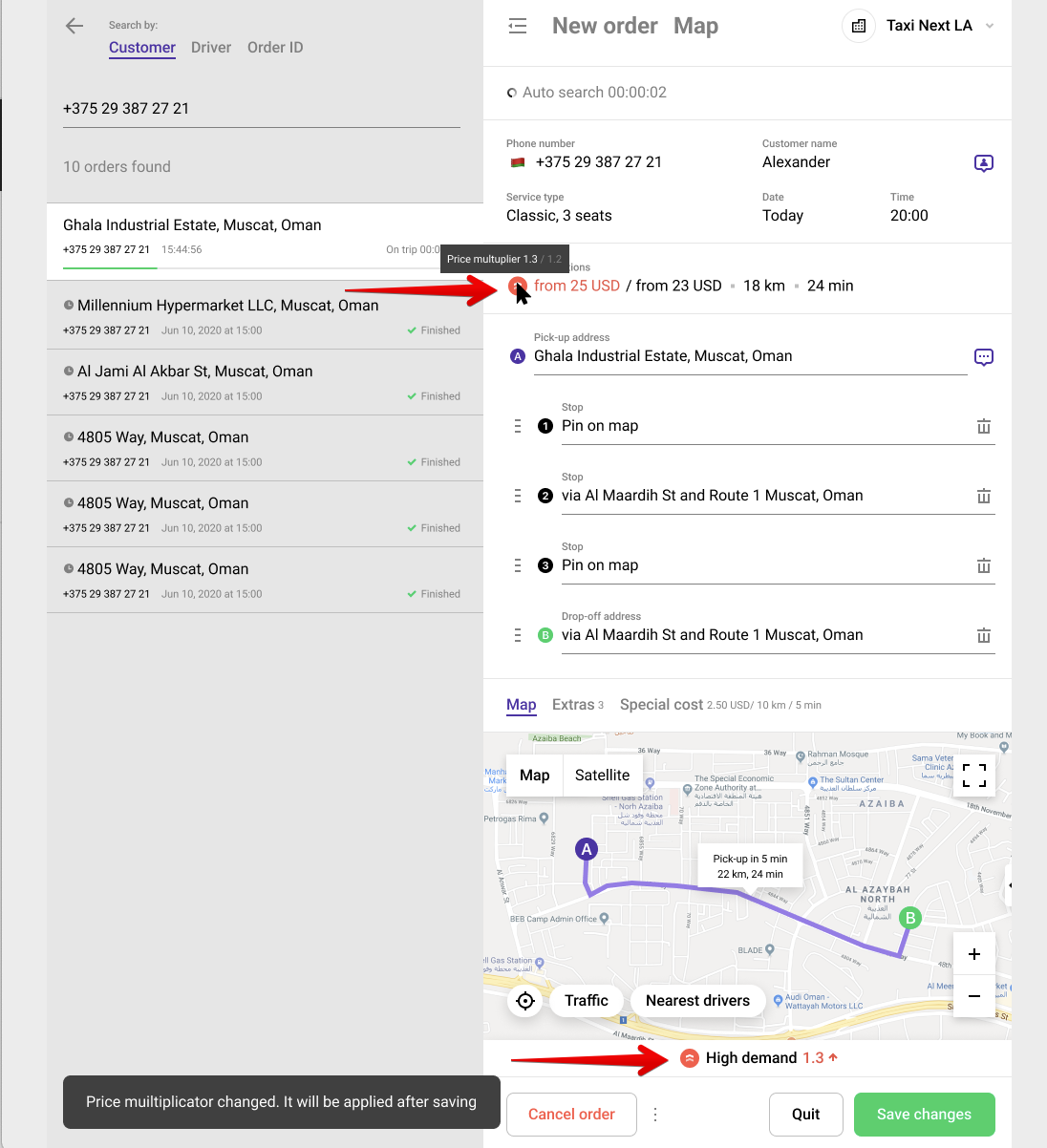
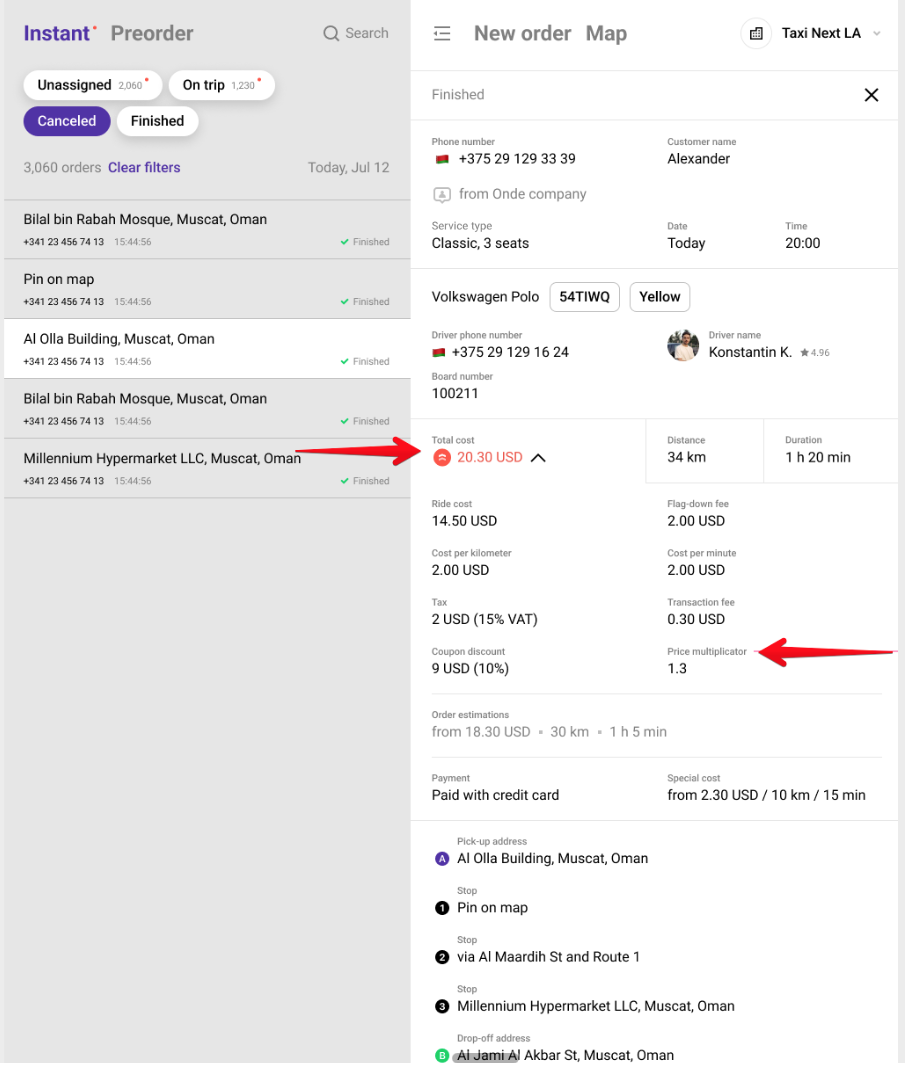
IMPORTANT: in case an operator edits a dispatched order, reassigns a driver, changes the pick-up, updates the service and the coefficient at the time of the edit is different from the initial one, it is updated as well.

- Customer app > My orders > receipt
- Driver app > Recent jobs > receipt
- Operator app order history


Test and apply Dynamic pricing to your Services to use it to your best advantage!
