
At the end of each order company, customer and driver receive a Trip summary with detailed information about the order. Driver and customer receive it on condition that email is specified in their profile. Trip summaries are sent only for finished and cancelled by customer orders.
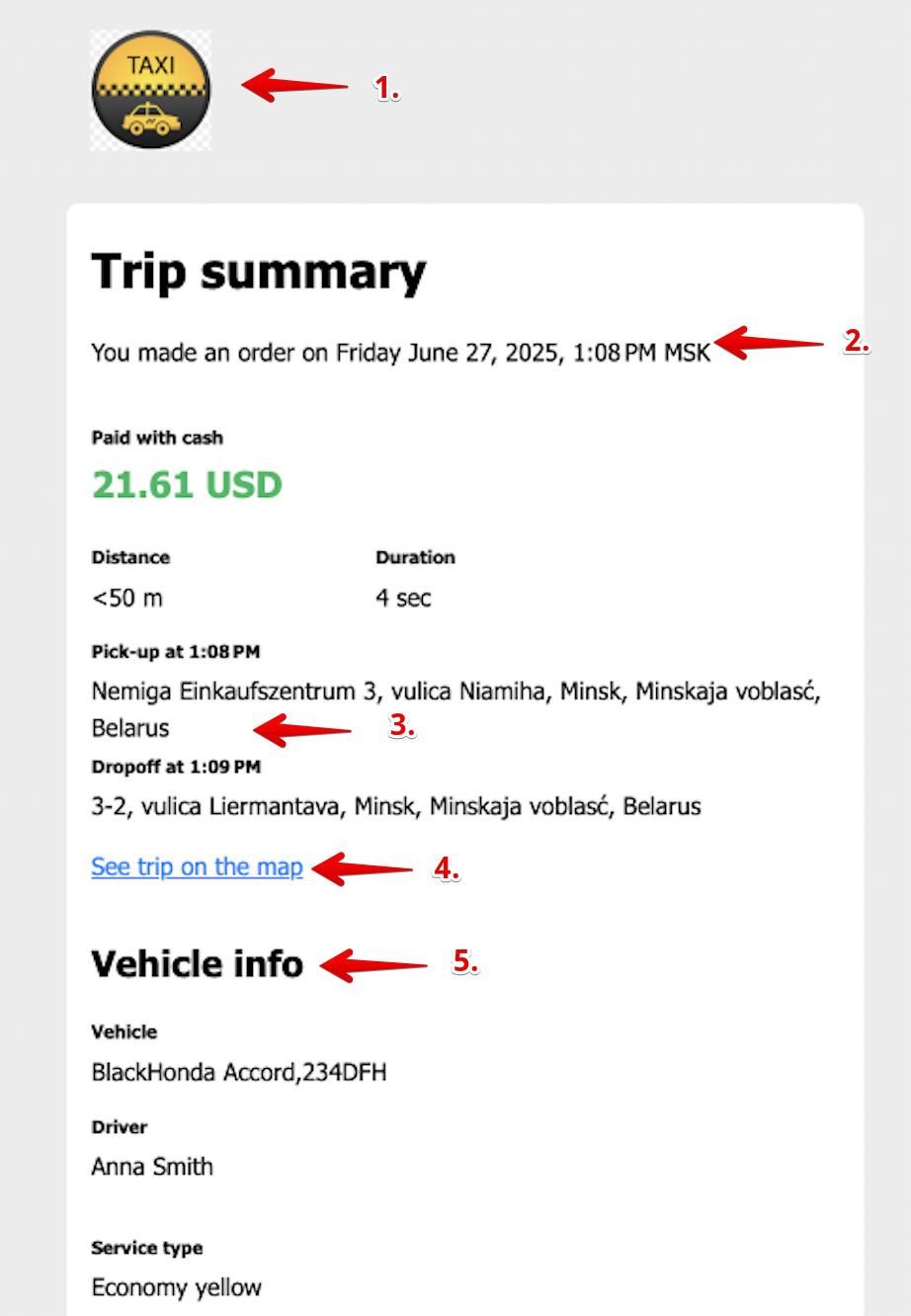
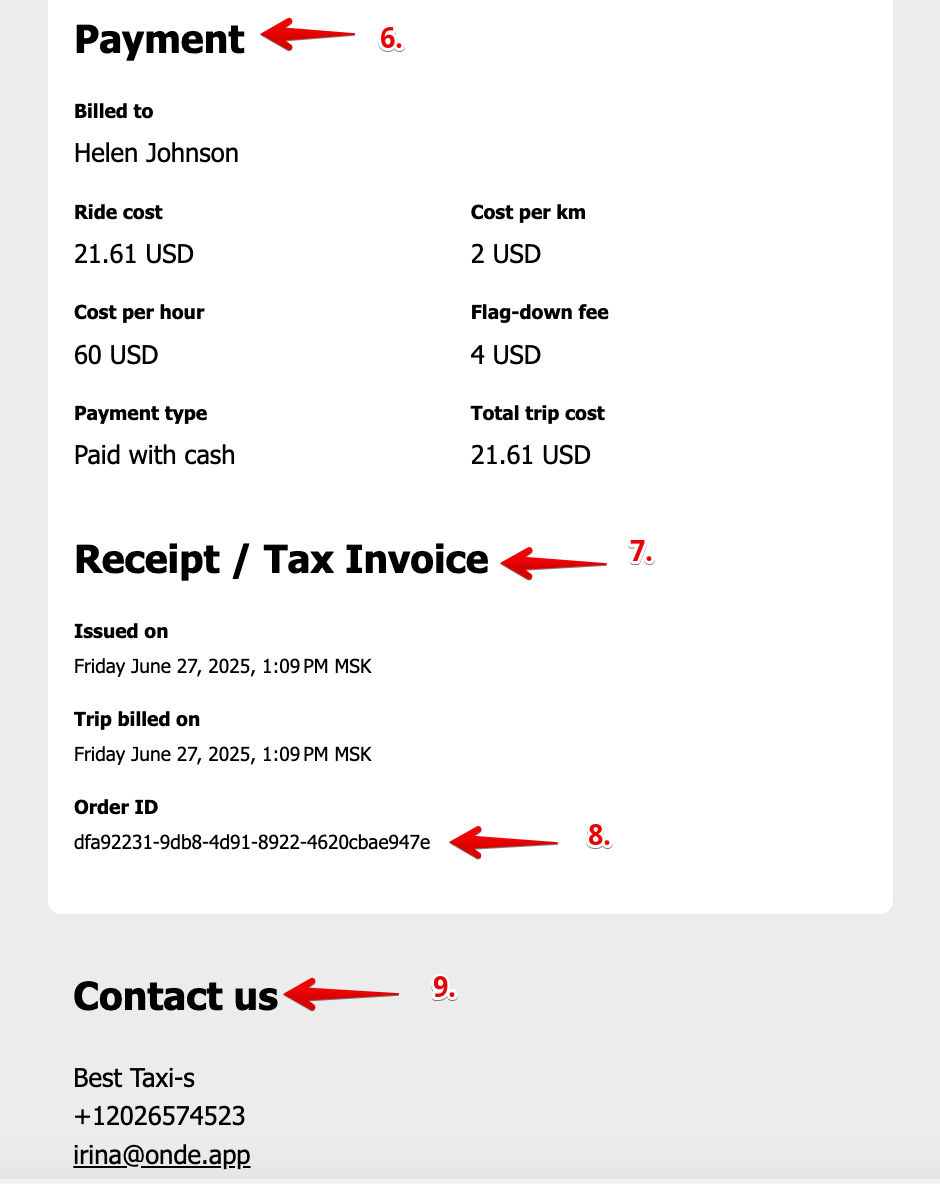
Trip summary consists of several elements:
Company logo (the one uploaded to My Hub: Company settings > General);
Date of order creation;
Pick-up, drop-off location details;
Order track in the map;
Vehicle info: vehicle data, driver name, service type;
Payment: cost breakdown, trip total and payment method;
Date of Trip Summary/Invoice and date of billing;
Order ID;
Company contacts.
The system does not generate trip summary in case an order is cancelled by a driver. If certain cancellation fee is configured and applied, it is included in trip summary for an order cancelled by a customer. When an order is created via operator app or web app, a customer will receive a trip summary only on condition that they have a profile in mobile customer app with the same phone number.
In some countries there is a requirement for Trip receipts to contain no reference to any legal terms. This can be achieved by enabling the checkbox “Use non-legal wording in order summary” in Company Settings > General.
Once the option is set, the system will replace the section "Receipt / Tax invoice" to "Order info".
