M-PESA allows for a fast and efficient Customer Wallet top-up. It is a great alternative to regular card top-up as one does not have to add any cards to in-app Wallet but rather use the balance of their M-PESA account.
M-PESA is added on a Merchant level by a Brand or a Merchant manager and activated for a company in My hub.
M-PESA is integrated via the Flocash payment gateway and works for Kenya (KES), Tanzania (TZS), Mozambique (MZN).
To enable M-PESA payment method on wallet top-ups a company should:
Have customer wallet activated
Have a merchant account with Flocash
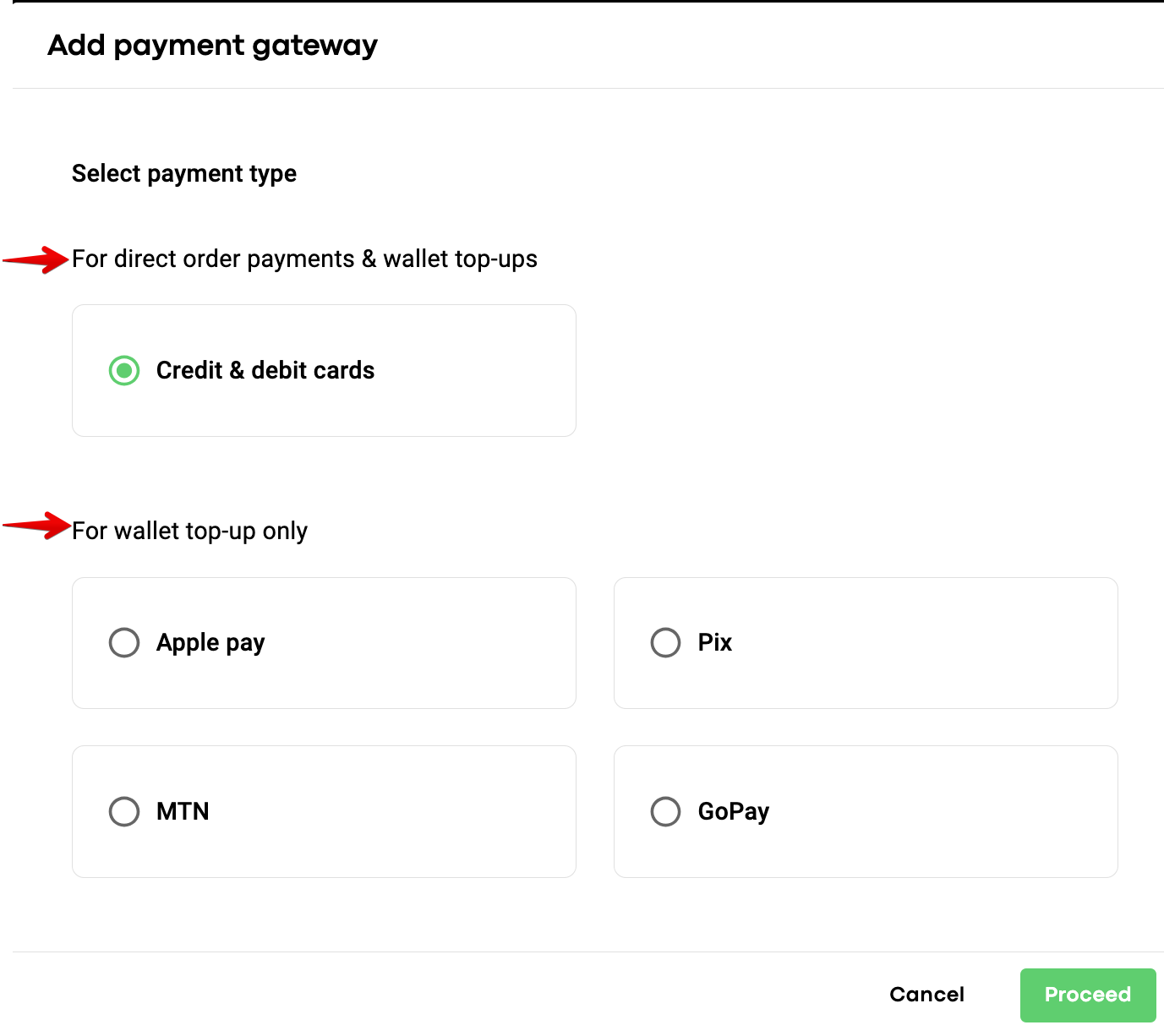
To add M-PESA for Сustomer wallet top-ups, proceed to the tab “Payment gateways” > select M-PESA in “For wallet top-up only” > tap PROCEED > choose Flocash from the drop down list of payment gateways, fill out all the keys and tap “SAVE” to finalise.
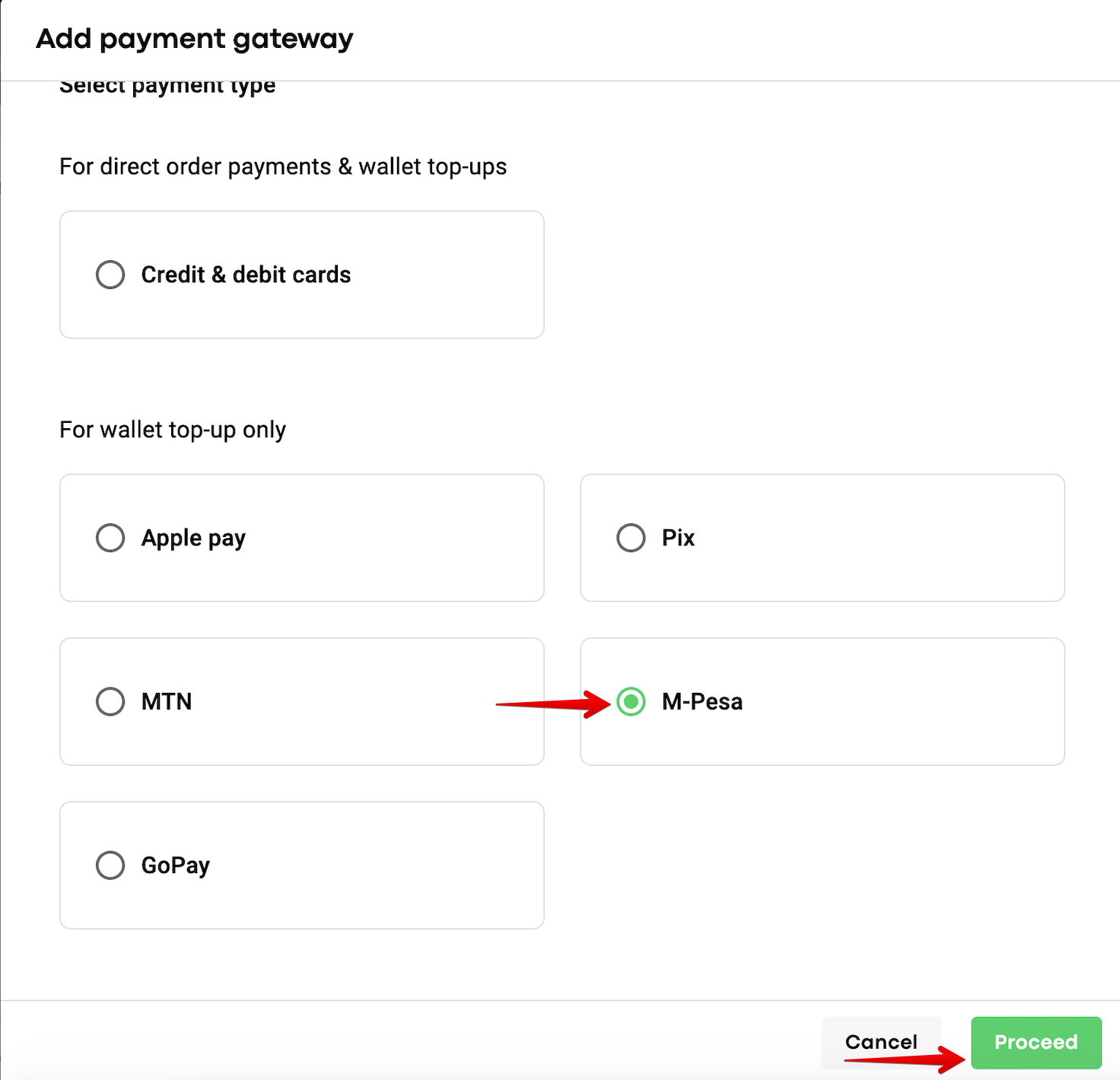
Once that is done, proceed to My Hub and enable the Flocash gateway in My Hub for required companies.
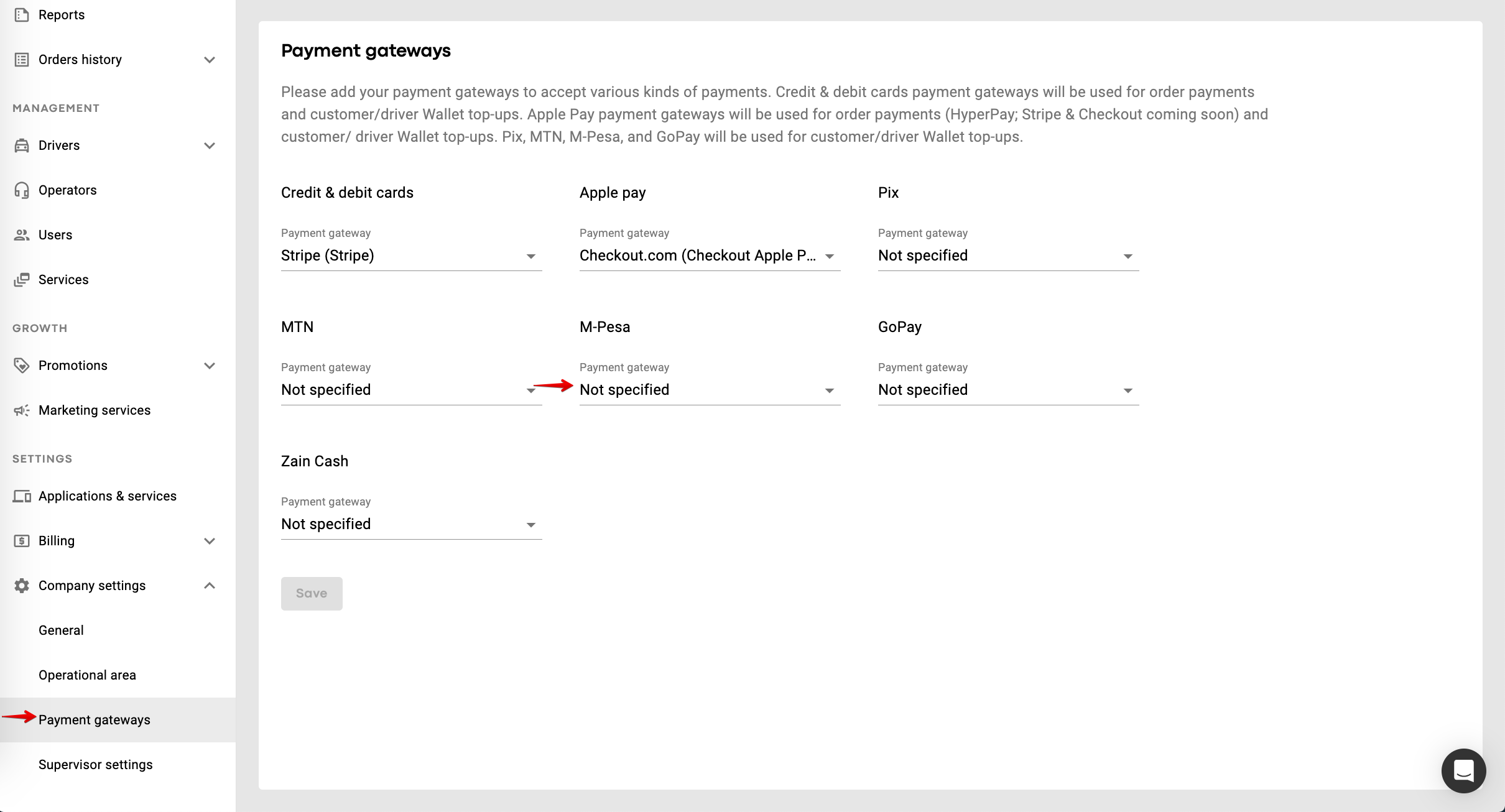
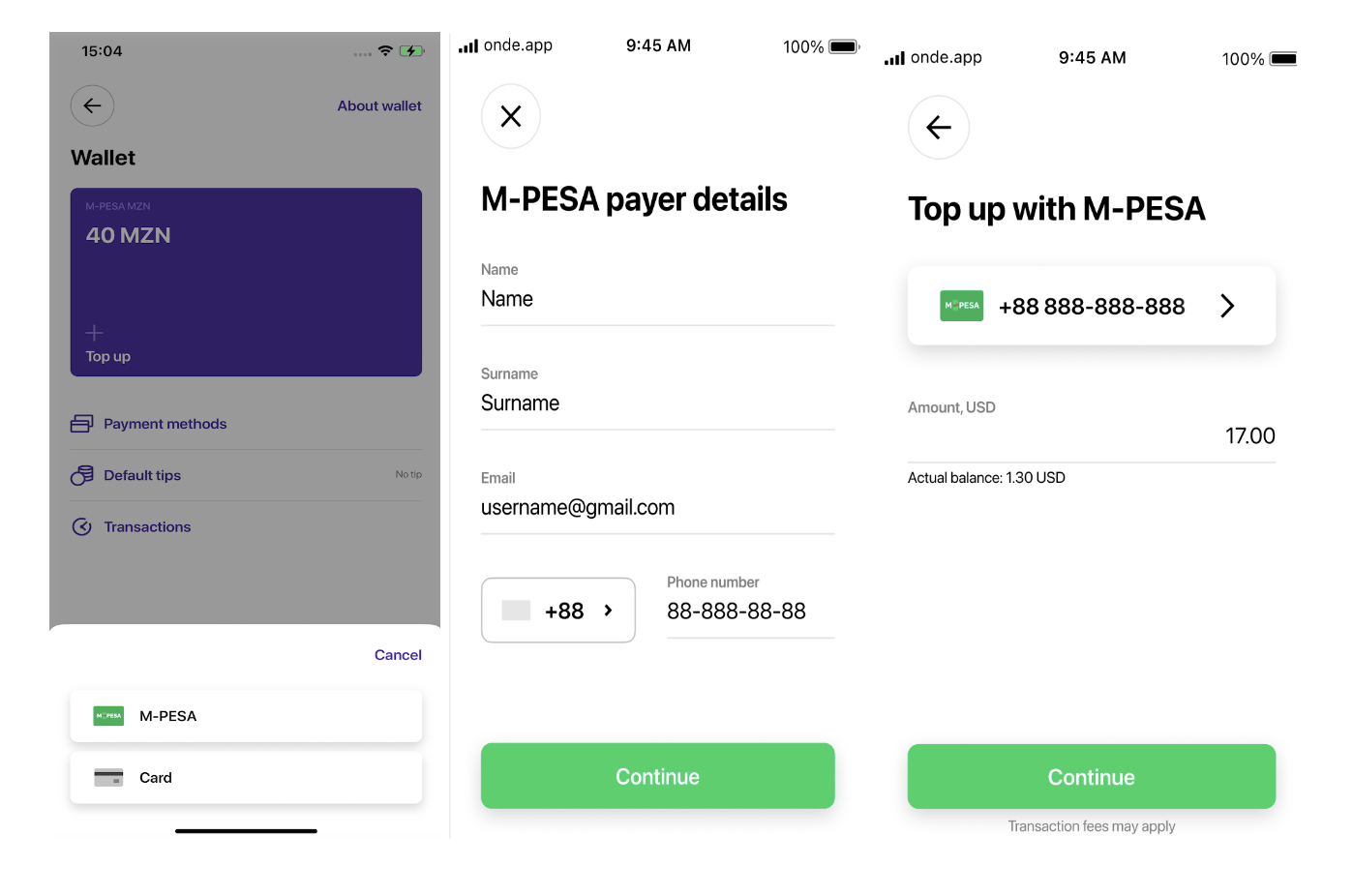
All set! Now your customers are able to top their Wallets up with M-PESA as follows:
Access Wallet in Customer app
Select M-PESA
Fill in payer details: name + surname, email and phone number
Specify athe top-up amount > Continue
Review and confirm
Await on a pending payment screen for Flocash to display the instruction for the payer to use a mobile USSD interface to complete the payment
Check payment result screen upon payment completion
If the payment fails or the payer closes the “Pending” screen or closes the app he is redirected to the main wallet page.
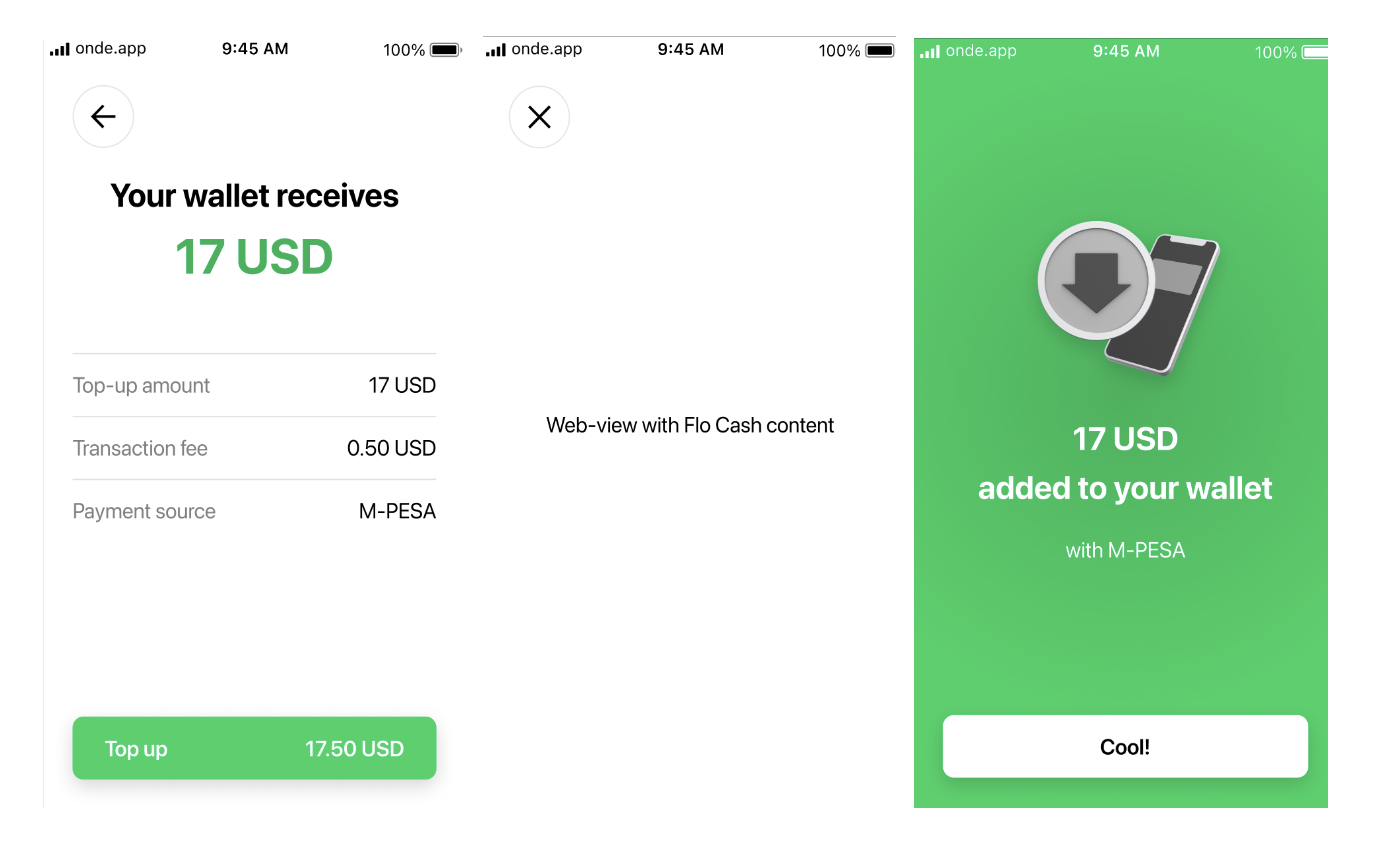
If the payment with M-PESA is successful the transaction will be shown in Wallet transaction history.
In case “Transaction fee” is added in Flocash for “For wallet top-up” it will apply for each Customer wallet top-up with M-PESA.
3DS is not supported for wallet top-up with “mobile money” payment methods.
IMPORTANT
One may choose to have separate merchant accounts for 1 company:
1.One - for regular card payments/direct customer wallet/driver balance top-ups with cards
2.Another one - for wallet top-up with M-PESA payments.
For that, the company has to add 2 separate payment records in Merchant one by one and activate them in My Hub.
Learn more on Flocash merchant activation in Flocash merchant integration guide.
Get more insights on payment options in customer wallet in
Customer wallet top-up with Apple Pay
Customer wallet top-up with Pix
Customer wallet top-up with GoPay
Consult our Adding a payment gateway video to get all the details on activating a payment gateway!
