Every KSA company must be linked to WASL to conduct legitimate operations in the market and comply with TGA requirements.
As per requirements, each driver of a KSA company has to be registered with WASL, and all driver orders should be sent to WASL.
To register with WASL, a driver has to add a package of mandatory WASL documents via the Driver app profile. Once WASL reviews the documents and validates them, a driver is assigned a WASL status: Valid or Invalid.
Invalid WASL status means that a driver has some issues with a document/s or has added them incorrectly.
For a driver’s orders to be accepted by WASL, his synchronisation status in WASL should be Valid.
A company that is linked to WASL can check the current WASL status of their drivers in Driver management > Drivers > column WASL status. The column has 3 statuses:
Eligible (accepted by WASL)
Ineligible (rejected by WASL)
Not defined
“Not defined" driver WASL status is assigned in the following cases:
The driver has not completed registration yet and is therefore not synchronized with WASL.
A driver’s profile is deactivated and has no information about WASL synchronization.
There are 2 options to sort the Drivers in WASL status column:
Eligible > Ineligible > Not defined
Ineligible > Eligible > Not defined
Full access users and those with access to driver management can filter drivers by their WASL statuses. To do that, select "Filter" and choose a WASL status from the drop-down list.
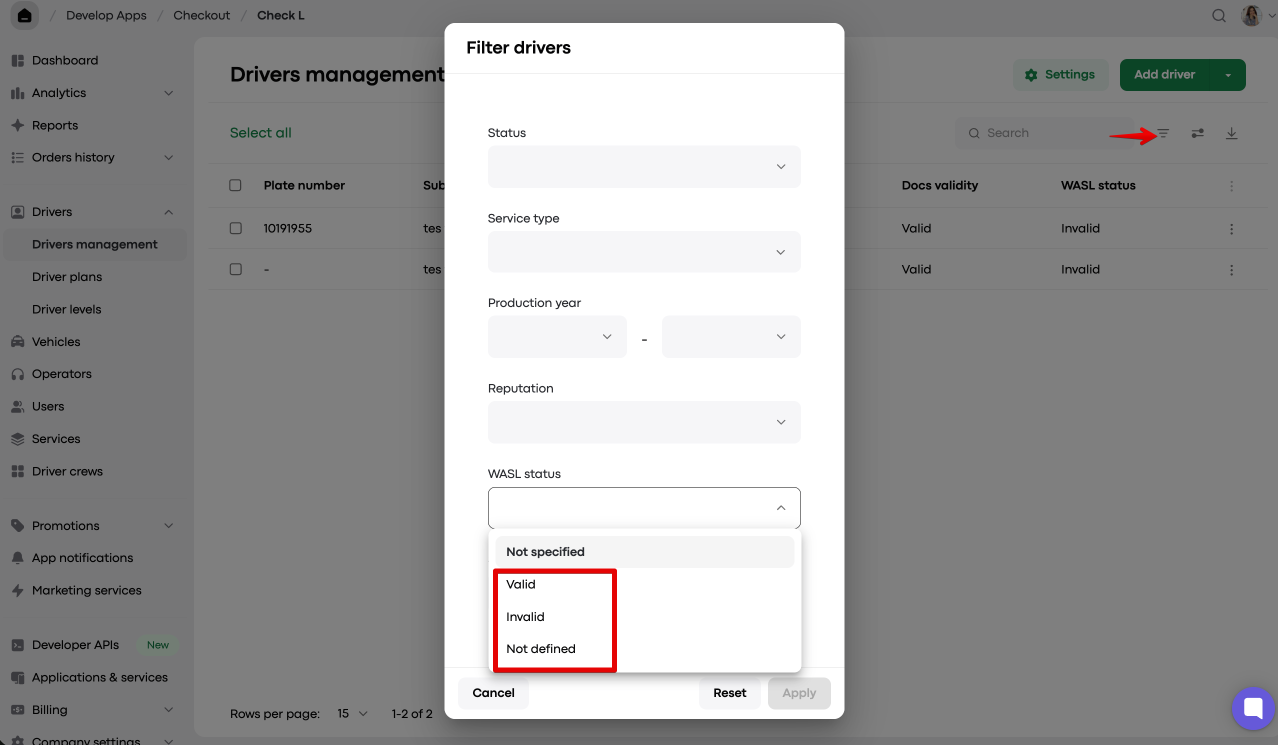
The filtered list of drivers with a specific WASL status can be exported to CSV.
The company can call or email “Ineligible” drivers and advise accordingly.
WASL status is also displayed in a driver’s My hub profile.
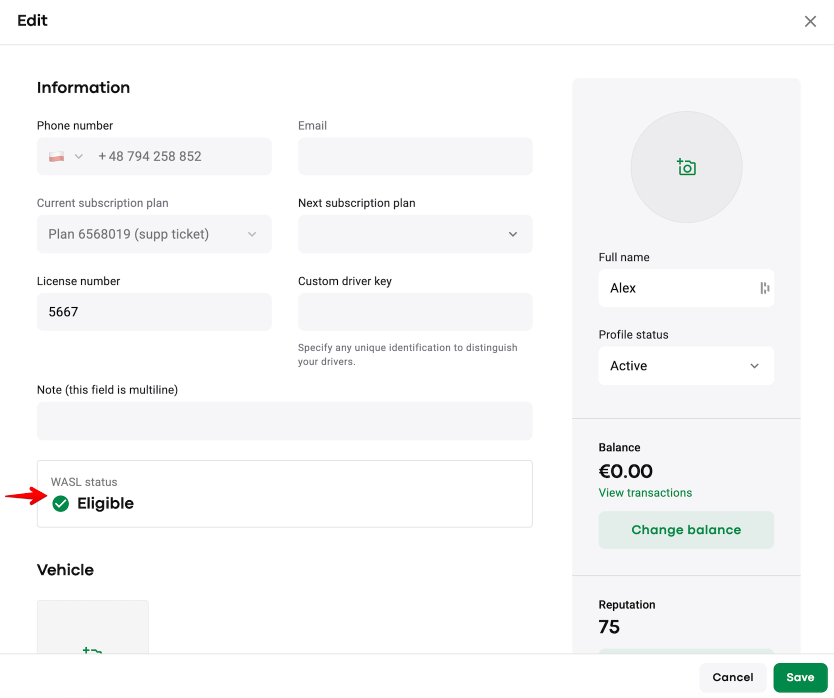
Any company that is linked to WASL can prevent drivers with "Ineligible" WASL status from going online and working.
Access “Driver settings” and tick the checkbox “Auto manage driver profile access based on WASL status”.
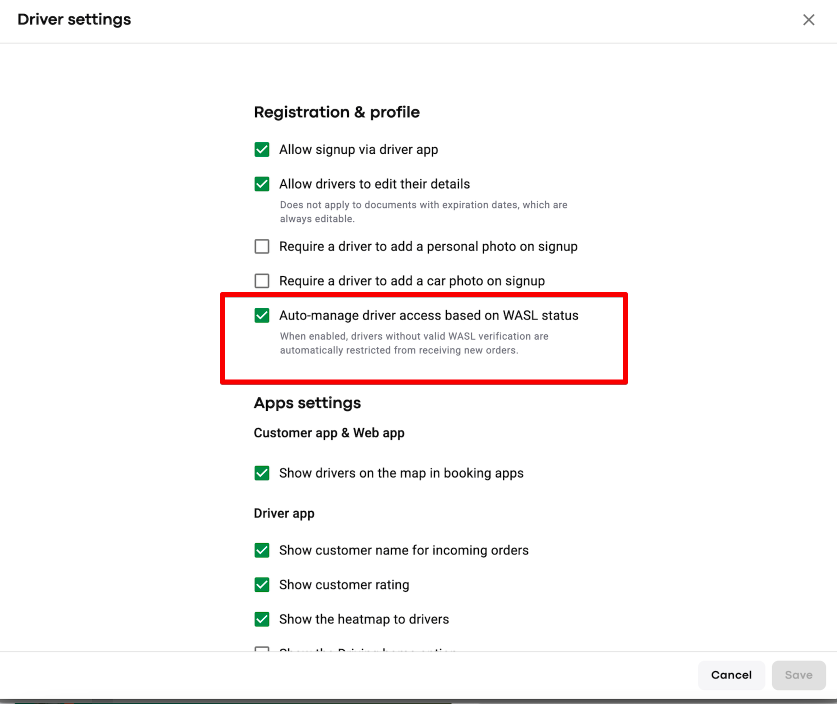
If “Auto manage driver profile access based on WASL status” is activated and a driver’s WASL status in My hub is “Ineligible”, the driver will not be able to process new orders.
At the same time, the driver’s profile status in My hub remains “Active”.
If a driver attempts to go Online the app will generate an error message “You can’t go online because your WASL status is invalid. Review your documents in your profile or contact your company manager for help”.
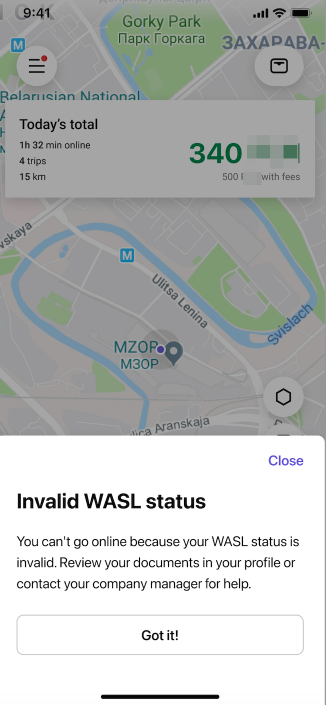
If a driver's WASL status changes to "Ineligible" when the driver is Online he will be able to accept and process/cancel 1 order. However, after that, he is moved offline. On the next attempt to go Online the error message is generated.
If a driver's WASL status changes to "Ineligible" at the time of an ongoing order, the driver is allowed to finish the order. If the driver is offered a back-to-back ride during the trip, he will be able to process it as well. However, he is moved offline upon order completion. On the next attempt to go Online the error message is generated.
A driver in Ineligible status will not be able to receive new preorders even if “Receive preorders while offline” is activated in a driver’s app profile.
If a driver’s status becomes “Ineligible”, all the accepted preorders will be unassigned from him and go to a new round of driver search.
An operator will not be able to assign any instant orders/preorders to a driver with an Ineligible WASL status from the Operator app.
If a driver can’t go online because his WASL status is Ineligible, he can contact the company and verify the reason WASL did not validate his profile.
The reason a driver’s profile has been rejected by WASL is specified under the WASL status in a driver’s My hub profile.
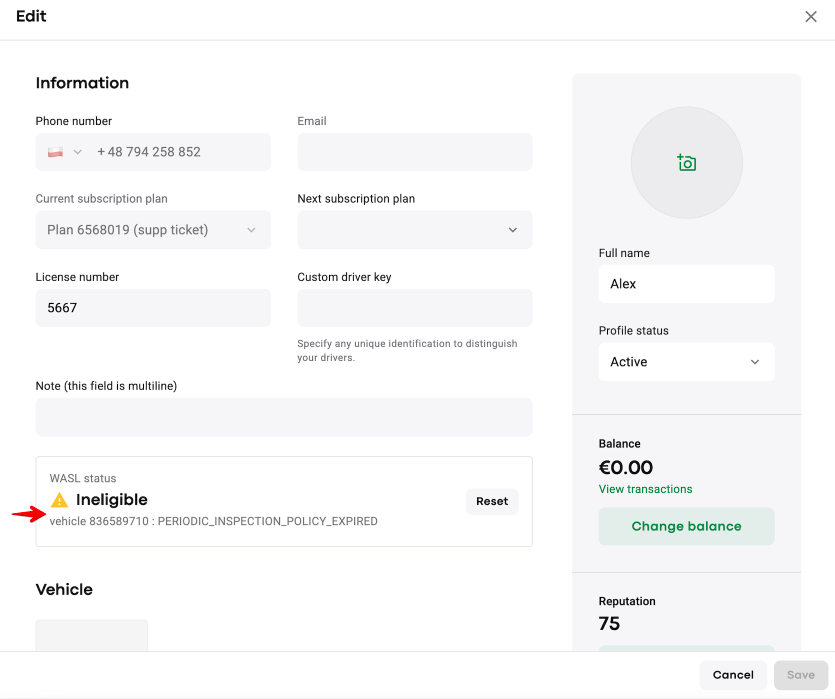
If the documents are updated, the driver will be re-registered during the next WASL synchronization cycle, which runs nightly.
If the profile is validated within a new attempt, WASL status is updated to “Eligible”. If not, it remains “Ineligible” until all the documentation is fixed.
Sometimes a driver’s status is updated in WASL (can be checked in the WASL portal), but still shows as “Ineligible” in My Hub because the next WASL synchronization cycle has not yet run.
To allow a validated driver to work, a company manager can reset a driver’s WASL status in My hub from Ineligible to Eligible.
Tap on the “Reset” button, check the warning and finalize with “Reset”.
In case the driver does not pass the registration with WASL within the next sync, his WASL status is reset to Ineligible yet again.
Secure your company’s compliance with WASL by smartly managing your driver operations with the “Auto manage driver profile access based on WASL status” feature!
