Check the post Apple Pay for customer and driver Wallet top-up for insights on:
How to activate Apple Pay for a company
How to use Apple Pay for customer and driver Wallet top-up
If Apple Pay for "Wallet top-up & direct order payment" is activated for a company, it can also be used as a payment method to cover order payments.
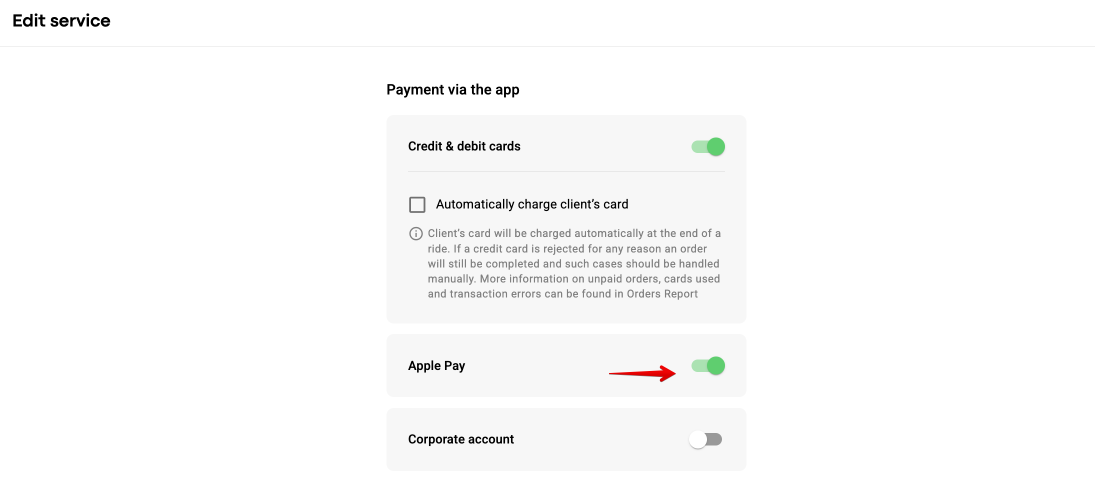
In order to allow Apple Pay payment method for a Service proceed to My hub > Services > Select a service > Payment methods > Payment via the app > toggle the switch for Apple Pay.
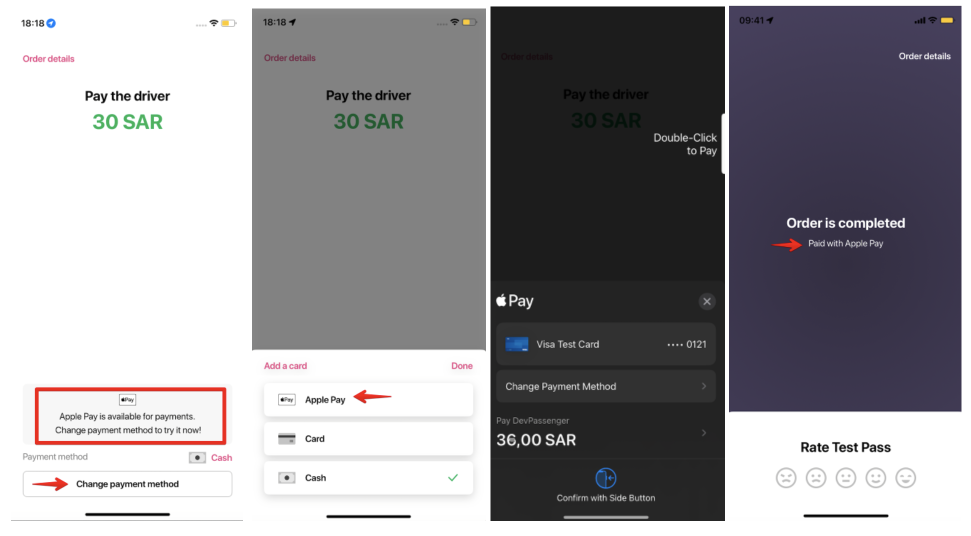
If Apple Pay is activated via Hyperpay, Apple Pay option is offered to a customer at the end of the trip among other Payment options available for the service. A customer can select Apple Pay via “Change payment method”.
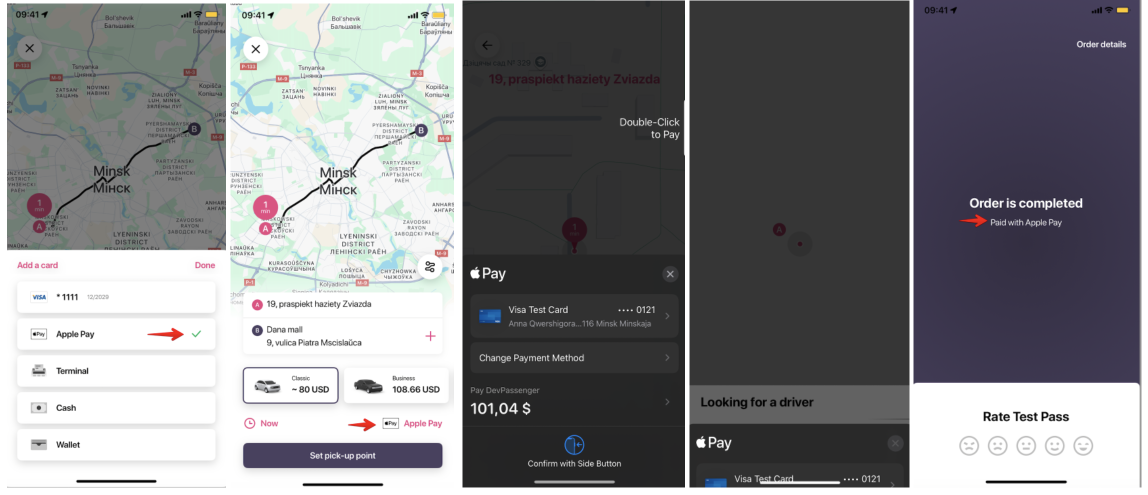
If Apple Pay is activated via Checkout or Stripe a customer can select the Apple Pay option along with other payment methods available for a service before the order.
Choose the service you need > click on the default payment method to open a list of available payment methods > select Apple Pay.
The funds on the card linked to Apple Pay will be preauthorised as per default preauthorisation logic.
Should Apple Pay preauthorisation fail, the order is closed. In this case a customer has to create a new order on a different payment method available for a service or choose a different service.
If the preauthorisation is successful, the order goes through to drivers. At the end of the order the Apple Pay charge is automatic, similar to that of a credit/debit charge.
In case Customer transaction fee is added for the Payment gateway in Merchant it will also apply to orders on Apple Pay payment method.
Check the post Payment methods priority in Customer app to consult on payment method selection rules for Apple Pay.
Apple Pay payment method is logged in:
1.Order details in My orders of Customer app
2.Order details in Recent bookings of Driver app
4.Order report - for an order processed on this payment method
5.Operator app - for Order record retrievable via “Search”
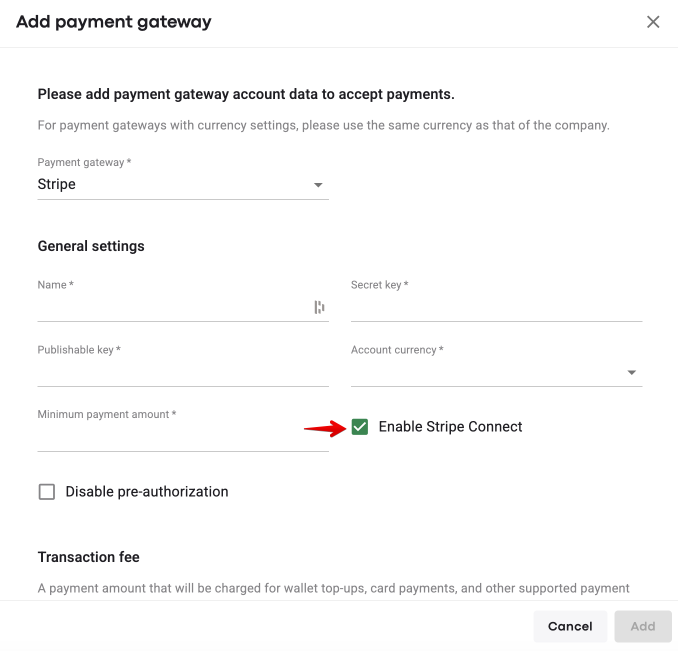
Stripe Connect is supported for Apple Pay, i.e. drivers are paid out for orders, processed on Apple Pay payment method.
One should activate “Checkbox “Enable Stripe Connect” in Apple Pay gateway as well as card gateway.
For Stripe Connect payouts on Apple Pay payment method to be processed correctly, both card and Apple Pay gateways should:
be created in one Merchant
have the same Stripe keys
be linked to the same company
Bring your user experience to a new level allowing your customers to pay for their orders with Apple Pay!
