Every Tanzanian company must be linked to LATRA to be licensed and conduct legitimate operations in the market
As per the requirements, each driver in Tanzania has to be registered with LATRA, and all driver orders should be sent to LATRA.
To register with LATRA, a driver has to add the following
profile data :
Name
Phone
License Number (10 digits)
Plate number
set of mandatory LATRA documents:
Vehicle Type (1/2/3)
License Category (A–G)
Vehicle Registration Date (YYYY-MM-DD)
At profile registration, a driver is required to add all the above data and documents,
Once that is done and if all the profile data along with LATRA documents comply with LATRA requirements, the driver’s LATRA status becomes to “Valid”.
“Invalid” LATRA status means that a driver has some issues with the document/profile data, and his orders are not sent to LATRA
A company that is linked to LATRA can check the current LATRA status of their drivers in Driver management > Drivers > column LATRA status. The column has 3 statuses:
Valid (accepted by LATRA)
Invalid (rejected by LATRA)
Not defined (for drivers in “Waiting for activation” status)
There are 2 options to sort the Drivers in the LATRA status column:
Valid > Invalid > Not defined
Invalid > Valid > Not defined
Full access users and those with access to driver management can filter drivers by the LATRA status parameter. Just tap on the “Filter” icon and select the needed status from the dropdown list of statuses in the “LATRA status” field.
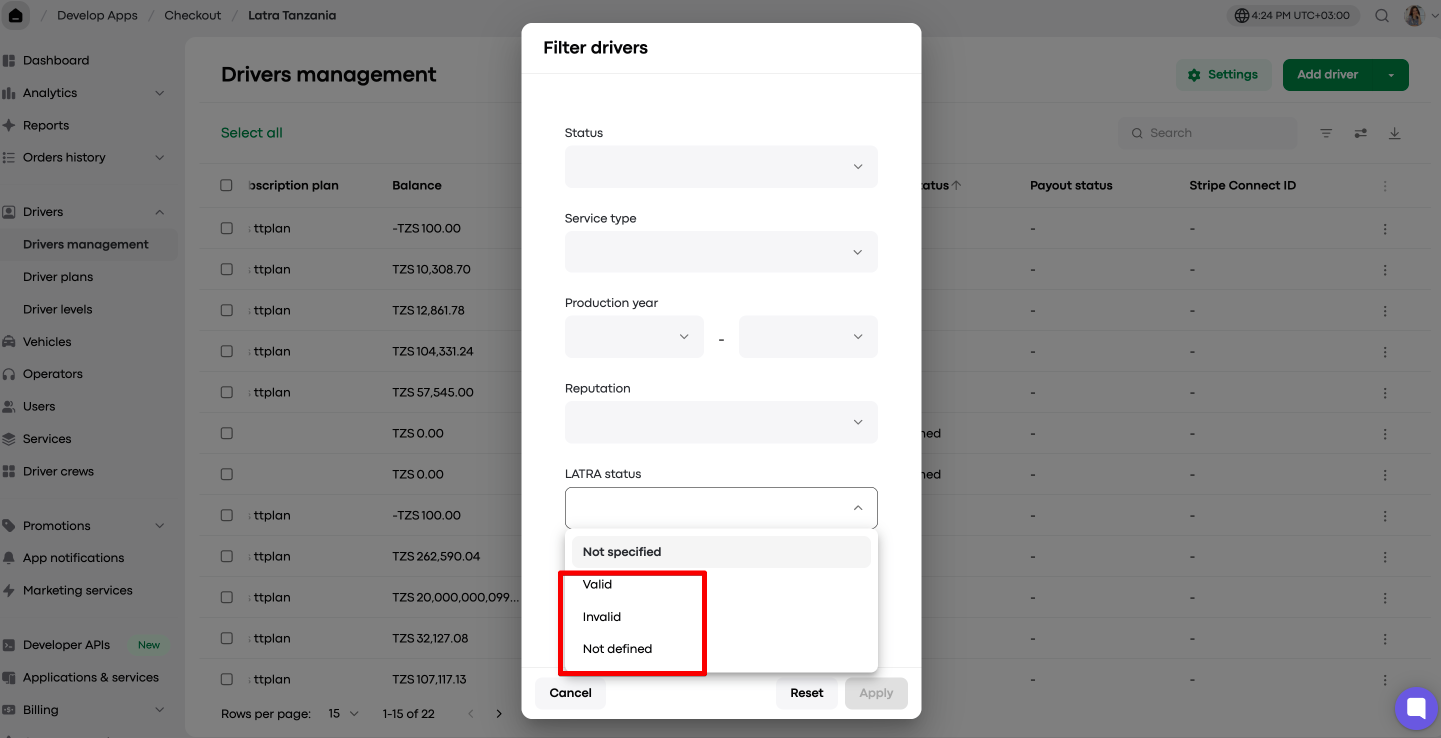
The filtered list of drivers with a specific LATRA status can be exported to CSV
The company can call or email “Invalid” drivers and advise accordingly.
LATRA status is also displayed in a driver’s My hub profile.
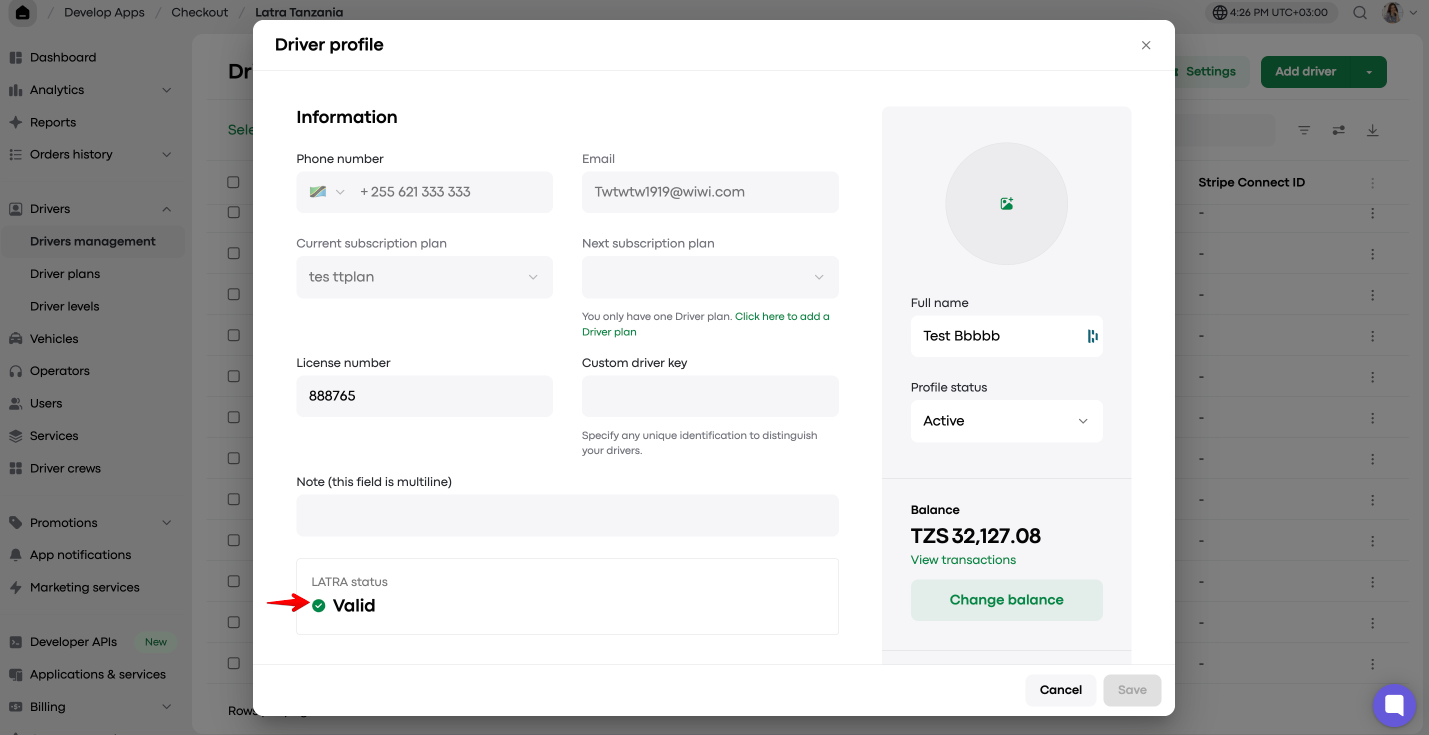
By default, drivers in Invalid LATRA status are allowed to work.
Any company that is linked to LATRA can disallow drivers with “Invalid” LATRA status from going online and working.
Access “Driver settings” and tick the checkbox “Auto manage driver profile access based on LATRA status”.
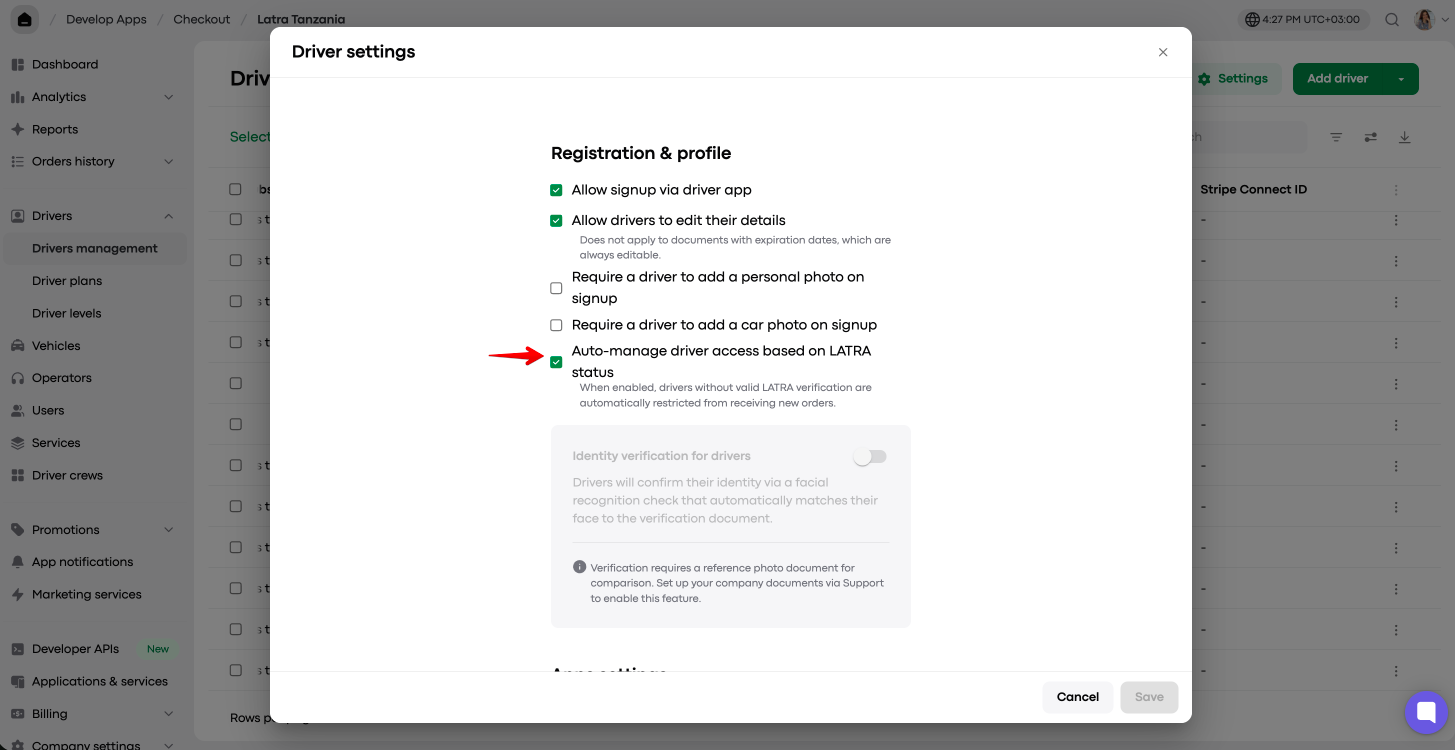
If “Auto manage driver profile access based on LATRA status” is activated and a driver's LATRA status in My hub is “Invalid”, the driver will not be able to process new orders.
At the same time, the driver’s profile status in My hub remains “Active”.
If a driver attempts to go Online, the app will generate an error message “Something went wrong. Review your documents in your profile or contact your company manager for help”
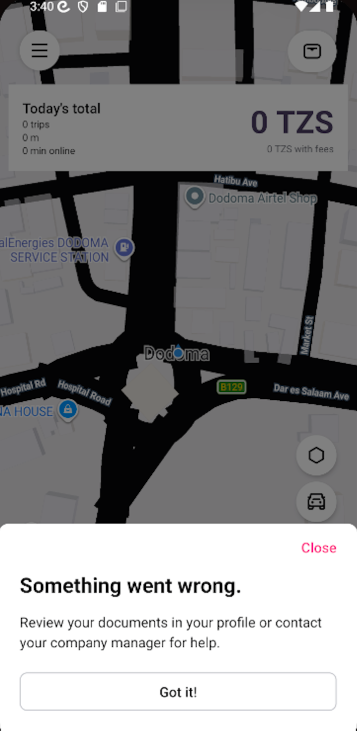
If a driver’s LATRA status update to Invalid is received when the driver is Online, he will be able to accept and process/cancel 1 order. However, after that, he is moved offline. On the next attempt to go Online, the error message is generated.
If a driver's status is updated to “Invalid” at the time of an ongoing order, the driver is allowed to finish the order. However, he is moved offline upon order completion. On the next attempt to go Online, the error message is generated.
If a driver's status is updated to “Invalid” at the time of an ongoing order, he will be able to accept and process a Back-to-back job. However, he is moved offline upon order completion. On the next attempt to go Online the error message is generated.
A driver in Invalid LATRA status will not be able to receive new preorders even if “Receive preorders while offline” is activated in a driver’s profile.
If a driver’s status becomes “Invalid”, all the accepted preorders will be unassigned from him and go to a new round of driver search.
An operator will not be able to assign any instant orders/preorders to a driver with “Invalid” LATRA status from the Operator app
If a driver can’t go online and work because his LATRA status is “Invalid” they can contact the company and verify the reason LATRA did not validate the profile.
The reason a driver’s profile has been rejected by LATRA is specified under the LATRA status in a driver’s My hub profile.
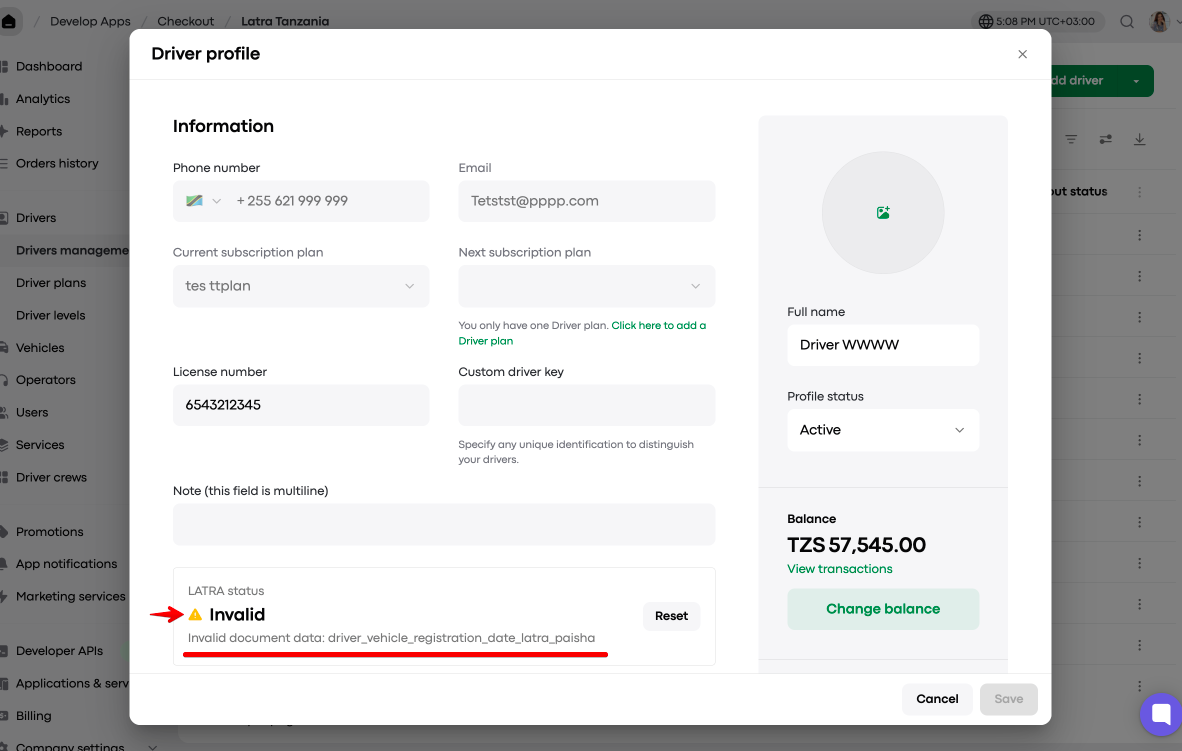
Once a driver or a company manager corrects the profile data and/or documentation as required, a driver’s LATRA status is updated to “Valid”. If not, it remains “Invalid” until all the documentation is fixed.
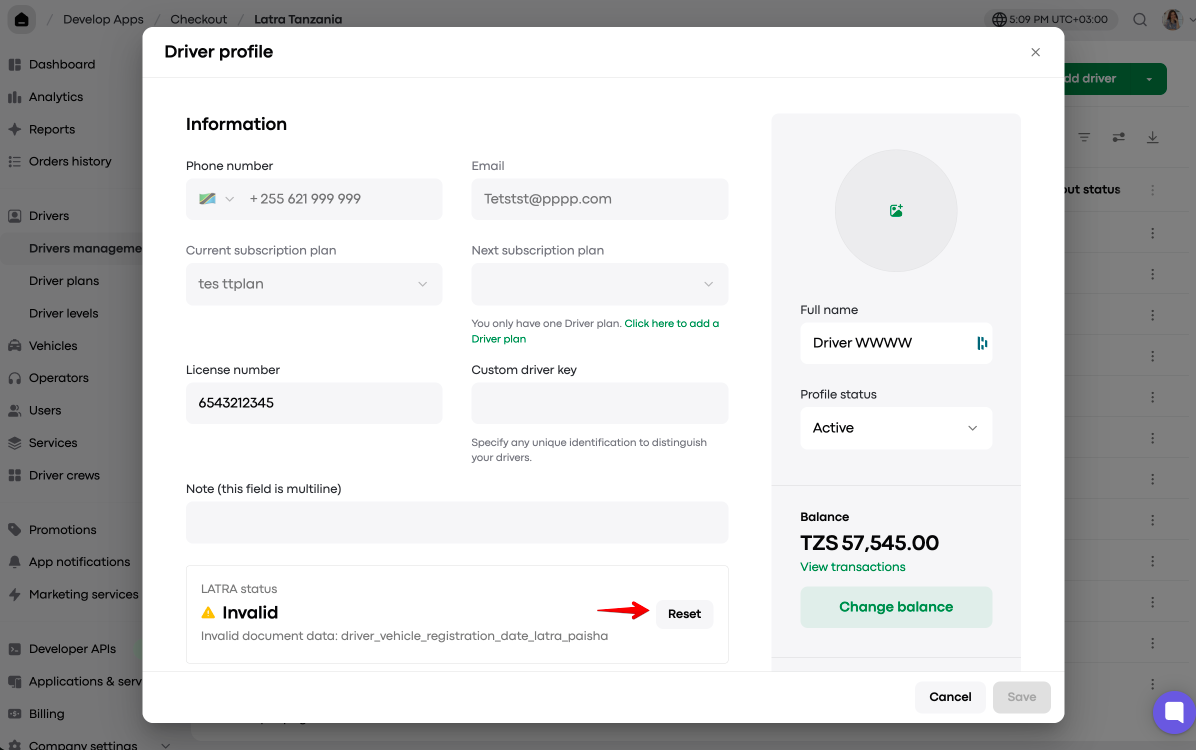
To allow a driver in “Invalid” LATRA status to work, a company manager can reset a driver’s LATRA status from My hub from Invalid to Valid.
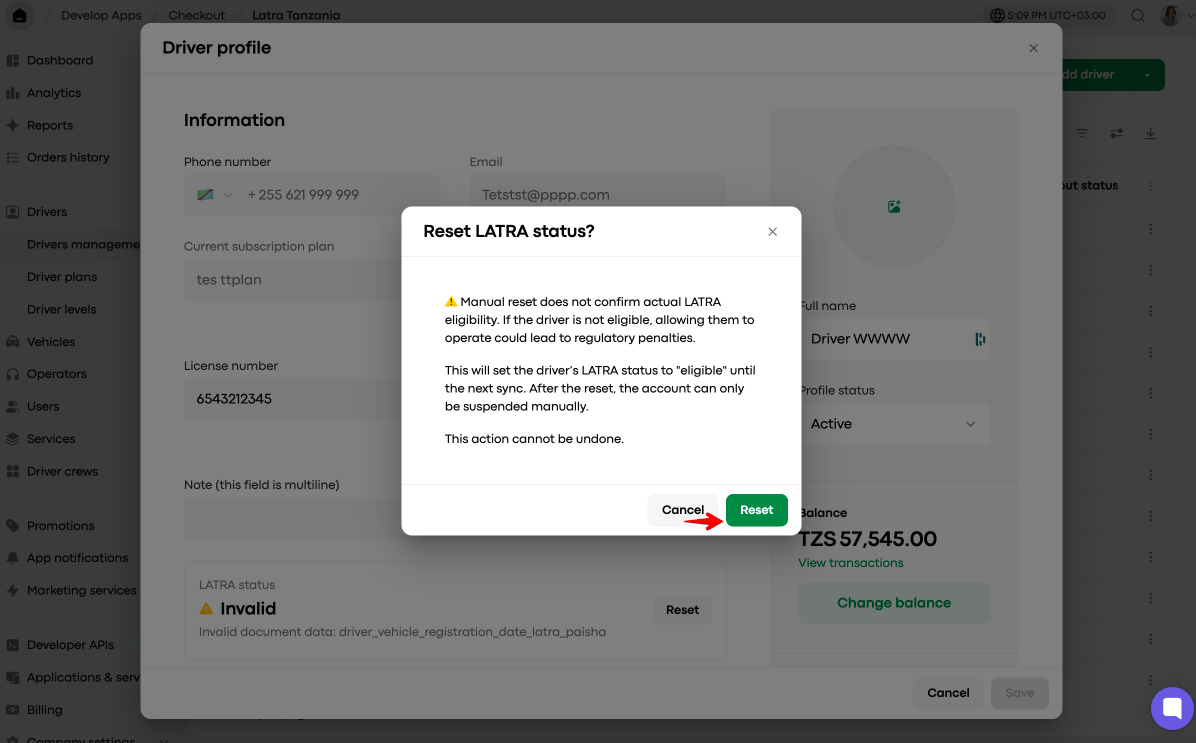
Tap on the “Reset” button, check the warning and finalize with “Reset”.
Mind that once “Invalid” status is reset to “Valid” from My hub, the system will be sending such driver’s trips to LATRA for the next 24 hours only. However, LATRA will still be rejecting those trips. Within 24 hours, the system stops sending this driver’s trips to LATRA.
Every time a “Valid” driver’s documents are updated from the app profiles or My hub, a new LATRA validity check is triggered. If any of the.documents are incorrect, the driver becomes Invalid.
One has to be cautious with Driver LATRA status reset, as there is no way to distinguish between truly “Valid” drivers and the “Invalid” drivers whose status has been reset to Valid from My hub.
Secure your company’s compliance with LATRA by smartly managing your driver operations with the “Auto manage driver profile access based on LATRA status” feature!