Stripe iDeal is available for Netherlands.
Steps to activate Stripe iDeal for your company:
1. Request Stripe account from https://stripe.com/
One does not need to open a separate merchant account with a bank or obtain a merchant ID to use iDeal through Stripe.
To start accepting iDeal as a payment method proceed as follows:
Access your Stripe account dashboard, Go to “Settings” (gear icon in the upper-right corner), click “Payments” under “Product settings” and select the “Payment methods” tab
Find iDeal in the list and click “Turn on” next to it
Make sure your prices are in EUR (Euro) — iDeal only supports EUR currency
Comply with the iDeal Terms of Service
Stripe handles all the bank relationships and processing infrastructure. Once you enable iDeal in your Stripe account settings, Stripe manages the connection to the iDeal network directly. You just need to turn on the payment method in your dashboard and ensure your transactions are in EUR.
2. Create a Stripe iDeal gateway entity in your Brand panel on Merchant level: go to Brand > Merchant > Payment gateways > Add > Credit & debit cards > Stripe iDeal. Fill out payment gateway credentials. Don't forget to save the changes!
Stripe iDea is integrated for Netherlands
Steps to activate Stripe iDeal for your company:
1. Request Stripe iDeal account from https://stripe.com/
2. Create a Stripe iDeal gateway entity in your Brand panel on Merchant level: go to Brand > Merchant > Payment gateways > Add > Credit & debit cards > iDeal. Fill out payment gateway credentials.
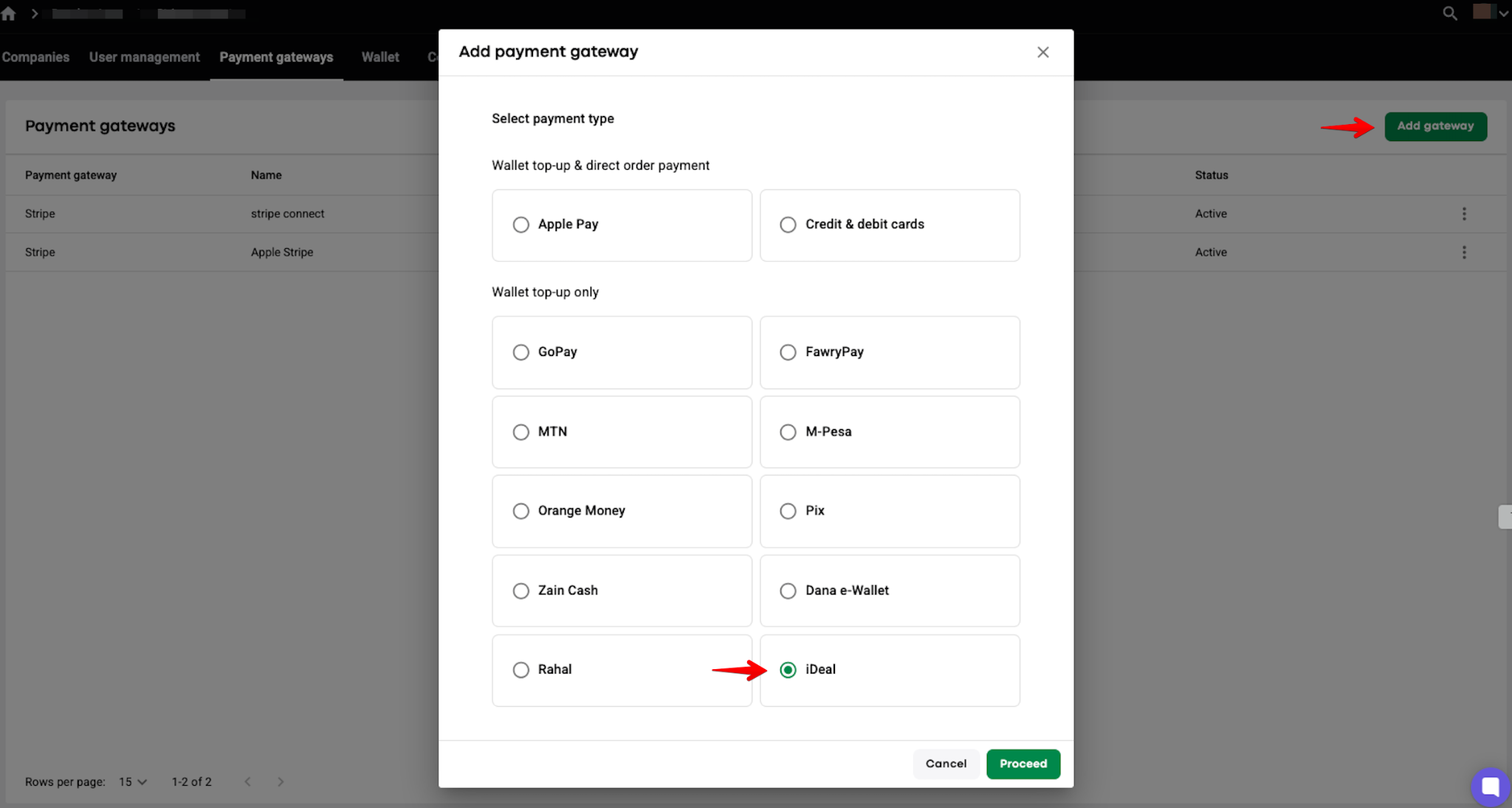
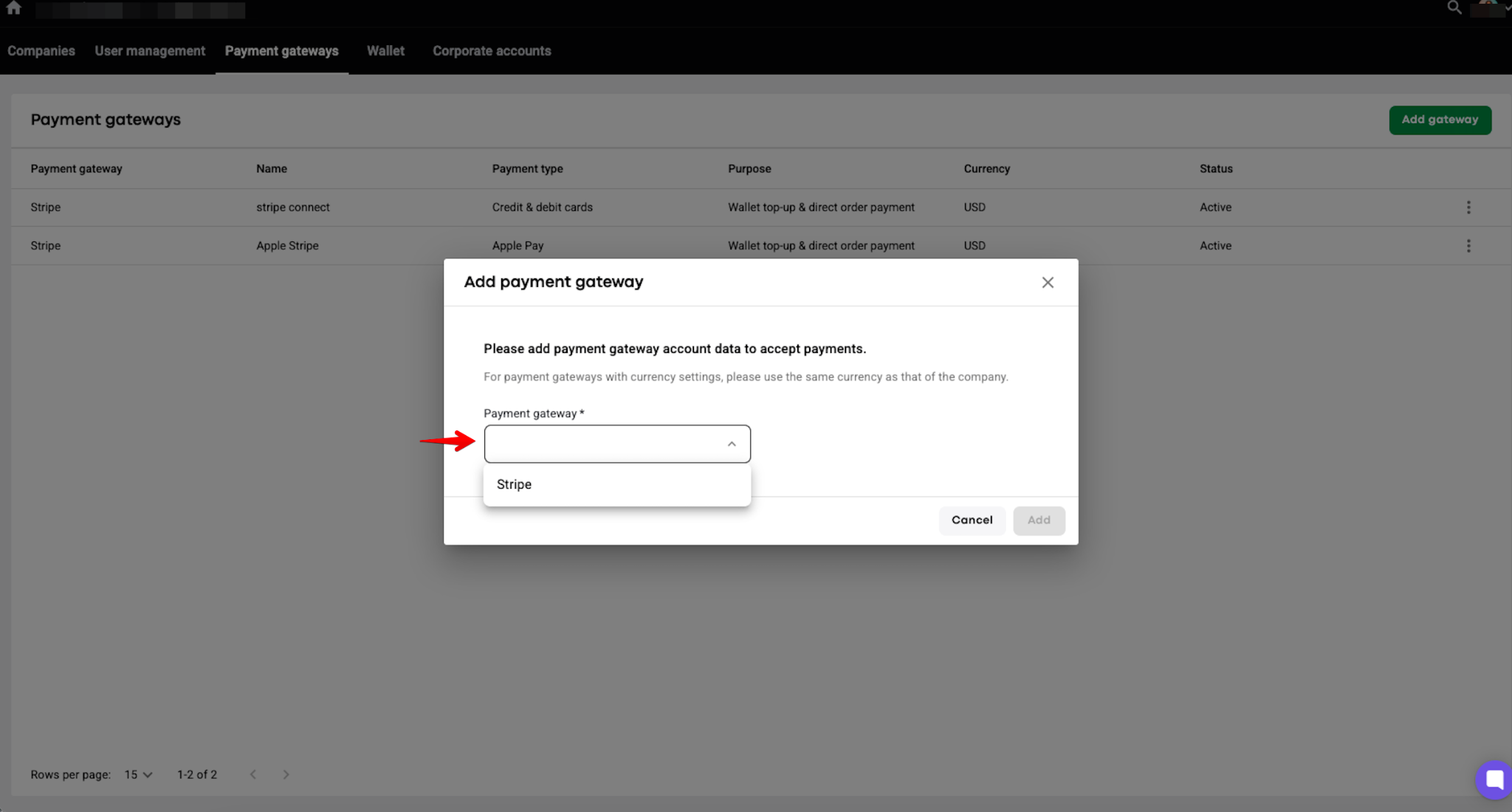
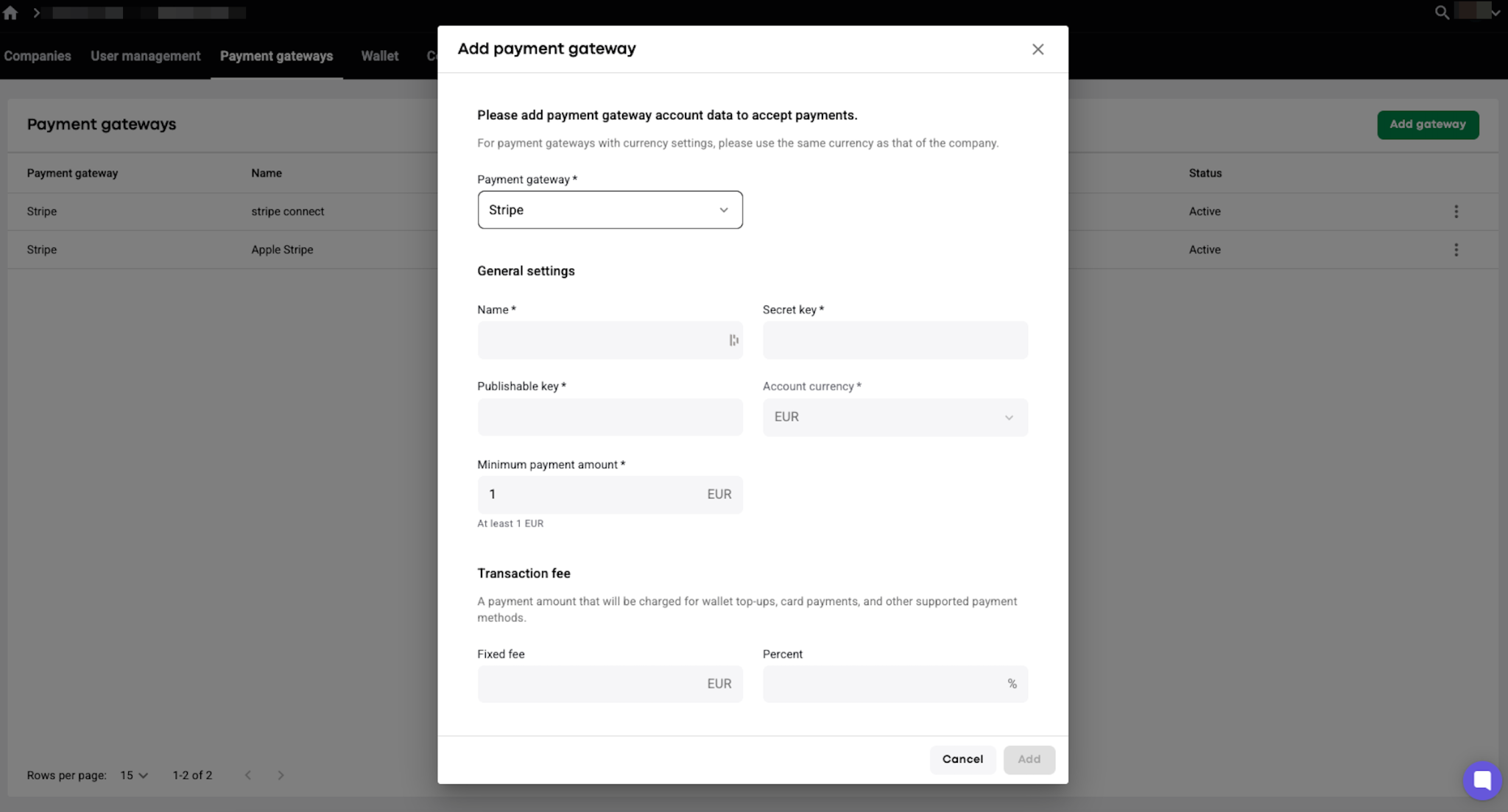
Don't forget to save the changes!
3. Enable Stripe iDeal gateway in MyHub for required companies: My hub > Company settings > Payment gateways > Edit > in "Credit & debit cards" field choose the payment gateway that you've created > Save. The flow is shared in the video.
4. Do some live testing with credit cards. One may check that:
- on trip payments with credit card;
- driver wallet and customer wallet top-ups with credit cards.
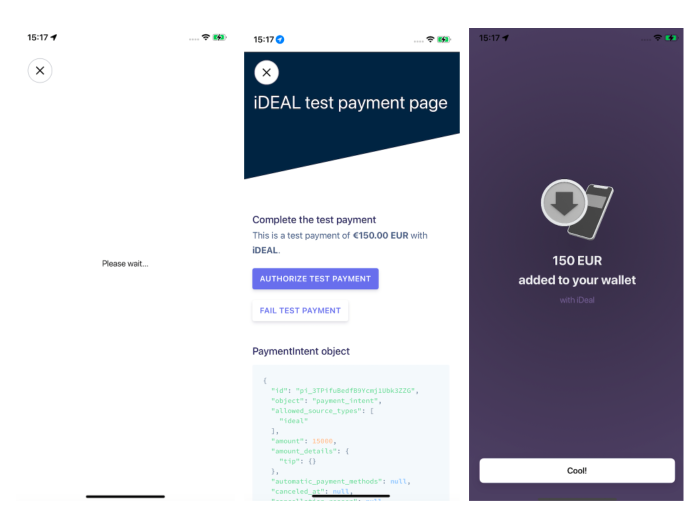
Add your credit card with Stripe iDeal as below:
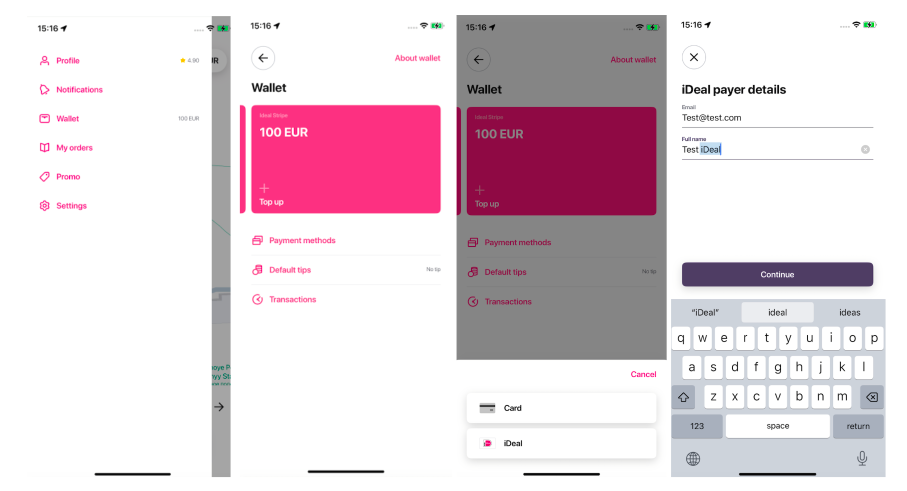
In case of any errors with card verifications or transactions emerge, kindly report to [email protected].
