Consult Driver payouts with Stripe Сonnect 1. Stripe Connect activation for Company for details of completing the Connect platform onboarding process in Stripe dashboard and activating Stripe Connect for the company.
Check Driver payouts with Stripe Connect 2. Stripe Connect driver onboarding for details of onboarding your drivers.
1. For an order without a discount coupon paid by card/Apple pay the payout to a driver’s Stripe connect express account is made instantly from the card payment itself.
2. For an order with a discount coupon paid by card/Apple pay or an order paid by Wallet/third-party the payout to a driver’s Stripe connect express account is made instantly from a company's Stripe merchant account. (The company’s Stripe merchant account balance has to be positive for the payout to be performed.)
IMPORTANT
A company’s Stripe merchant account has to have a positive balance. The more drivers are registered with the company, the more funds should be available on the merchant account.
This precondition is mandatory as there is a time gap between a charge on a customer’s card and credit to the company's Stripe merchant account. As the transfer to a driver’s Stripe Connect account has to be instant, the funds on Company’s Stripe merchant account have to be sufficient.
Once a customer’s card/Customer Wallet is charged or an order on any payment method is processed with a coupon the following mechanism is triggered:
the funds land on the driver's balance (for card payments the real funds are as well credited to a company's Stripe merchant account)
order/transaction fees (if set) are charged from the driver's balance
coupon value, if the discount is applied, is added to the driver's balance
the sum without the fees and with added coupon value is transferred directly to the driver’s Stripe Connect account.
For example:
A customer's wallet is charged $114.60 for the trip. Order fee is 1%, wallet transaction fee is 7%: $114.60 is credited to a driver's balance, $1.15 debited as order fee, $8.02 is debited as transaction fee, $105.43 is paid out to a driver’s Stripe Connect account.
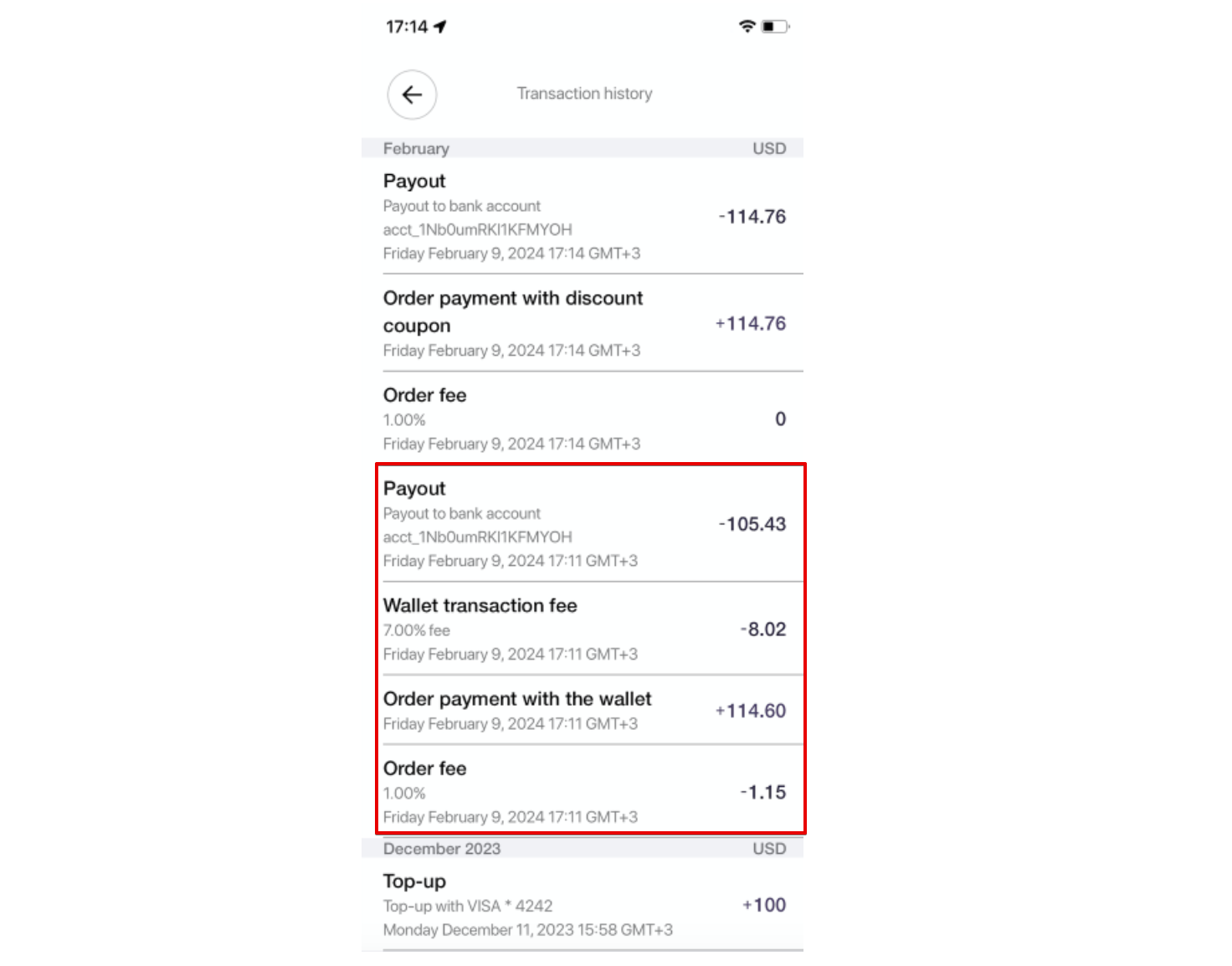
Please, take into account that Stripe fees are to be charged accordingly:
https://stripe.com/docs/connect/charges-transfers.
The funds are transferred to the connected driver Express account immediately after the payment. After that drivers are paid out as per default daily payout schedule.
Stripe account owners can change the Payout Schedule for Express accounts in Stripe Express Dashboard
Proceed to “Settings” > “Connect” > “Features”.
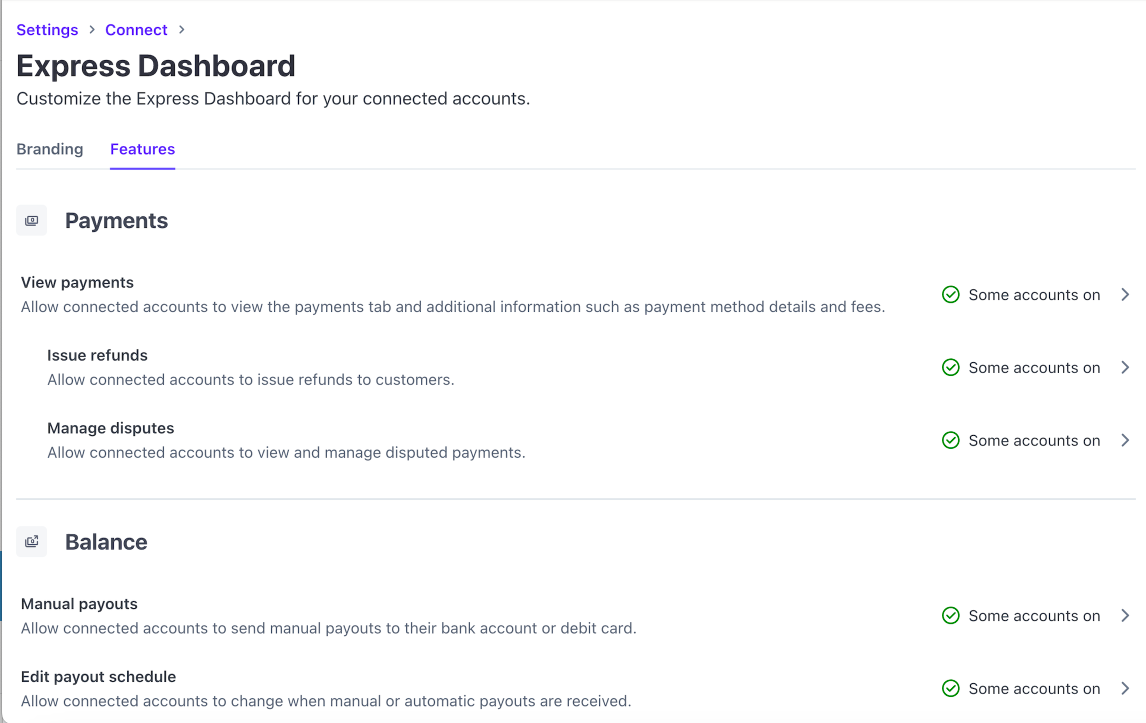
Find the section “Balances" > click on “Manage payouts” dropdown menu > select "Manage payout schedule".

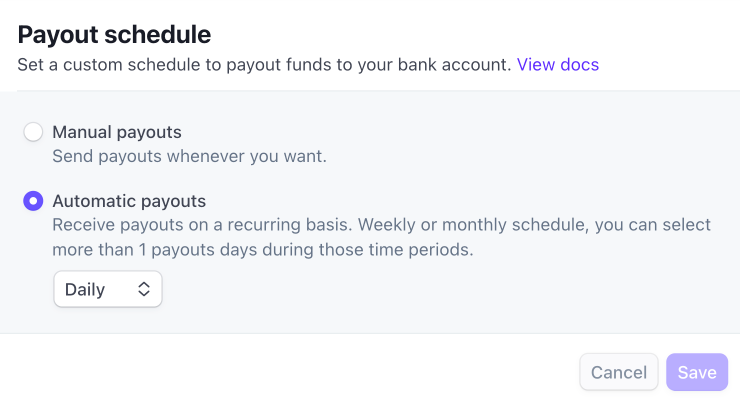
There are 2 Payout schedule options:
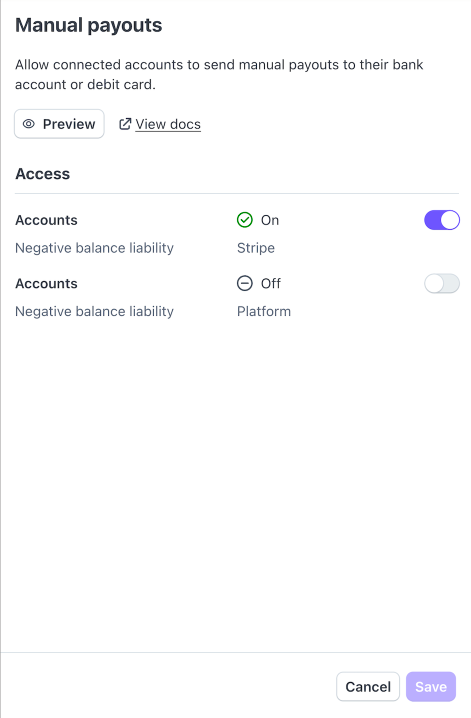
Manual payouts
Automatic payouts
A company has access to all driver Stripe connect accounts and, if “Manual payouts” are activated, can manage debits and credits on them manually.
Automatic payouts allow an account owner to process payouts on a recurring basis: weekly or monthly. One can select 1 or more payout days during those time periods.
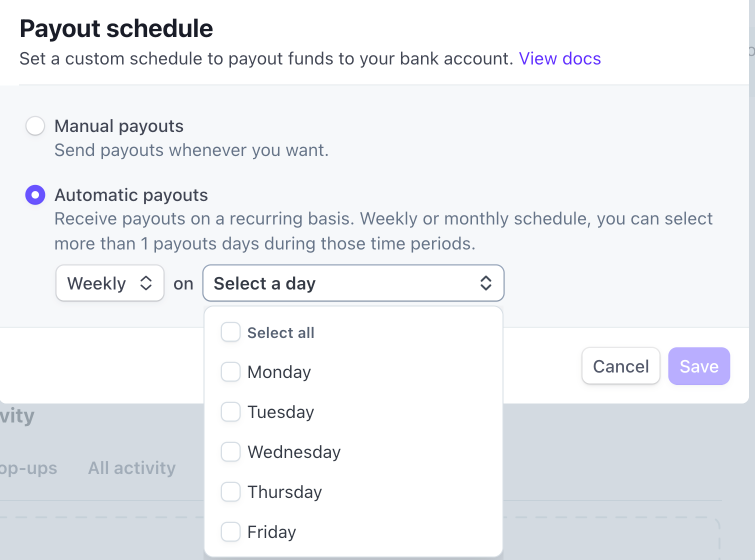
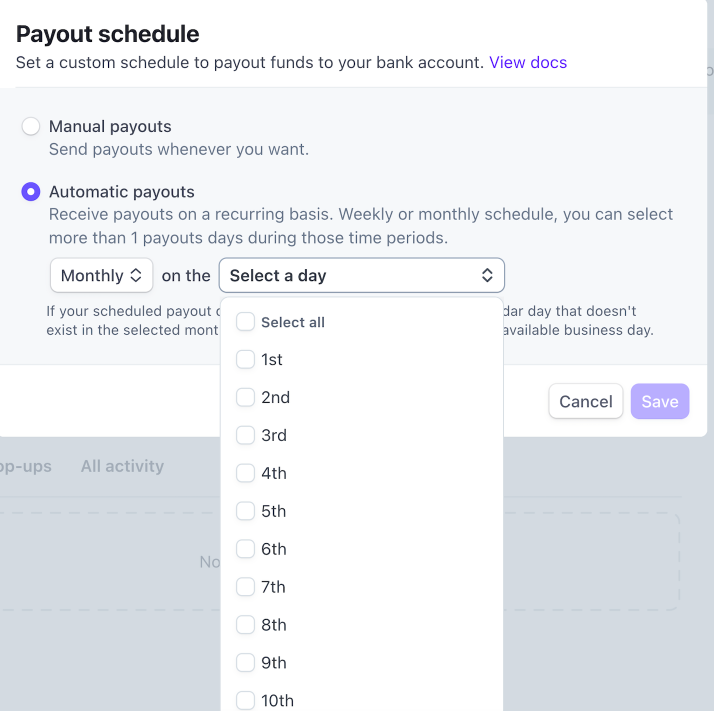
Use the posts How do I manage my payouts? and Understanding daily, automatic, and manual payout schedules for details of managing payout schedule to your best advantage.
A Driver can review his Stripe Connect account balance from his Stripe Connect account cabinet or iOS app.
Stripe fees are deducted only once (during charge), no fees apply within payouts.
Please, address Stripe support on [email protected] on any transaction fee corner cases specific for a location.
In case Stripe does not work in your area you are welcome to use Onde solution for driver payouts. Please, consult the post Automated driver payouts for more details.
