The system calculates ETA (estimated time of arrival) in minutes from a driver's original location to a customer’s pick-up address. The ETA is calculated by Google as per the physical locations of a driver and a customer.
Originally, when the service and pick-up address are defined by a customer in the app, the system shows the ETA from the closest driver on the requested service to the customer’s pick-up location.
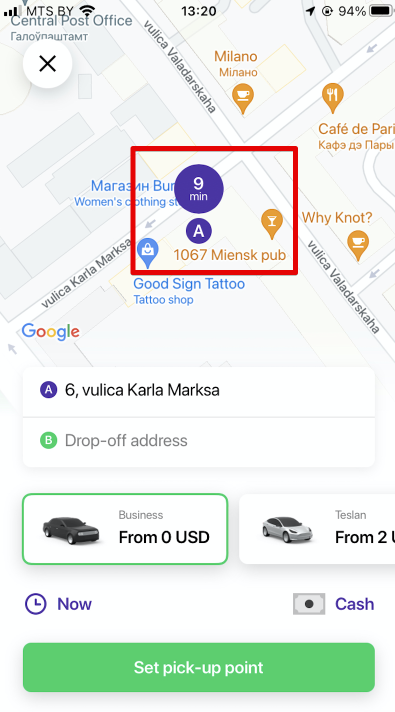
Once the order is submitted and offered to a driver as per intelligent queue algorithm the system calculates ETA (estimated time of arrival) from this driver's original location to the pick-up address and shows it to the driver.
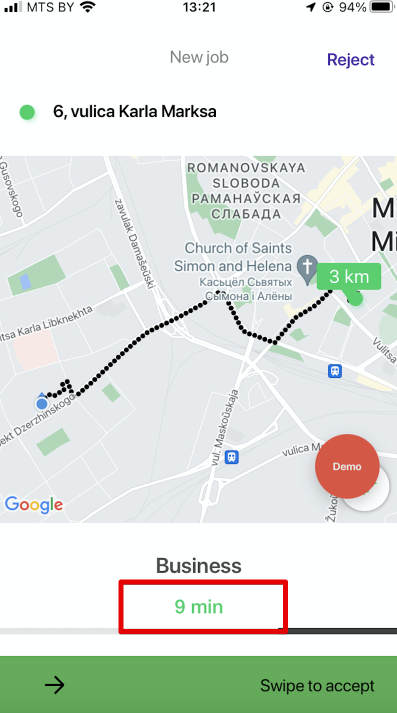
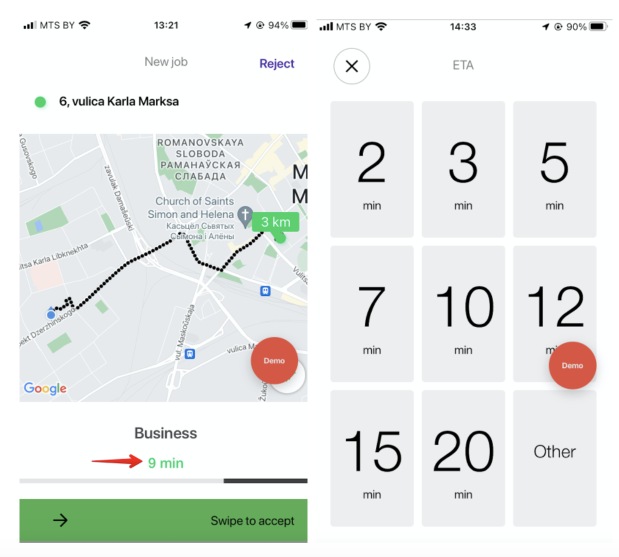
A driver is allowed to override the ETA offered by Google and offer his own ETA.
For that he needs to click on the value of Google ETA and select the ETA he can meet.
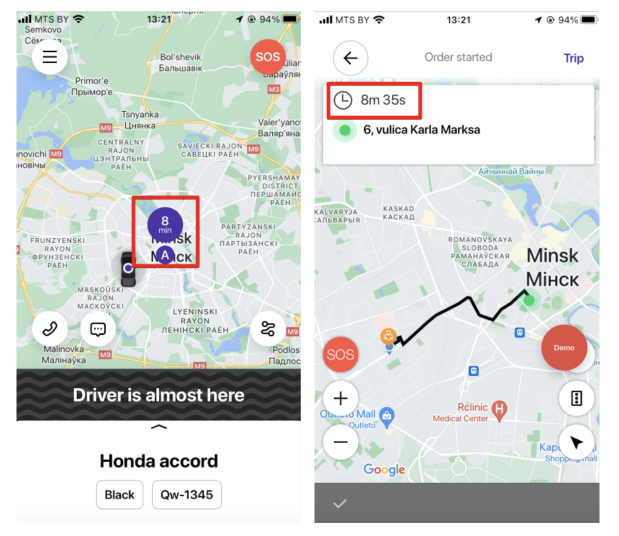
When the order is “Accepted”, both customer and driver can track the ETA in their apps.
As the driver approaches the pick-up, the Customer app will show the remaining minutes, Driver app - the countdown from the original ETA. The countdown starts the moment the order is accepted and does not depend on a driver’s car moving or not, so the driver should head to the pick-up instantly to meet the ETA. If the driver lingers on he risks missing the ETA deadline.
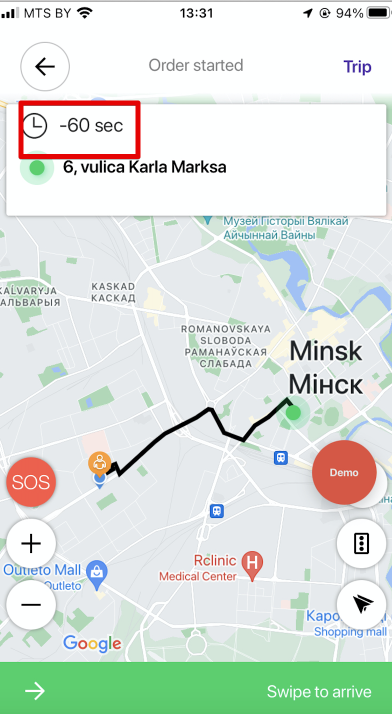
In case the ETA runs out, the Driver app starts counting the “penalty” time: i.e how much time above the initial ETA it took the driver to arrive at the pick-up (for example - 60 sec).
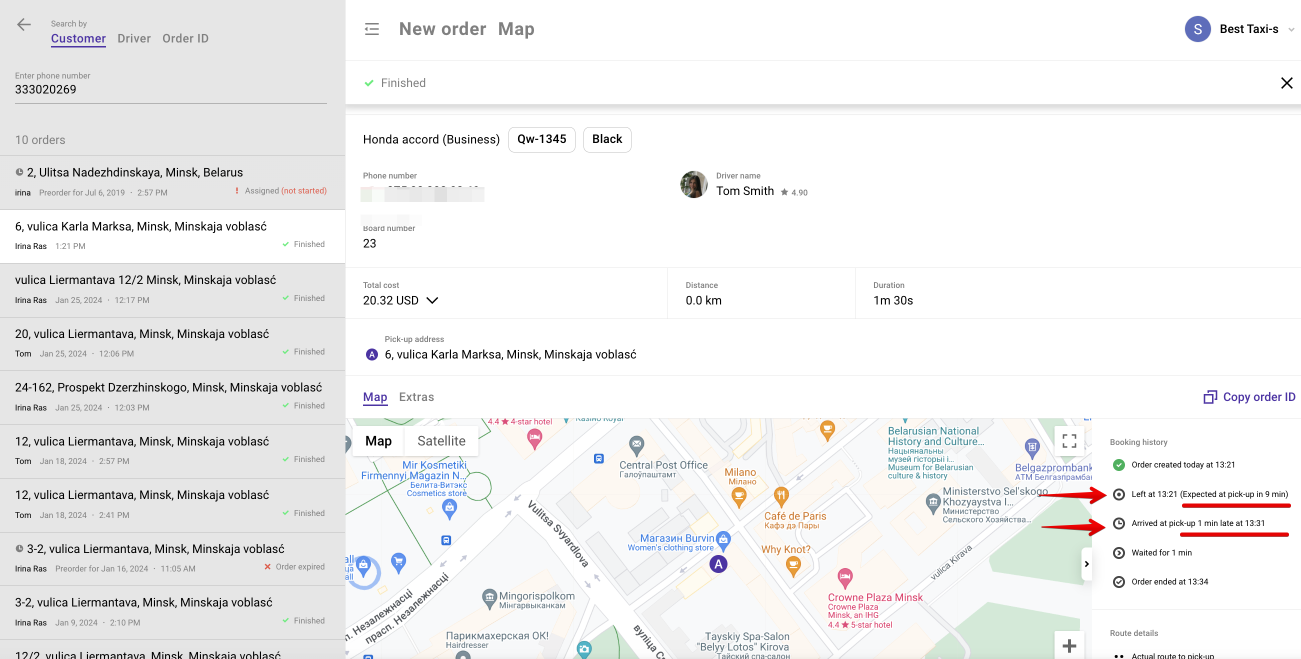
One can track ETA vs actual arrival data for each order in Operator app “Booking history”.
For example:
Left at : “13:21” (Expected at pick-up in “9” minutes)
Arrived at pick-up “1” minutes late at “13:31”.
This data can come in handy to justify a cancellation fee charged on a driver for violating the ETA timeline.
For example, if the customer cancelled the order as the driver is late to pick-up the fee might be charged as per “Driver didn't show up” situation and settings in Cancellation policy.
Learn more on Driver app in Driver app tutorial.
