A driver’s balance can be managed in 2 ways:
1. Added
2. Deducted
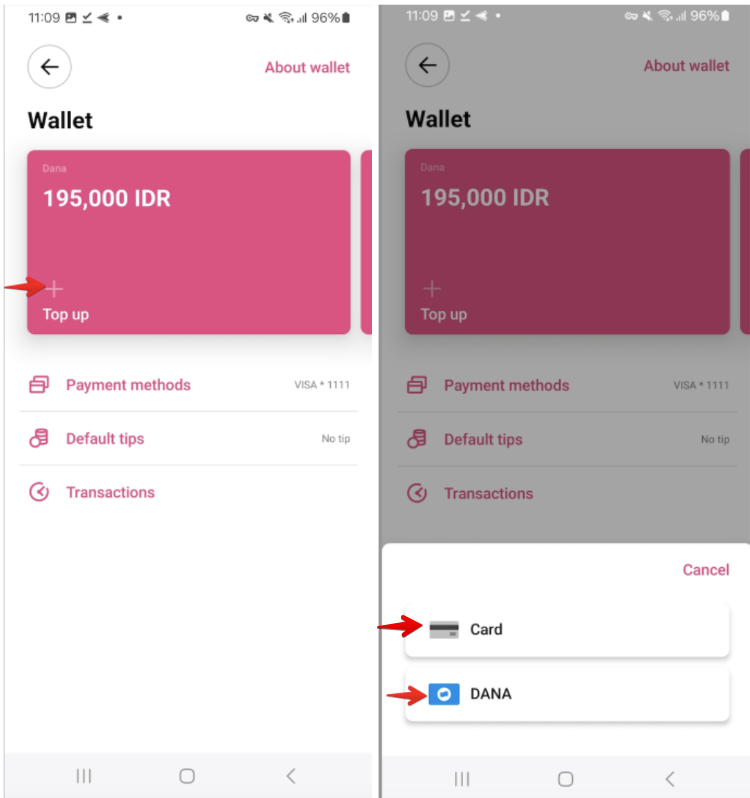
1. Through the Driver app:
go to the side menu > open the “Wallet” tab > press “Top up” >
a. Select “card” > attach a credit card/or use the one already added to the Payment methods > top the balance up.
b. Select the available Mobile money method (if activated by the company) > top the balance up with it as per the offered steps
Customer and Driver wallet top-up with MTN
Customer and Driver wallet top-up with Fawry
Customer and Driver wallet top-up with Dana e-Wallet
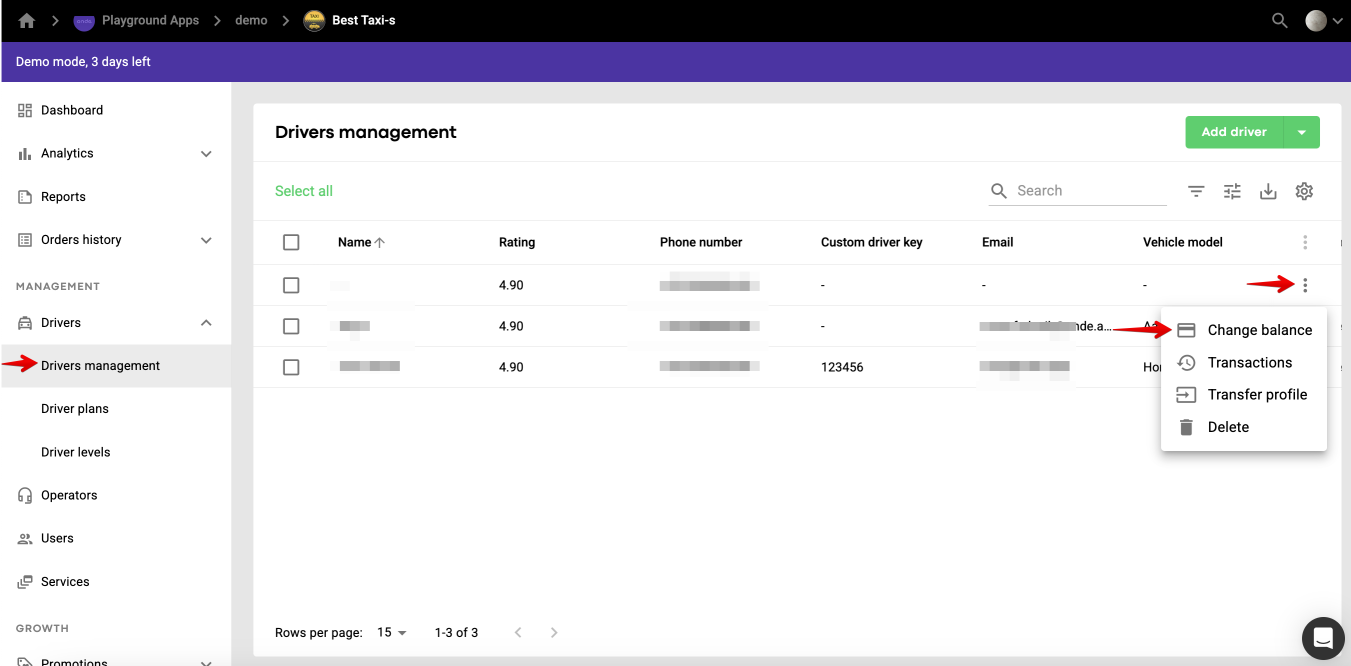
2. Via "Change balance” in a driver’s profile in My hub
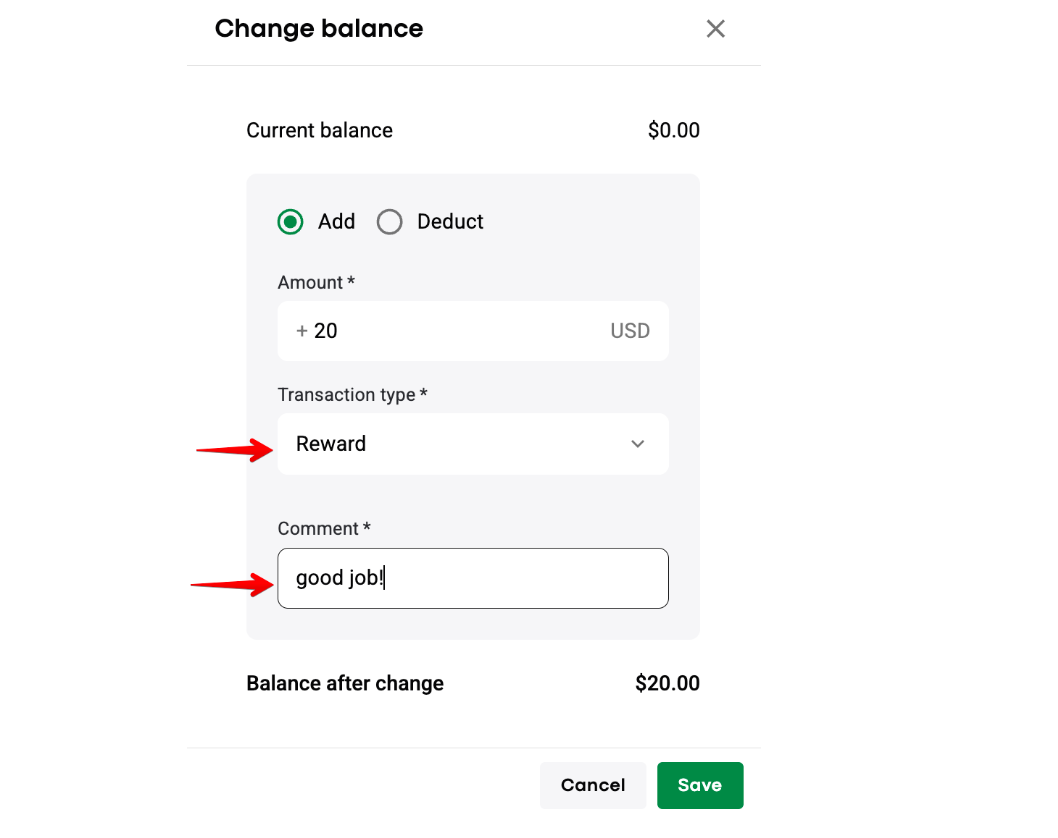
A driver brings cash to the office > a manager should go to the driver's profile > open the “more items” menu > choose "Change balance" > select “Add” > specify the value in the field Amount > select Transaction type if necessary (“Other” is set as the default value) > leave a Comment if needed > press "Save".
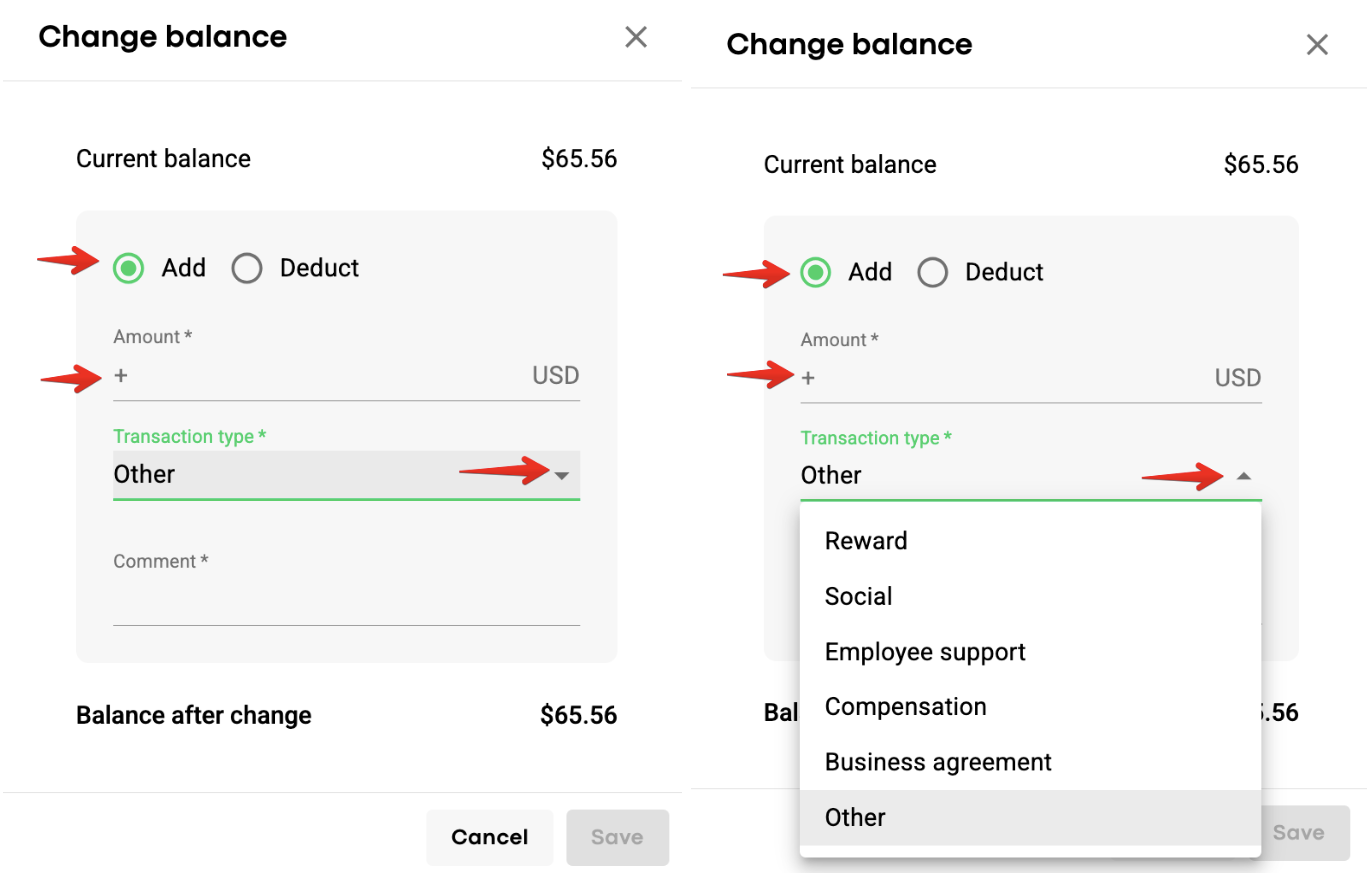
The following “Add” balance transaction types are available
Type | Recommended meaning |
Reward | Payment to motivate a driver or reward some outstanding performance |
Social | Payments under the conditions required by the law |
Employee Support | Payments to support employees based on the decision of the company owner(s) or according to the company policy |
Compensation | Compensation of expenses that were previously carried by a driver |
Business Agreement | Payments under a separate document signed with a driver that defines conditions different from those stated in the main contract |
Other | All other payments that are not included in the types above. Default value of the field |
Should you want to allow your drivers to keep receiving orders if their balance goes negative, please, open My Hub > Drivers > open “Driver settings” in the top right corner of the screen > tick "Always allow drivers to take jobs" > press “Save".
A manager should go to the driver's profile > open the “more items” menu > choose "Change balance" > select “Deduct” > specify the value in the field Amount > select Transaction type if necessary (“Other” is set as the default value) > leave a Comment if needed > press "Save"
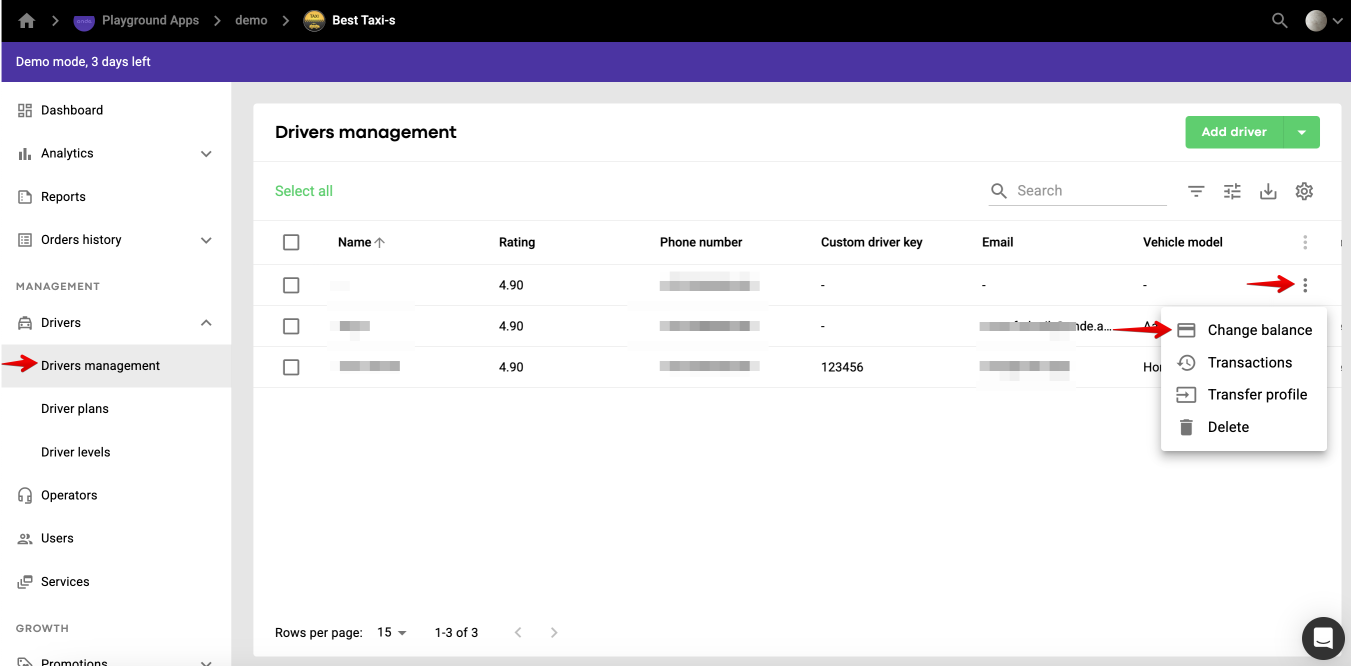
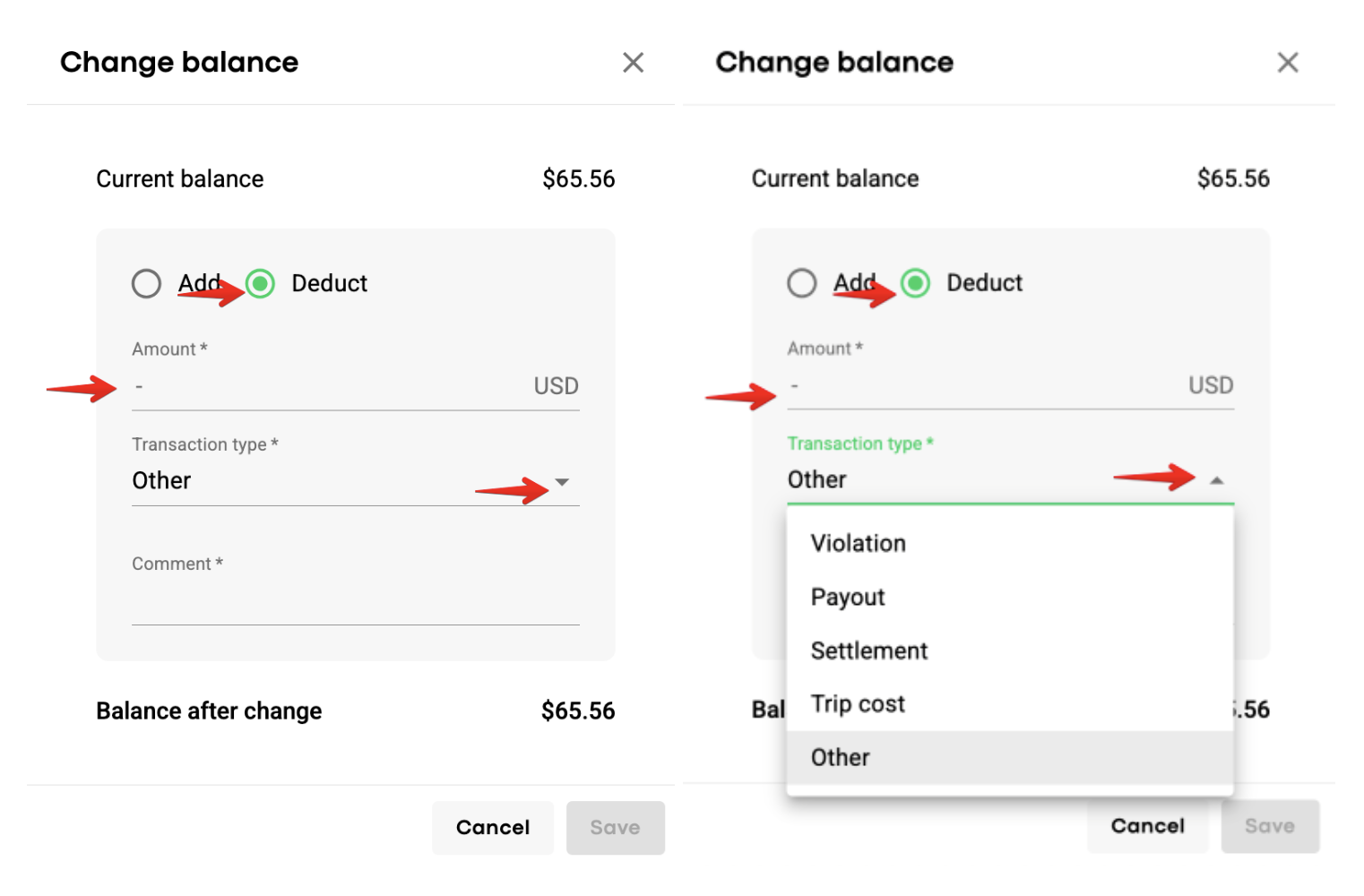
The following “Deduct” balance transaction types are available:
Type | Recommended meaning |
Violation | Penalty for violation of the company rules |
Payout | Balance correction to reflect amounts that were physically paid to a driver by the company |
Settlement | Charges for expenses caused by a driver |
Trip Cost | Compensation of the expenses that occurred to the company because of the trip execution |
Other | All other payments that are not included in the types above. Default value of the field |
IMPORTANT
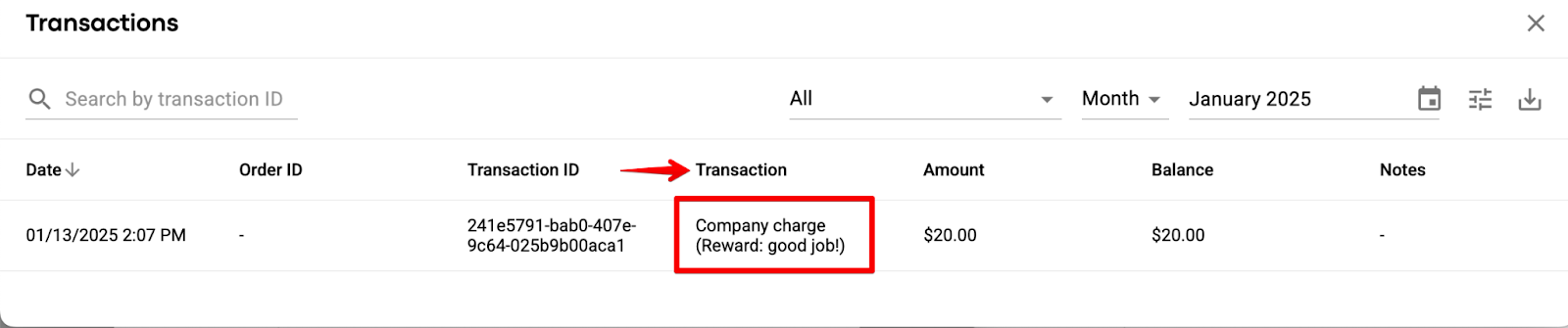
“Transaction type” and “Comment” fields data is logged in Driver transactions in a driver’s profile in My hub in the column “Transaction”.
If the transaction type is “Other” only “Comment” filed data is logged.
More information can be found in theDriver app PDF manual.
