Additional fee is aimed at covering any additional charges associated with local policies and regulations such as VAT, tax etc.
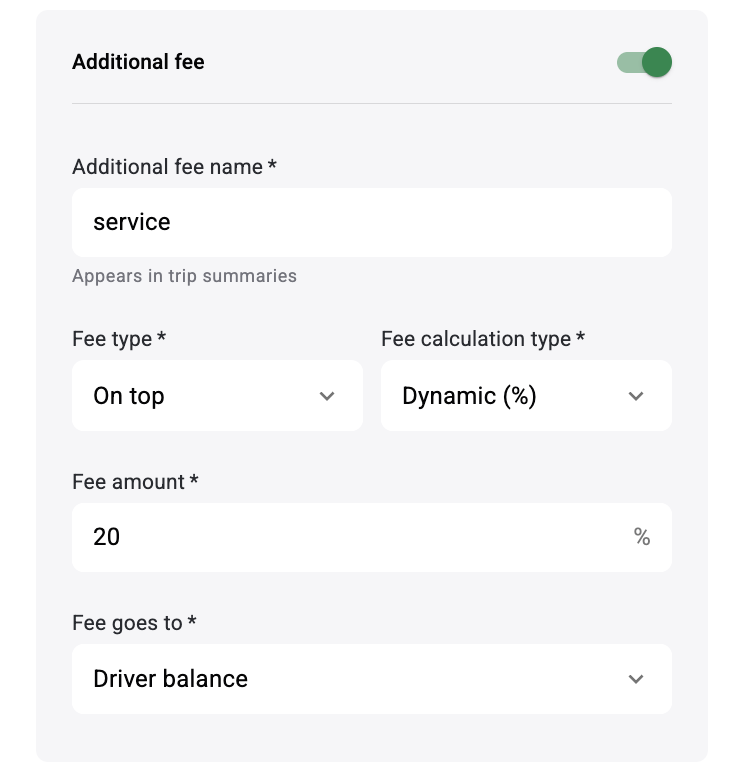
To set additional fee rules proceed to tab Services > specific Service > Fee settings > Additional fee:
Including
On top
Including:
If “Additional fee type” is set as “Including” the fee is included into the trip cost.
It is registered as a notification (Ex: Additional fee 10%, VAT is included into trip cost)
in the following:
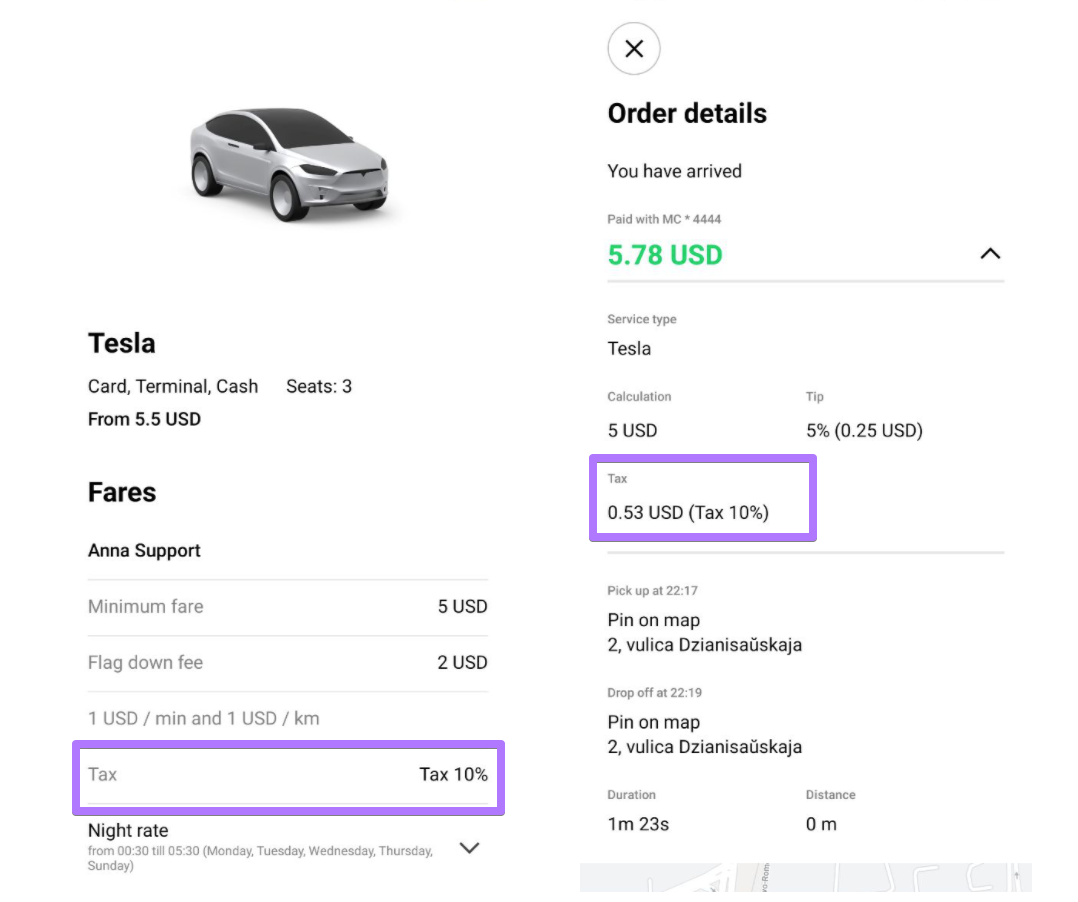
- service fares in customer app
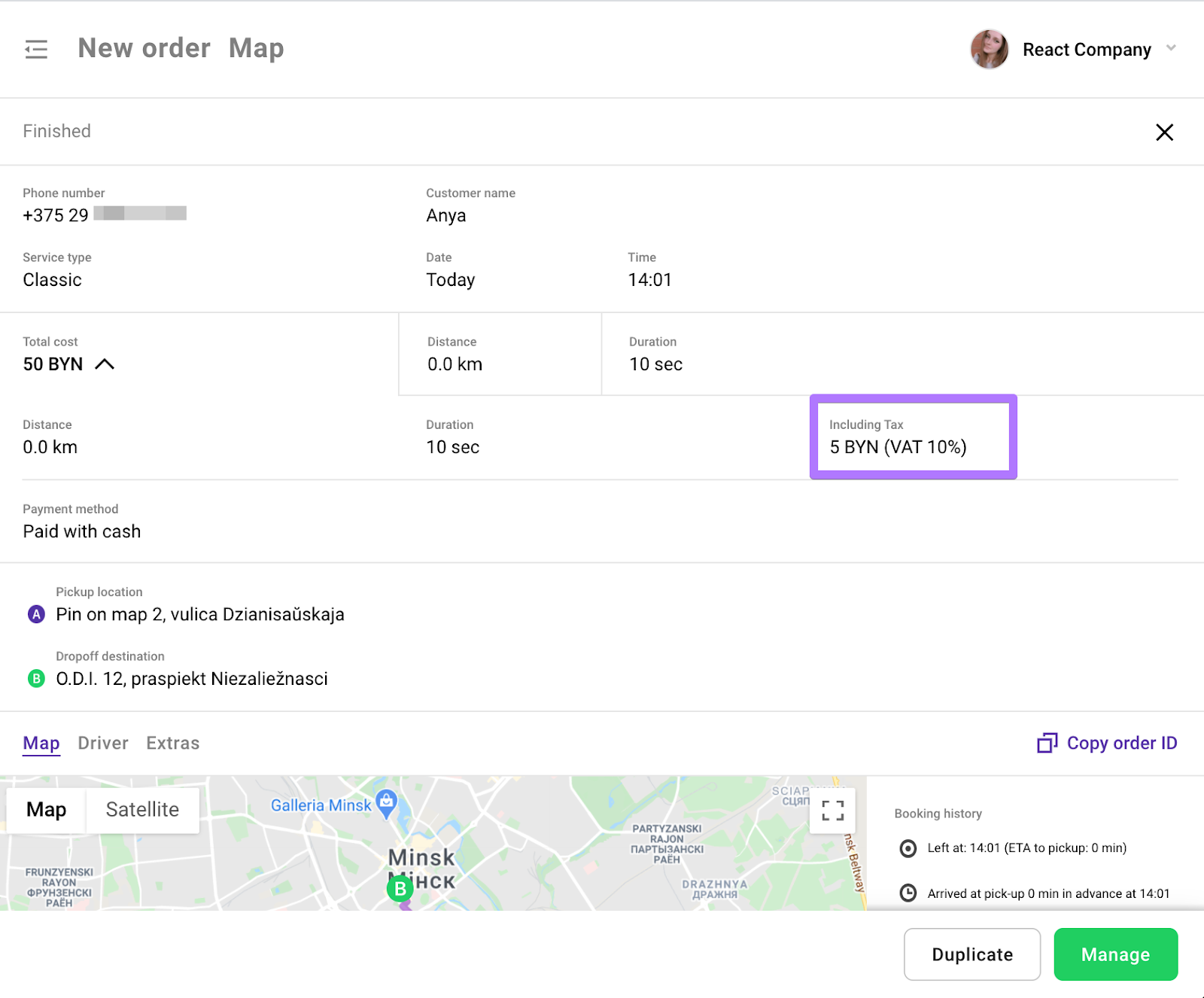
- at estimation before the booking (for operators)
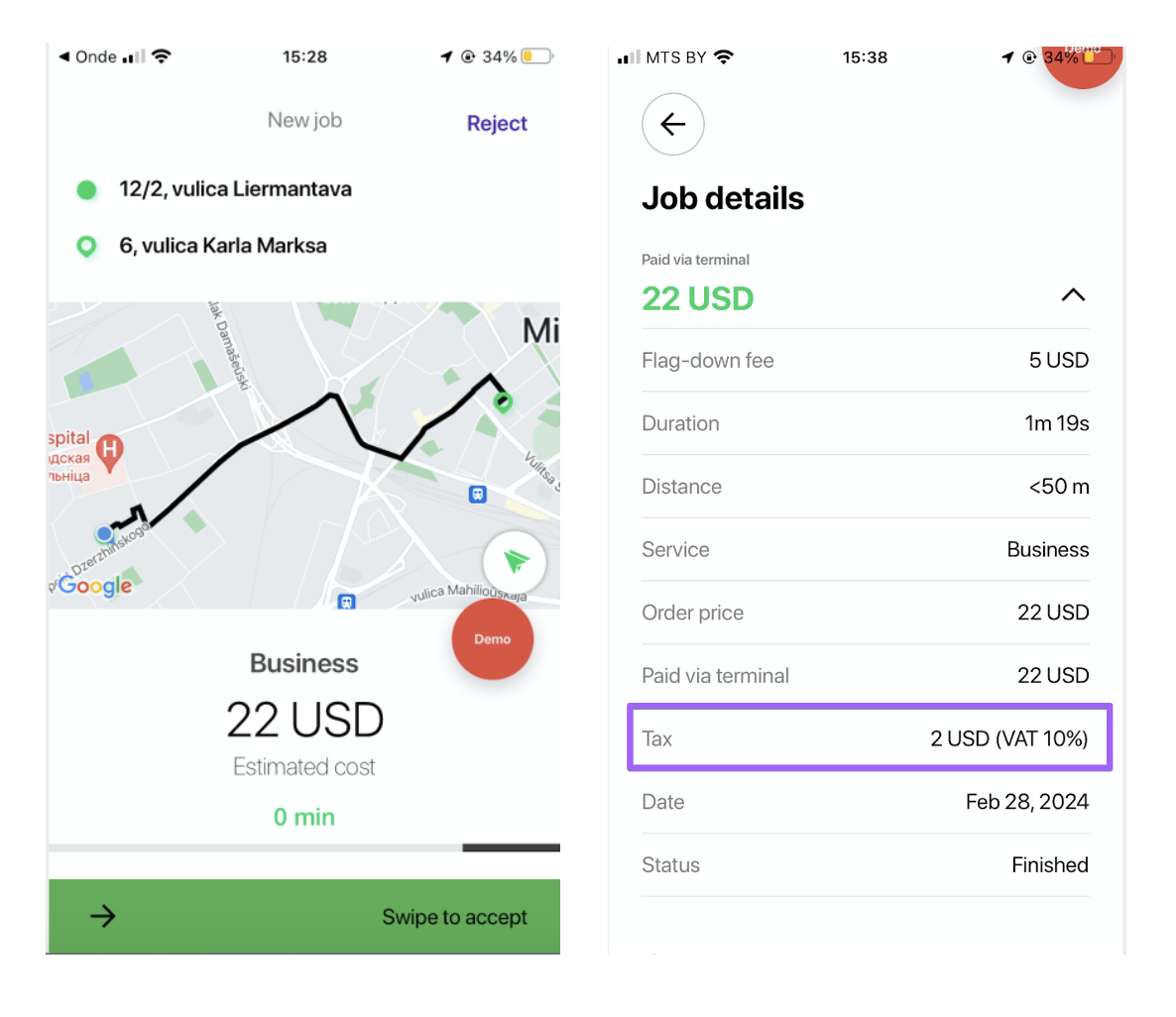
- in trip receipts and Trip history (for customers, drivers, operators and company)
On top:
In case “Additional fee type” is set as “On top” the fee is added to trip cost.
Fee notification will be shown to customers/drivers/operators before the trip and is registered as an extra line in Trip receipts/booking history for customers, drivers, operators and company. For ex: “Additional fee 10%, VAT is added on top of the trip cost”
Additional fee name : any custom name (100 symbols maximum)
Fee amount :
any value in percent within 0 - 100% range (if “Fee calculation type” is Dynamic (%))
any flat value from 0.1 to 999,999,999,999,999 (if “Fee calculation type” is Fixed)
Important:
Additional fee is covered by passengers.
Driver plan order fees are charged excluding the additional fee (the additional fee goes fully to the driver).
Driver plan transaction fees are charged including the additional fee (the additional fee goes partially to the driver and partially to the company).
In the field “Fee goes to” a company may define who receives the additional fee:
Driver balance - the fee is kept by the driver as part of his earnings.
Company (via Driver balance) - the fee is deducted from the driver’s balance as a separate transaction = Additional fee (name).
Additional fee in customer app
Additional fee in Driver app
Additional fee in Operator app
To get tips on cancellation fee configuration consult the post Cancellation fee logic
More on services configuration is in the post How to manage service rates?
