The Operator app is integrated with Google for address autocomplete.
By default Operator app pick-up, intermediate drop-offs and final drop-off fields support address autocomplete.
This means at the stage of manual address introduction to any of the above mentioned fields Google returns a random selection of 5 addresses and an operator has to select the one that is required by the customer. The drop-down list of default address selection includes those outside the company's working zone/s, so an operator has to be careful not to choose an incorrect address.
If an address outside the company’s working zone/s is selected in the pick-up field, the Operator app generates an error message “No suitable service type”, which means that the company does not offer any services in the area of the address point. This leaves the operator small room for error at pick-up address selection.
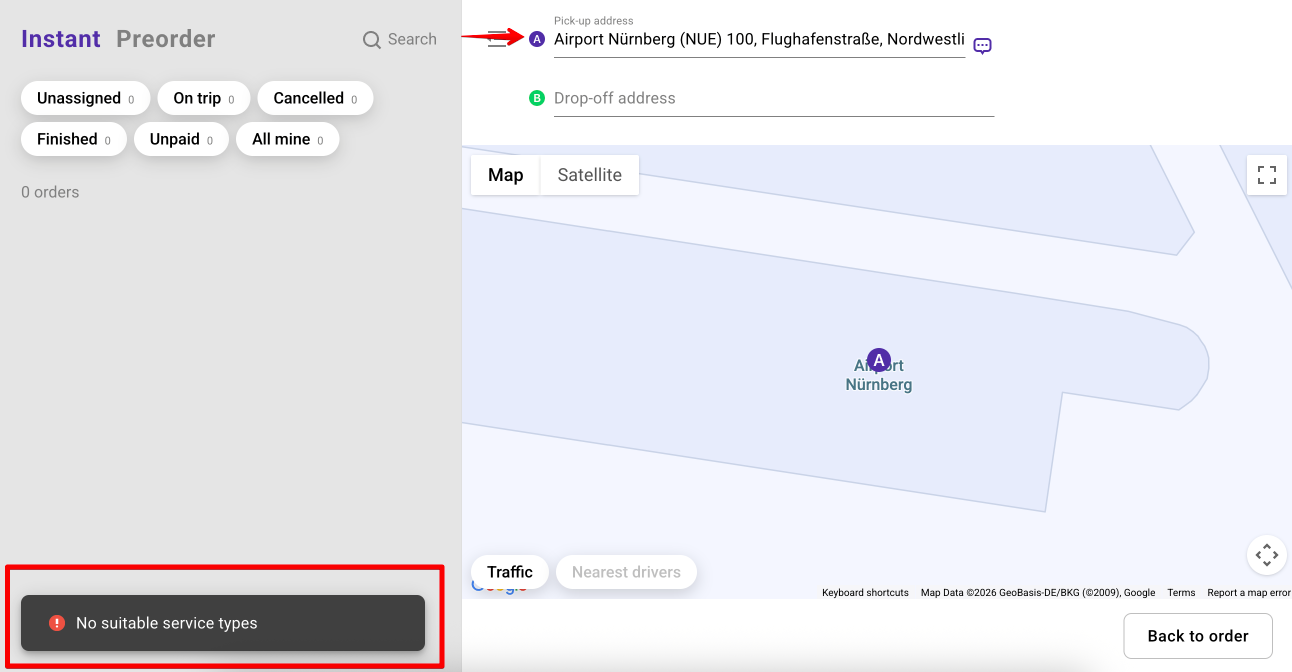
However, if an incorrect/outside the company’s working zone address is selected from the drop-down list in the drop-off field, the order will still be dispatched to the driver.
Incorrect estimation may result in wrongful preauthorisation, change of the route to get to the correct drop-off.
This is poor UX for orders on services with Fixed cost, where no final cost recalculation is made regardless of the time/route update. Payments for such orders have to be handled manually between customers and drivers.
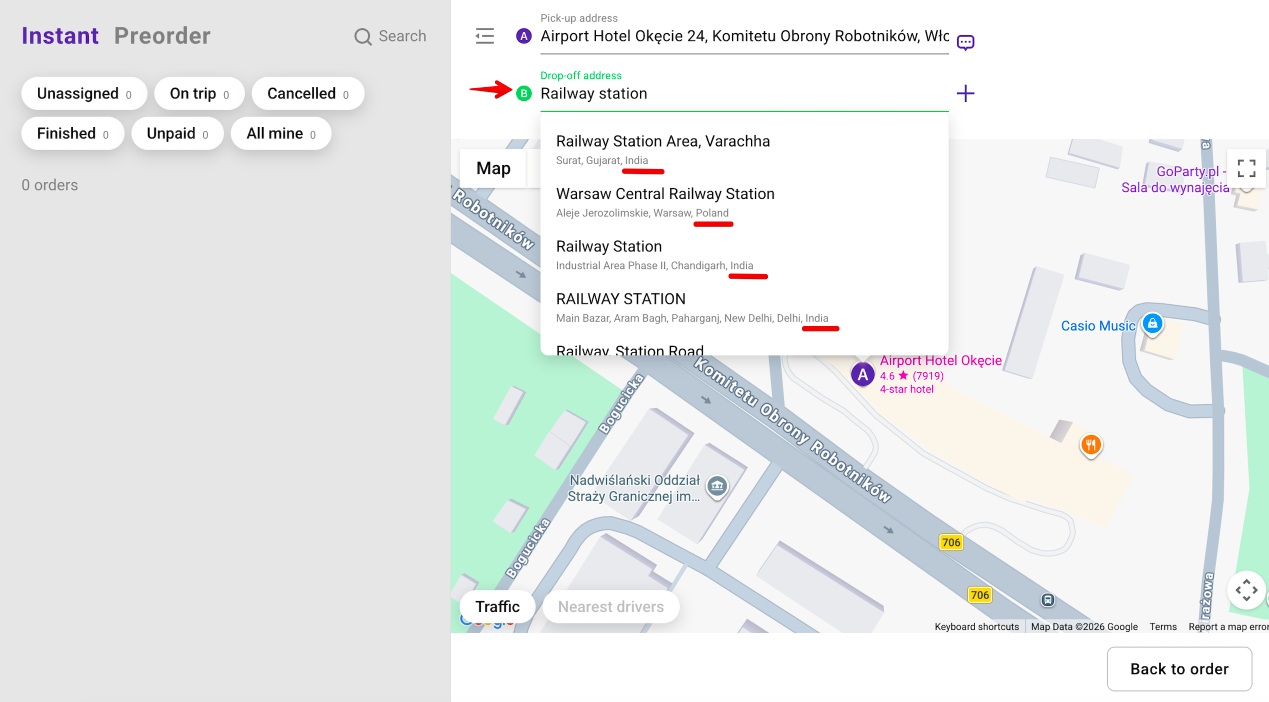
To manage addresses more efficiently and minimize margin for error, full access operators can enable the option “Search addresses only in the operational area”.
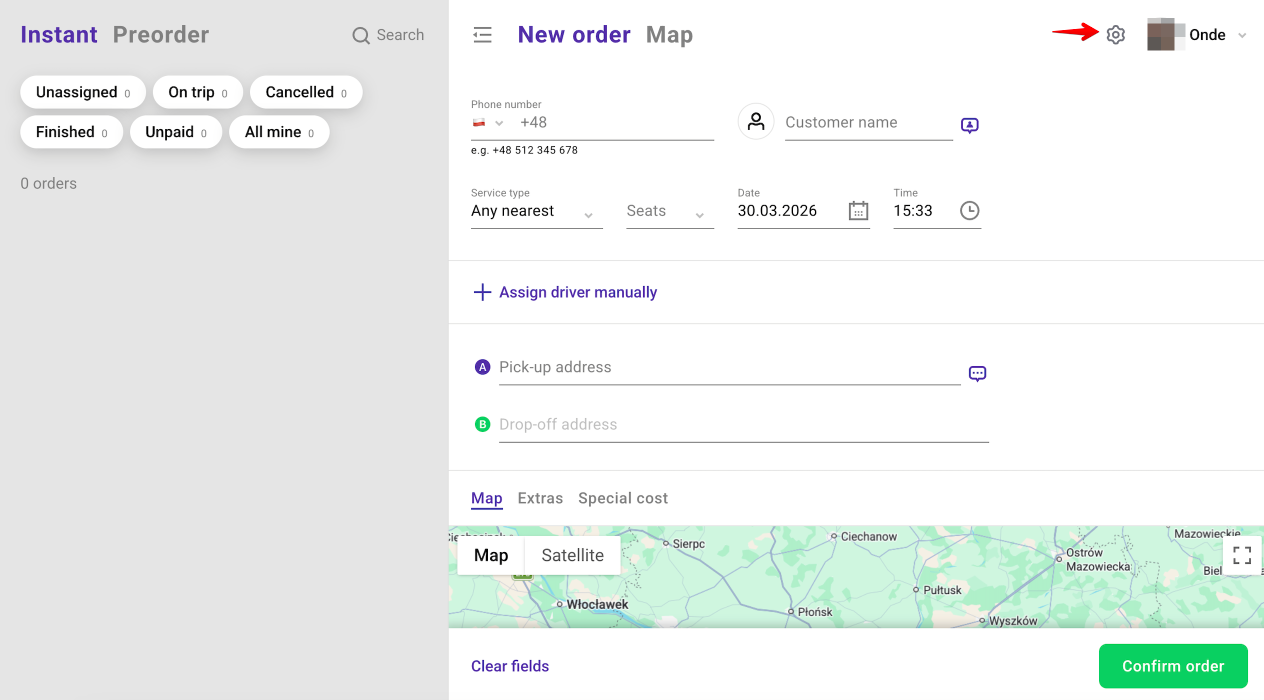
Tap on the Settings icon at the top right corner of the Operator app and toggle the switch “Search addresses only in the operational area”.
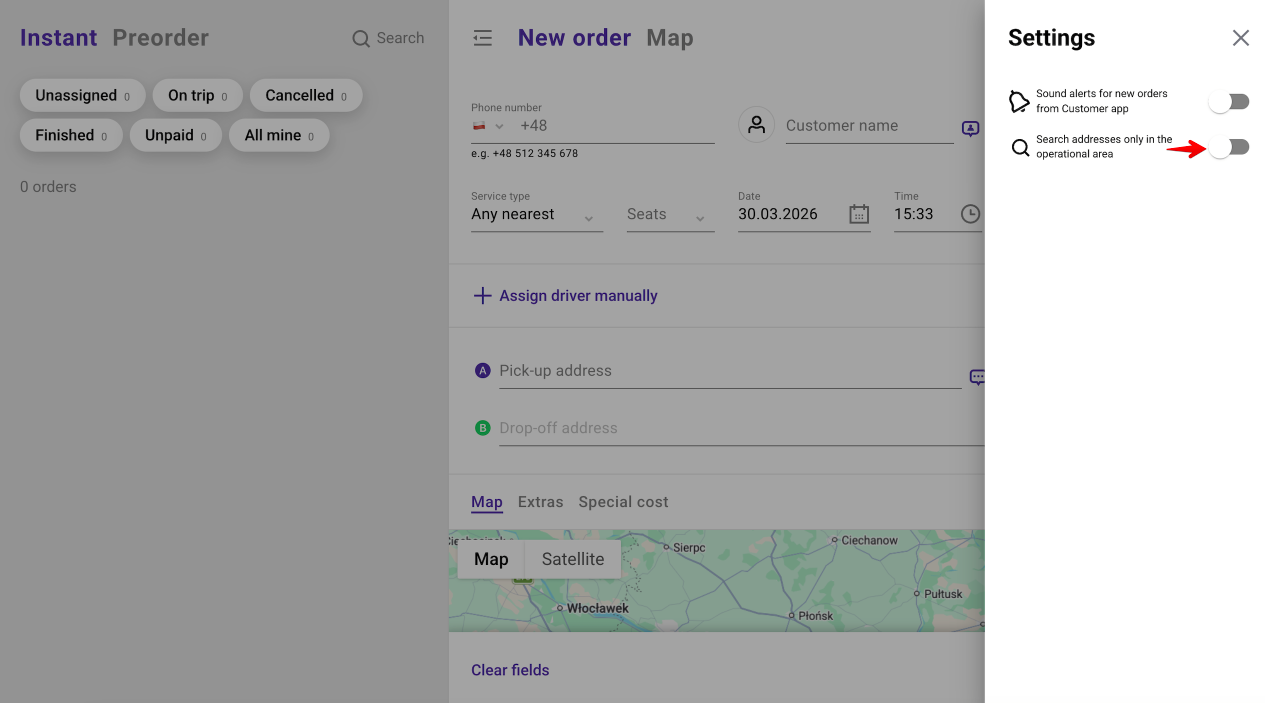
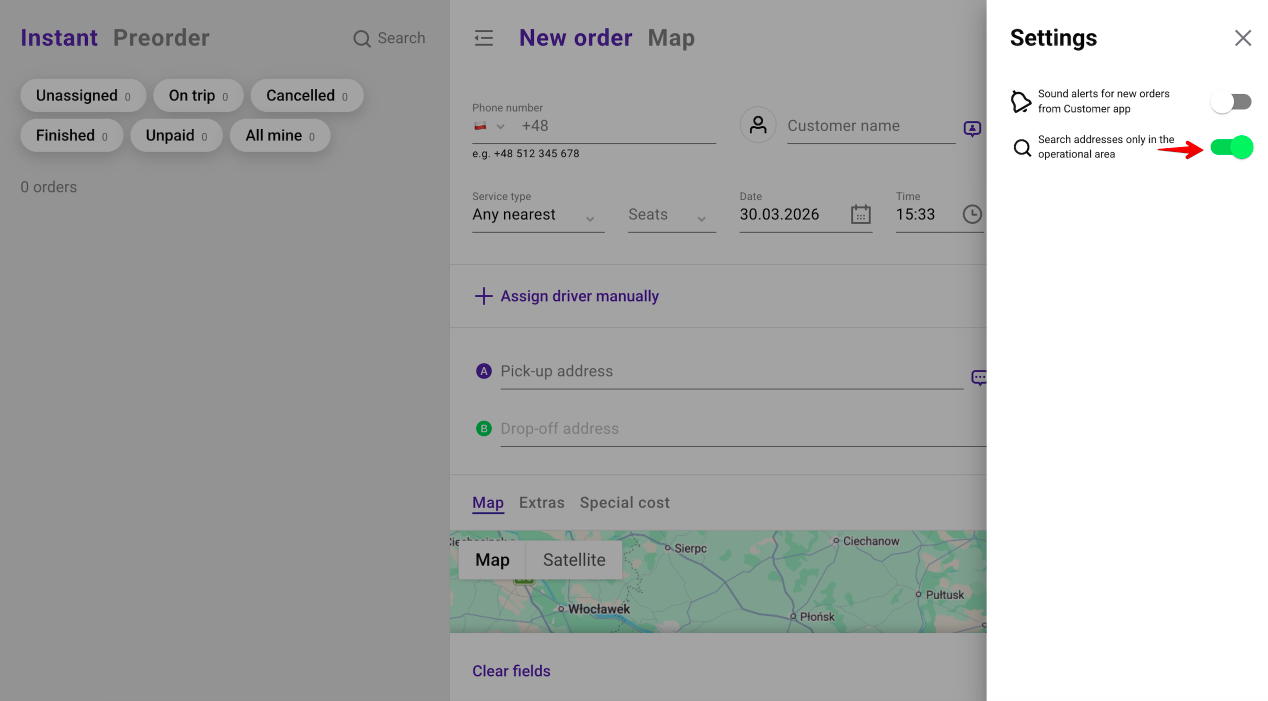
If the toggle “Search addresses only in the operational area” is on, Google autocomplete will only offer in pick-up, intermediate drop-offs and final drop-off fields the list of addresses within the company’s working zone/s where the services are available.
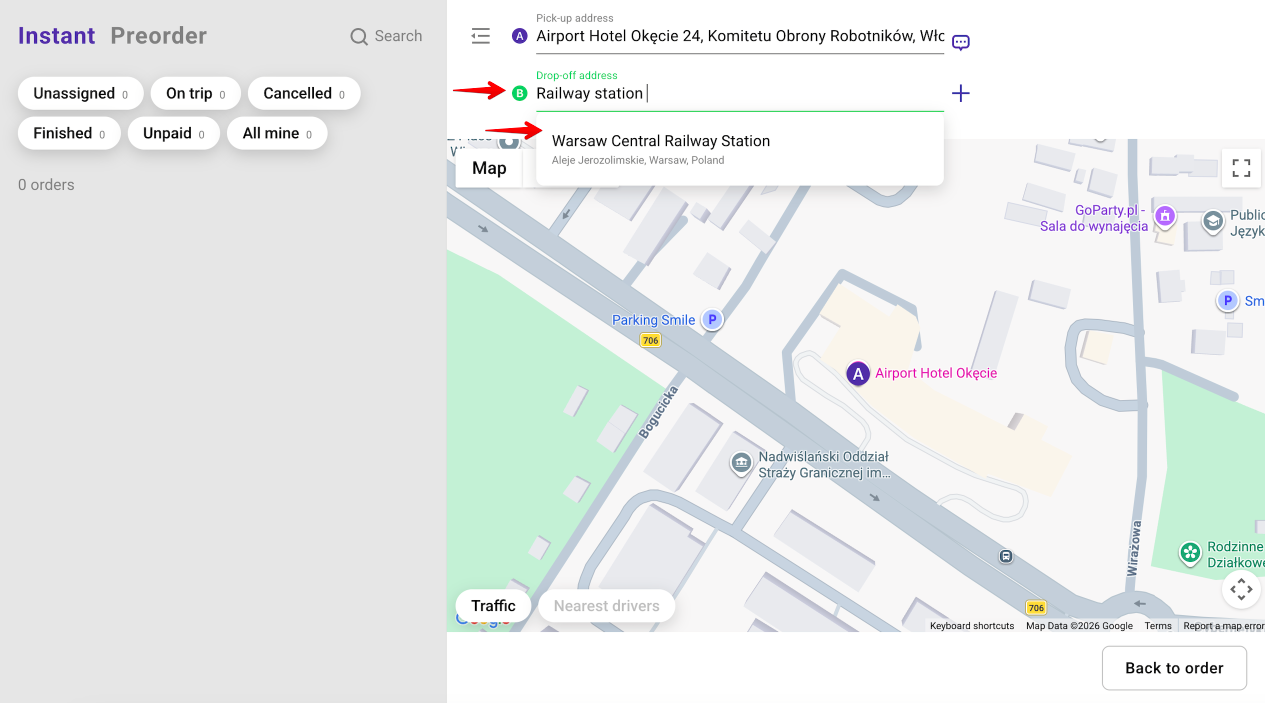
Every operator re login resets “Search addresses only in the operational area” settings to default, i.e. disabled.
Mind, that the drop-down list of addresses does not depend on the requested service.
This means that if a company has different services enabled in different working zones or no service in a working zone/s, Google autocomplete will still offer the list of addresses within all working zones of the company.
Best of luck optimising your operator’s efficiency with “Search addresses only in the operational area” feature!
