Card scam can be an issue for companies that operate in countries with high fraud risk.
Customers and drivers may use wallet top-up funds for fraud schemes with subsequent chargebacks, obliging the company to pay back to the card owners.
By default once a new payment gateway, mobile money, Apple pay record is added to Merchant and activated for company they become available:
1. as a payment method for orders (for payment gateways, Apple pay)
2. as a means to top customer/driver wallet up (for mobile money, Apple pay)
To disallow customers or/and drivers to top their Wallets up with any of the added payment methods a company needs to disable the required Wallet top-up methods in Merchant.
A Brand/Merchant manager should access Merchant > Wallet > find “Top-up methods” option in the drop-down list for Customer and Driver Wallets and manage the methods separately for Customers and Drivers. This means that a Brand/Merchant manager can:
1. Disable top-up methods for only customers, drivers or both
2. Disable selected or all top-up methods
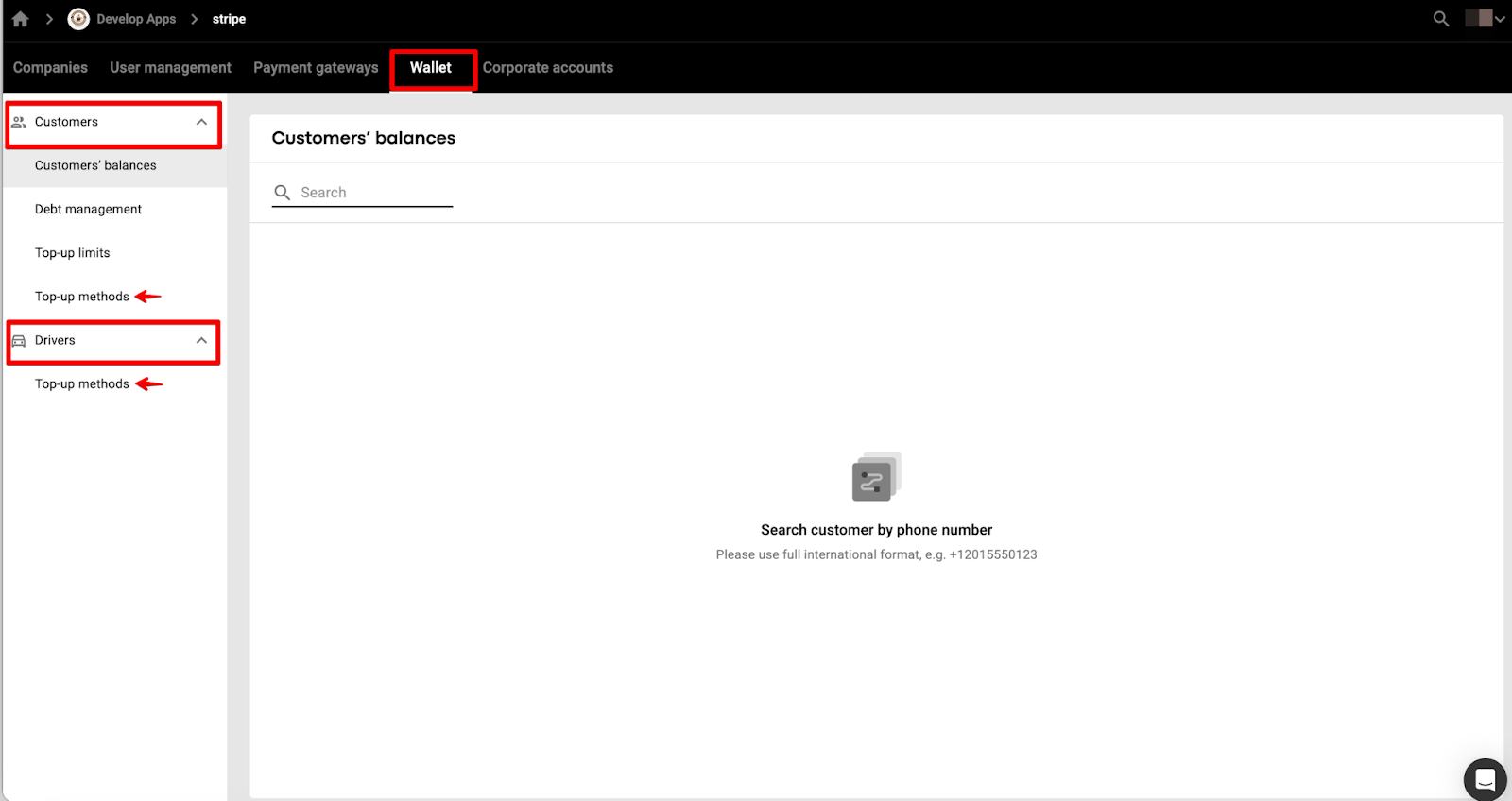
Let us review the flow to manage the “Top-up methods” for Customer Wallet
1. Access Payment gateways tab in Merchant and check all the available Payment gateways and payment methods:
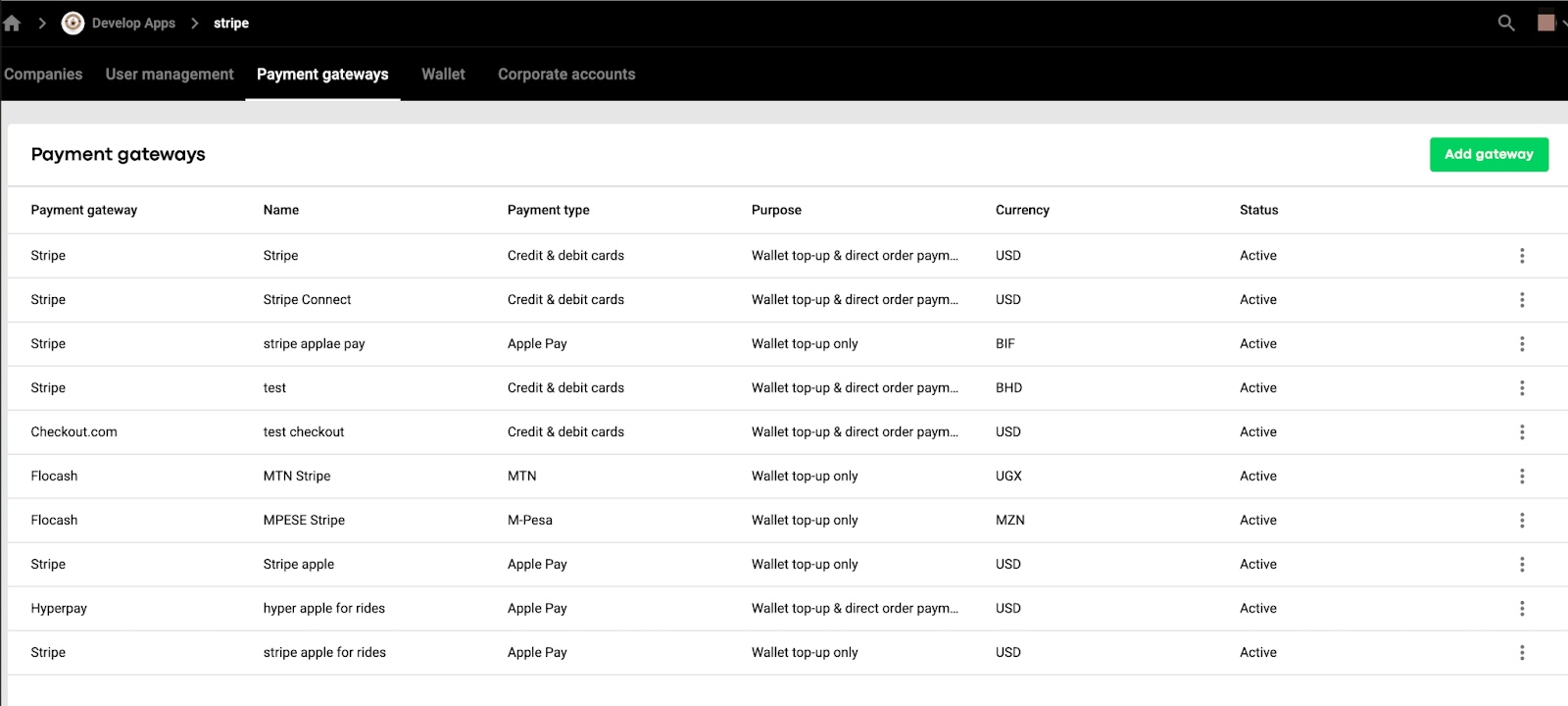
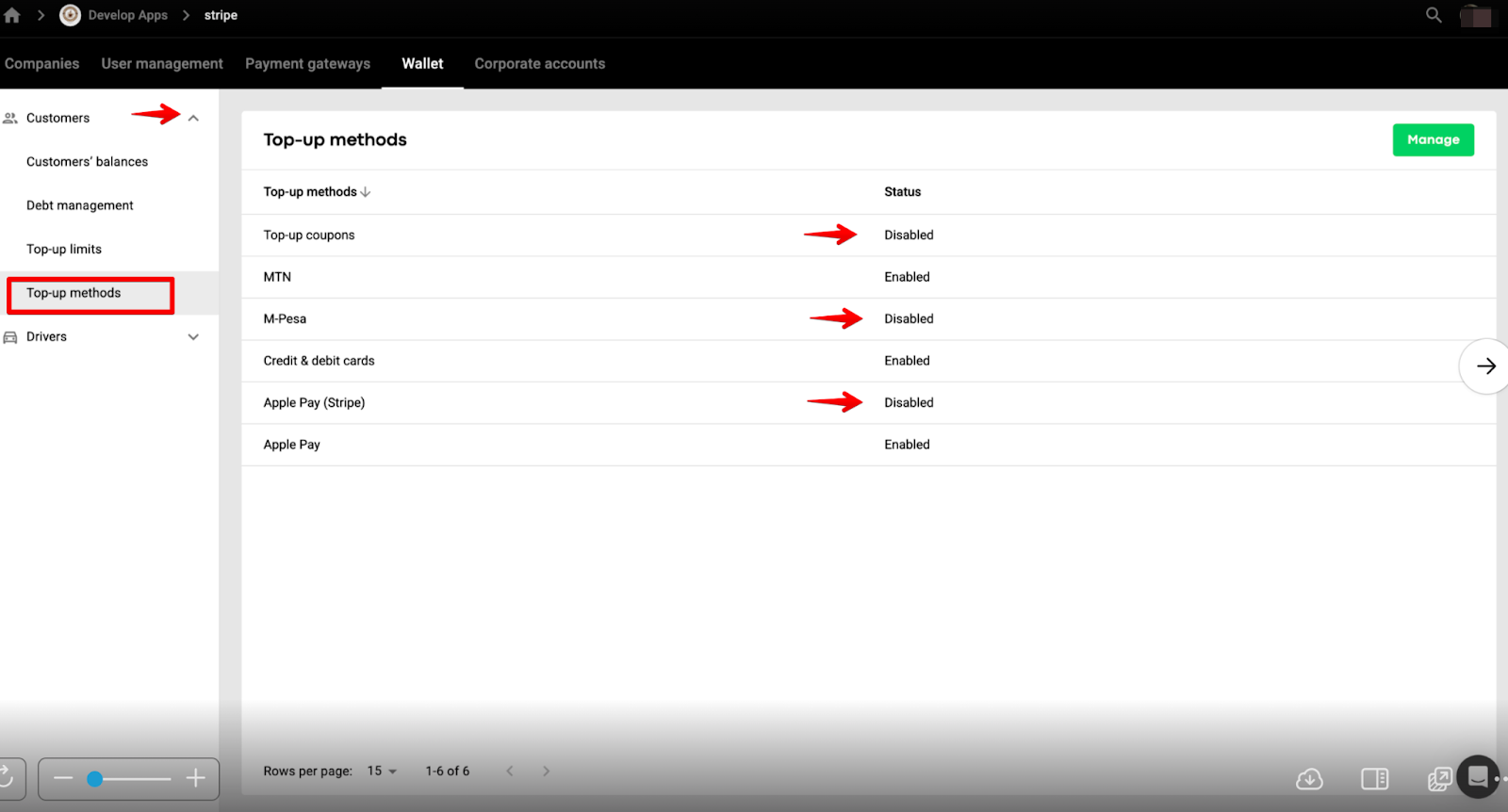
2. After that access Wallet > Customers > Top-up methods to check the available top-up methods. By default they are all enabled.
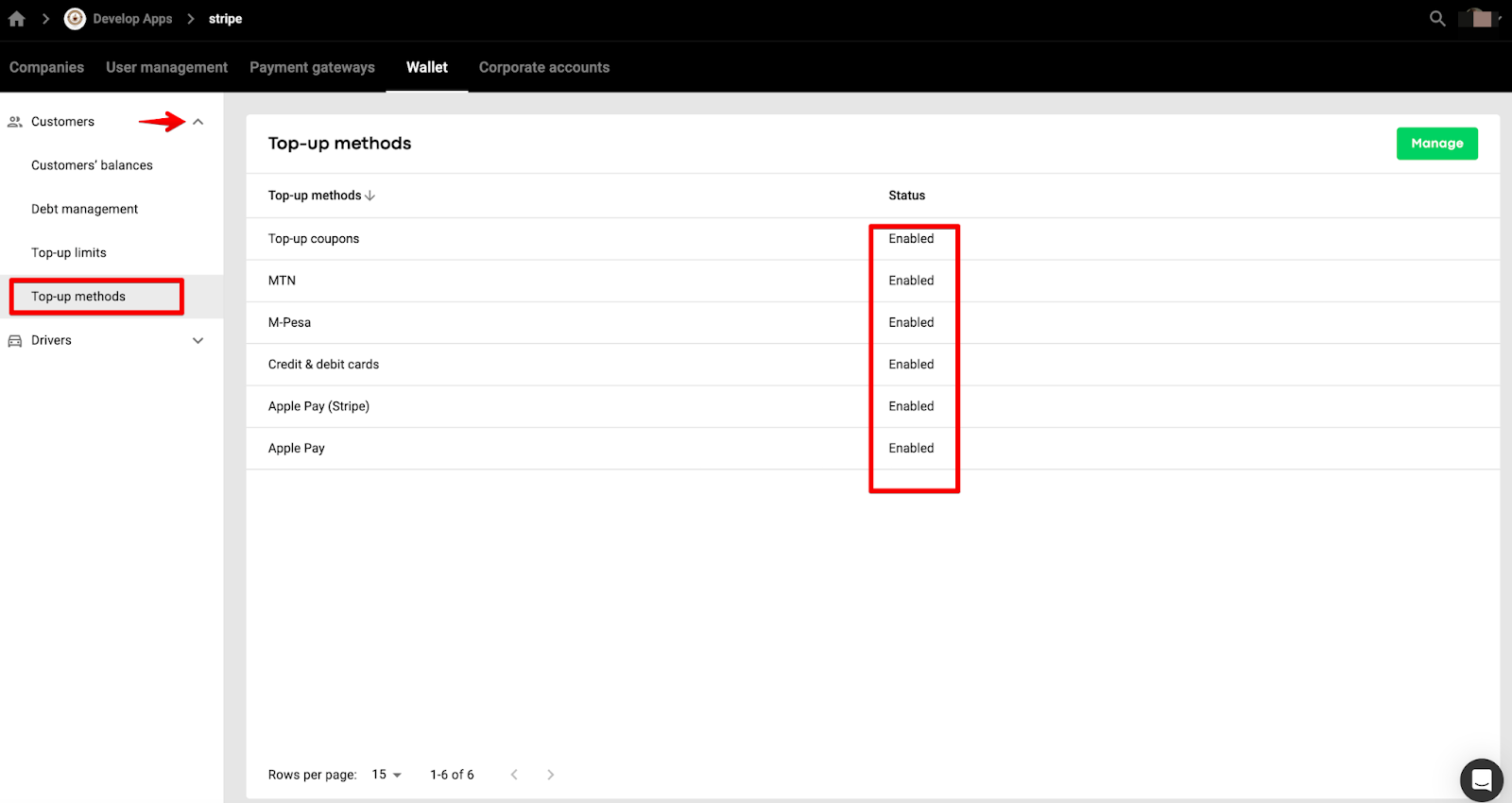
Mind that all added payment gateways are combined into 1 top-up method “Credit and debit cards” and can be disabled in bulk only.
Every mobile money and Apple pay top-up method is displayed separately and have to be disabled individually.
Top-up coupons method can be deactivated as well, disallowing customers to use top-up coupons issued by the company for Customer Wallet top-up.
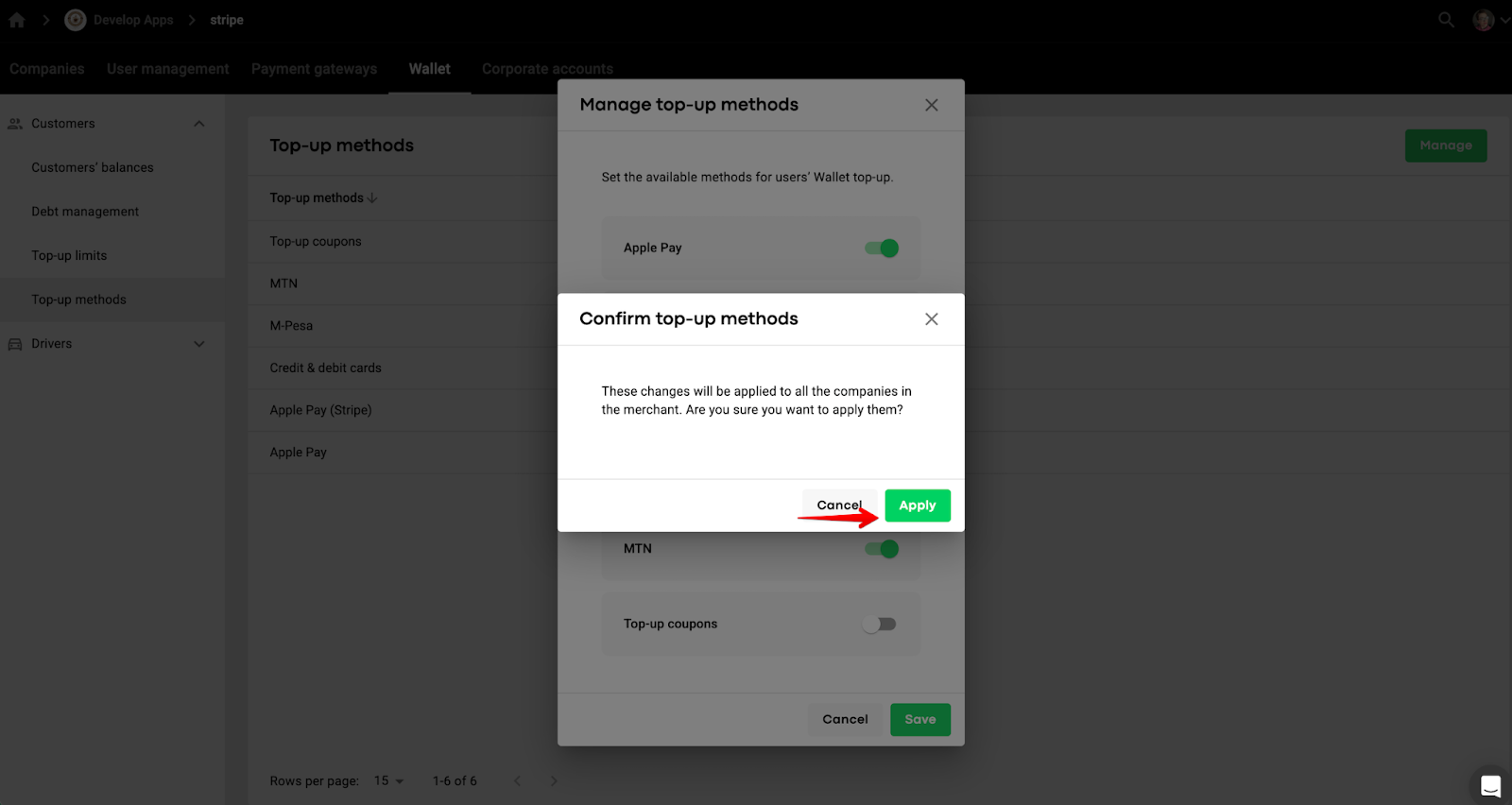
3. To disable any of the top-up methods tap “Manage” and switch off the toggle for the top-up methods you do not want your customers to use.
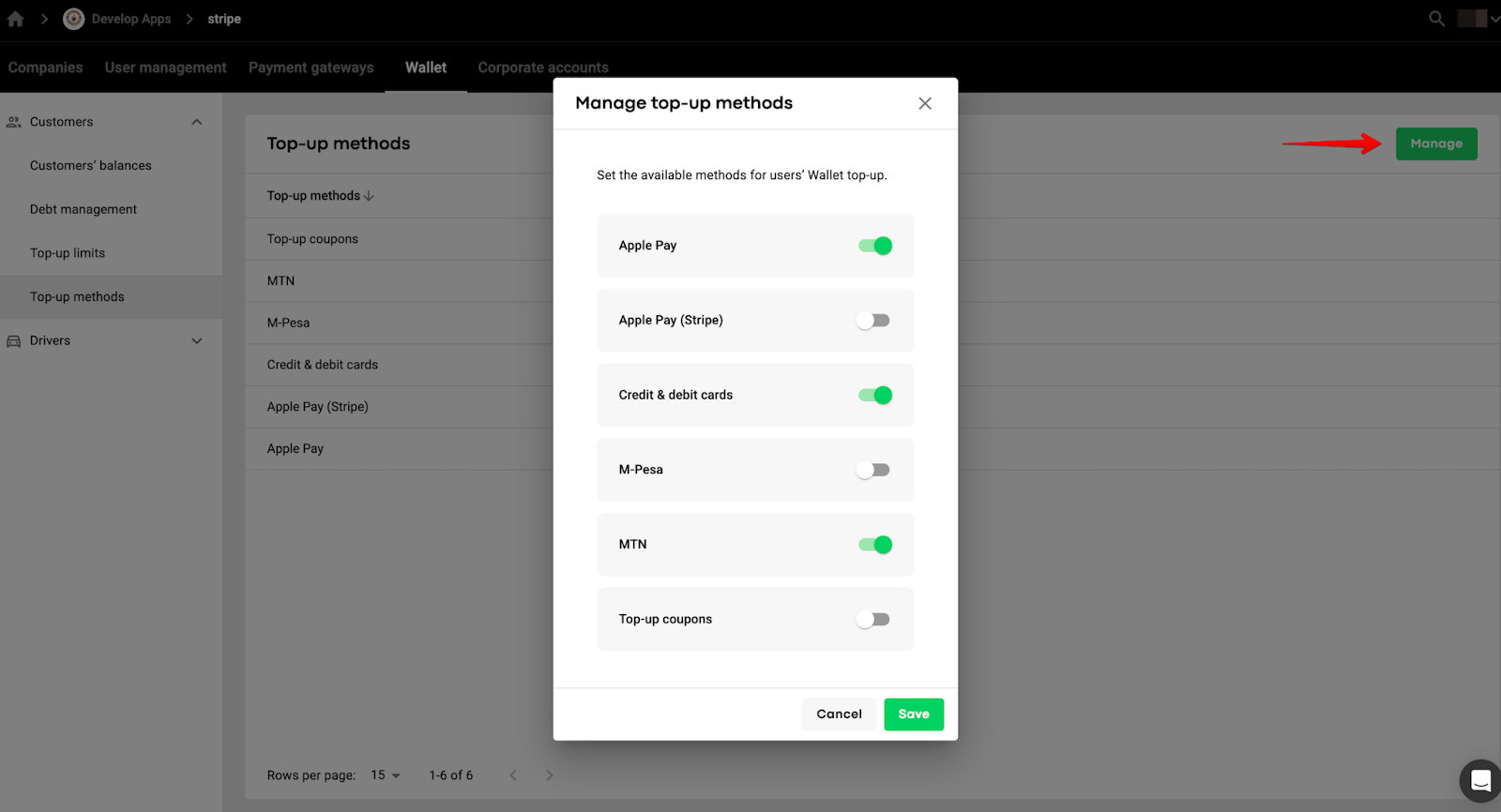
4. Tap “Save”, review the pop-up “These changes will be applied to all the companies in the merchant. Are you sure you want to apply them?” and confirm your intention by pressing “Apply’.
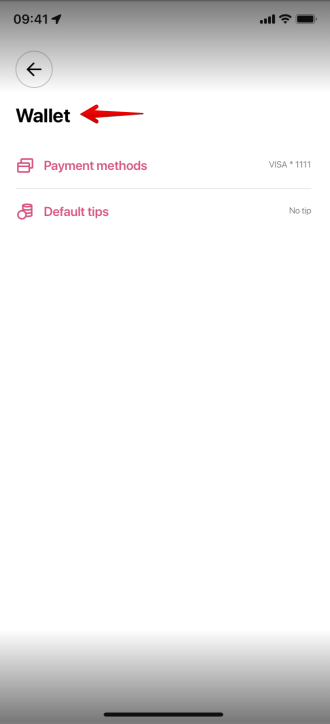
In case all the top-up methods are disabled for Customer Wallet top-up a company’s customer will not see a Wallet card with an option to top up.
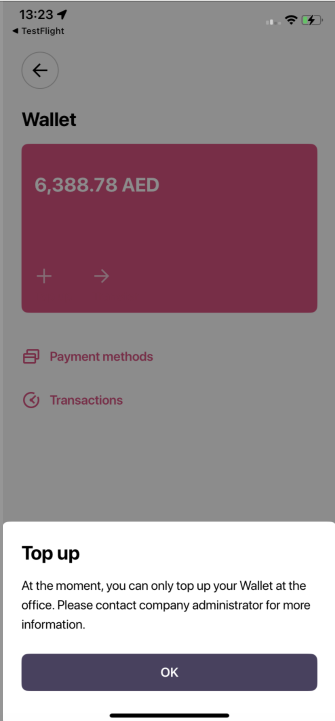
In case all the top-up methods are disabled for Driver Wallet top-up a company’s driver will see a Wallet card. However, upon an attempt to top up, the following notification is displayed “At the moment you can only top up your wallet at the office. Please, contact company administrator for more information”
IMPORTANT
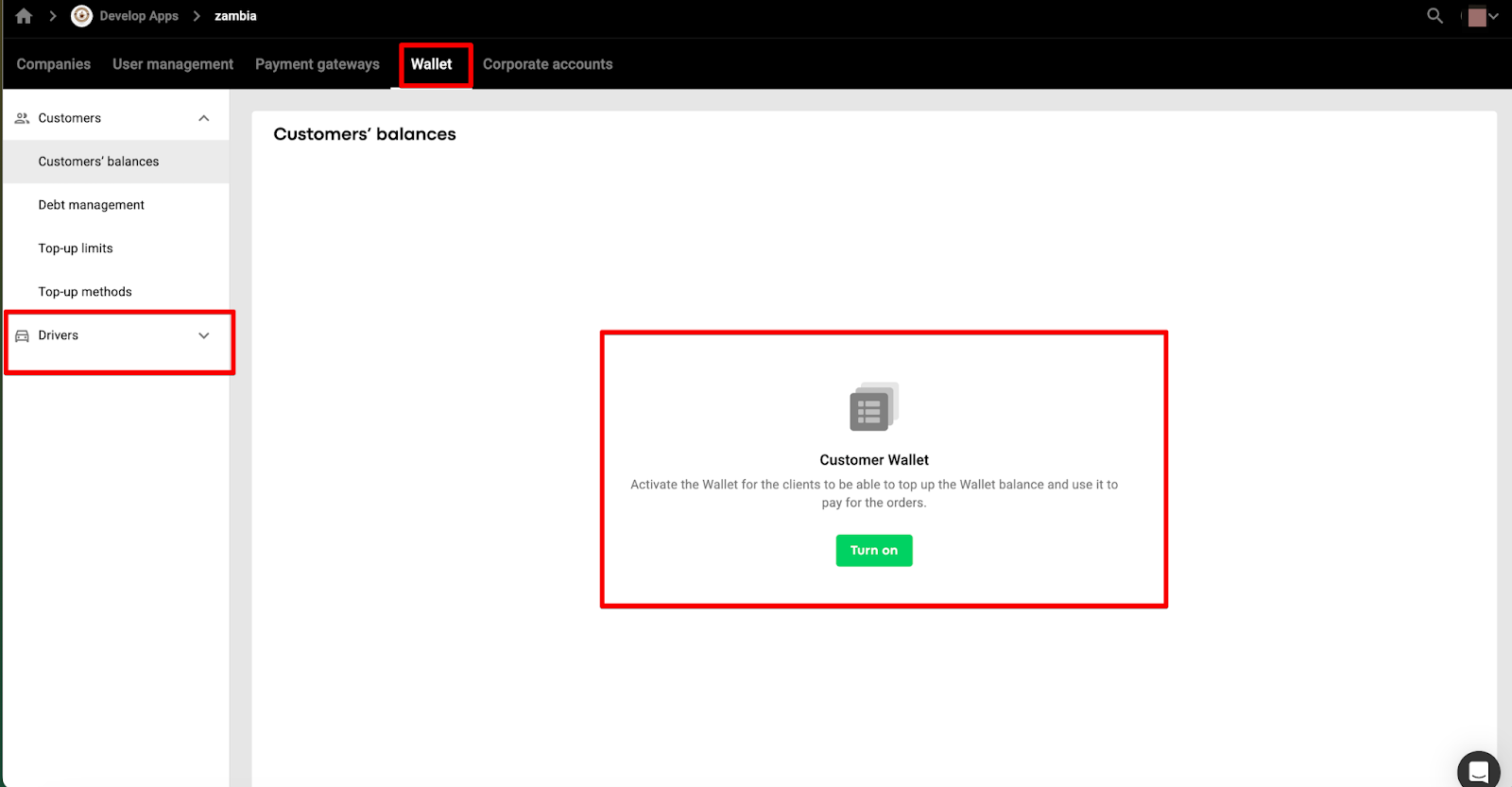
Even if a company has not activated Customer Wallet, it can still manage Driver Wallet top-up methods in “Wallet” section of their merchant.
Consult the post Customer Wallet for more details on Wallet and its functionality.
To set Wallet limitation for card top-ups review Customer Wallet top-up limit post.
Check the post Customer Wallet debt limit if you want to set customer wallet debt limit.
