Consult Driver payouts with Stripe Сonnect 1. Stripe Connect activation for Company for details of completing the Connect platform onboarding process in Stripe dashboard and activating Stripe Connect for the company.
There are 2 ways to activate Stripe Connect payouts for a driver:
1.link the existing Stripe connect ID
2.let the driver Onboard with Stripe Connect directly from the app.
Follow the link to see the video about Stripe Connect driver onboarding: How to onboard with Stripe Connect via Driver app. Video guide.
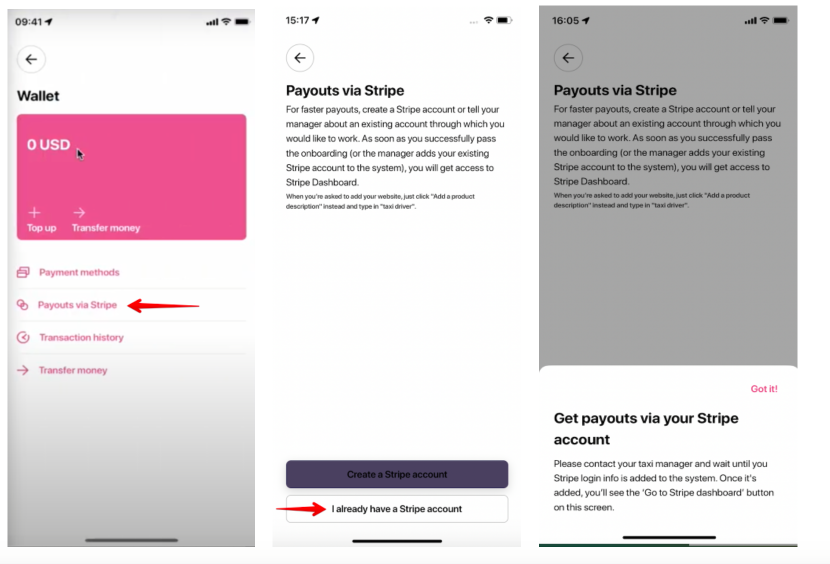
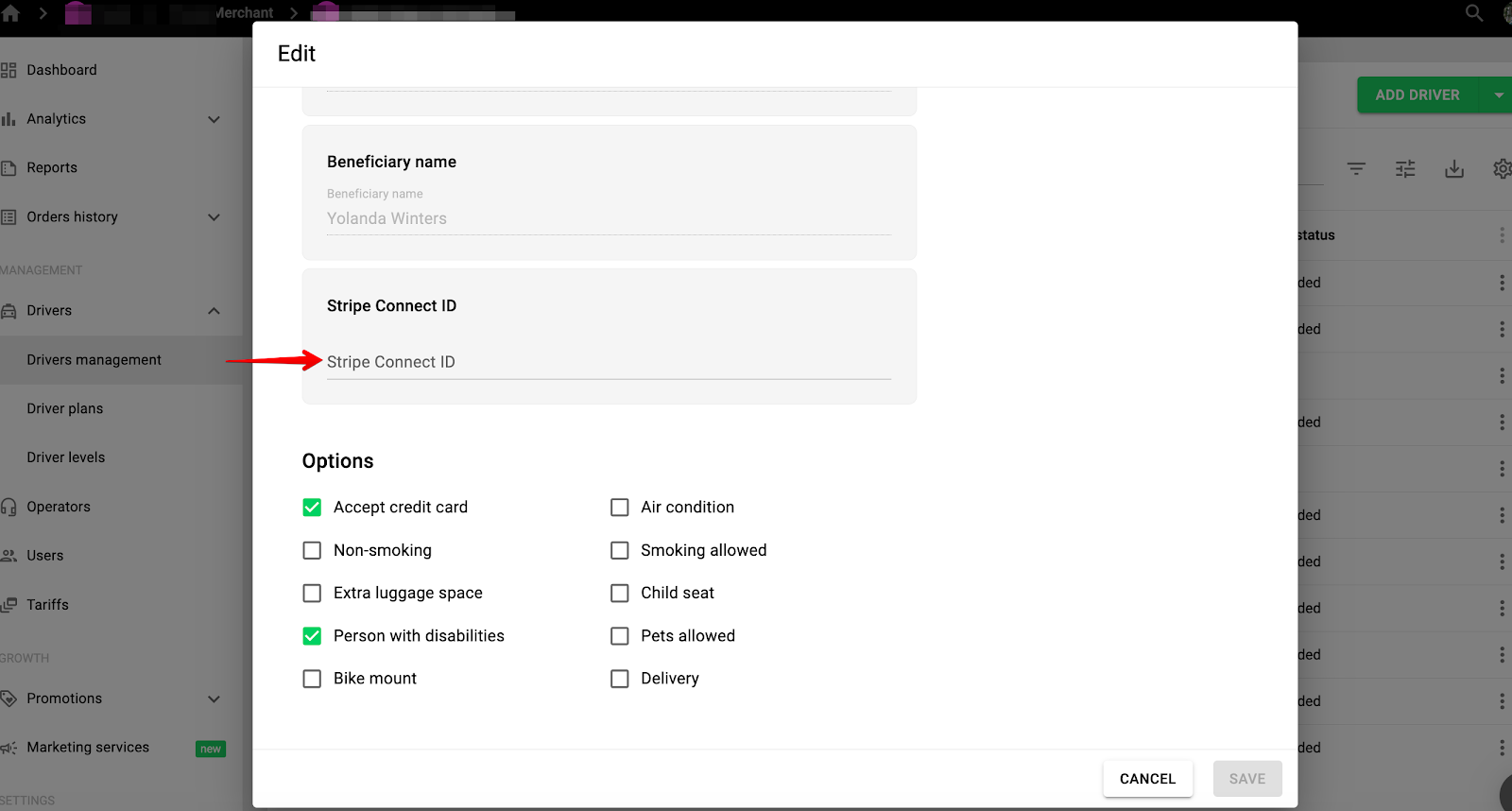
1. Link the existing Stripe connect ID
If a driver has an existing Stripe Connect record with the company, he needs to inform the Manager to check his Stripe Connect ID record in their Stripe merchant account (by driver credentials). After that the manager has to manually add driver’s Stripe Connect ID to the driver’s profile in My Hub.
Once that is done, Stripe Connect payouts for the driver are activated, he can access his Stripe Connect account from the app to review payout details and manage the funds.
2.Let the driver Onboard with Stripe Connect directly from the app
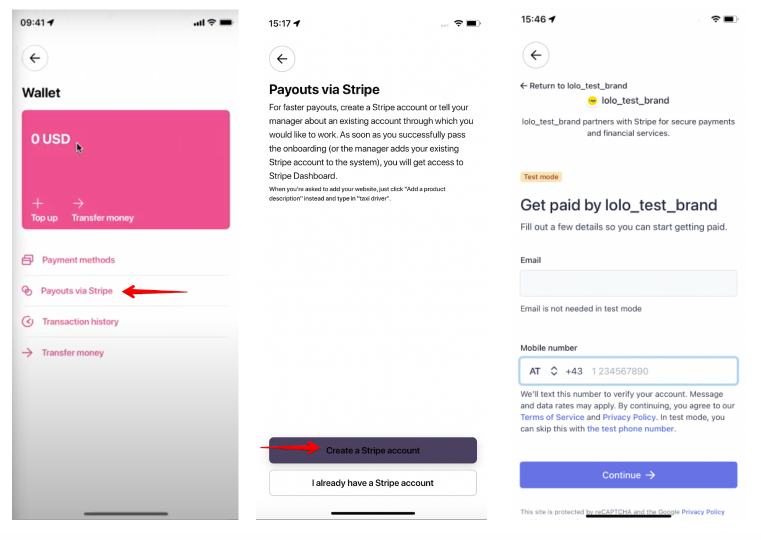
A driver should:
-access tab "Wallet" (for Wallet to appear in Driver app a driver should be on a subscription plan)
-proceed to "Payouts via Stripe"
-select “Create a Stripe account”
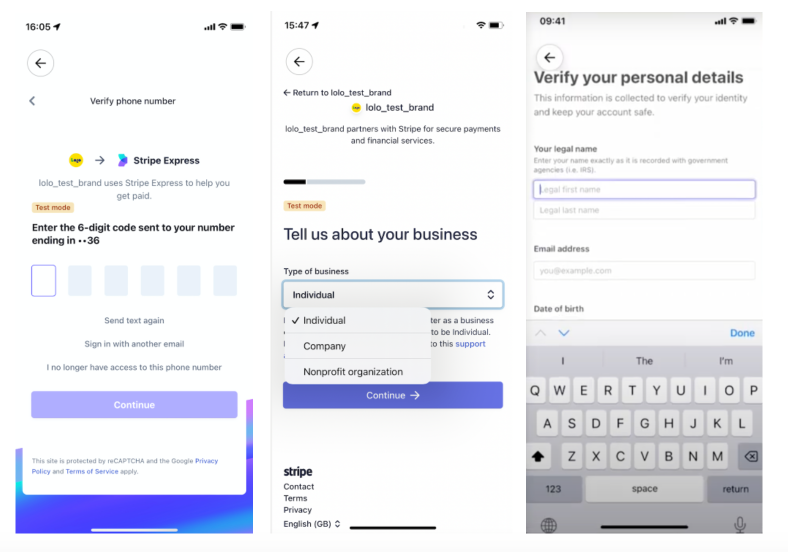
-process all the registration as per the requested flow: fill out all the fields on every screen with valid data
IMPORTANT
1.data validation will not allow to complete registration unless valid address, etc are added).
2.any relevant data can be added to the website link field, for example: account with a taxi company, etc.
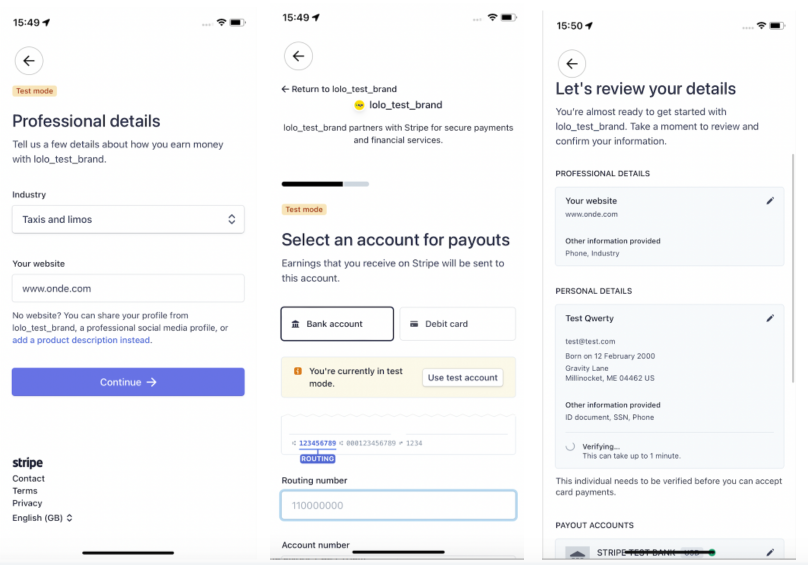
Once the application is for Stripe Connect account is processed on Stripe side and the driver is registered, his Stripe connect ID is auto added to his profile in My Hub and he is activated for Stripe Connect payouts.
Now the driver can access his app and log in into his Stripe Connect account.
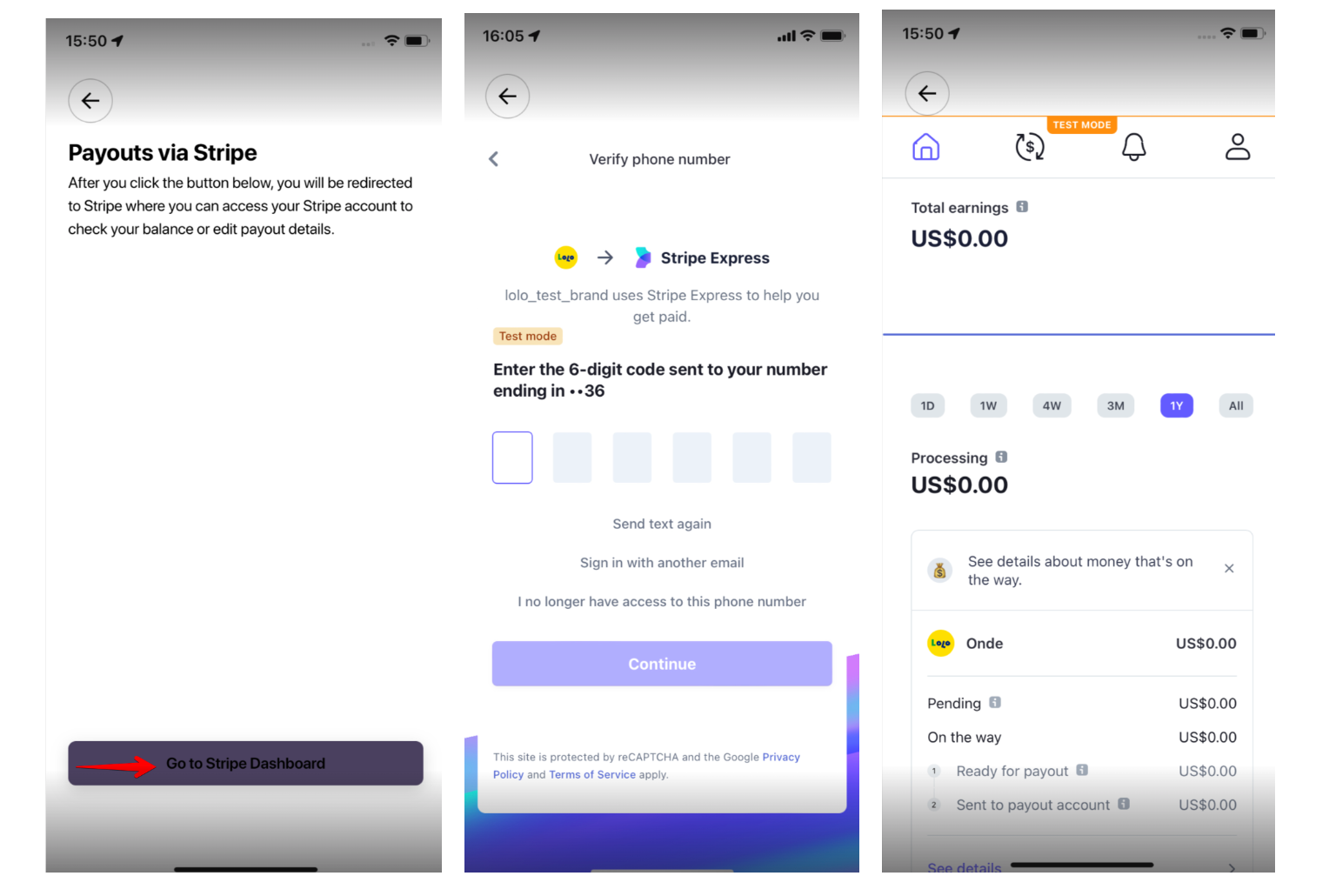
A driver can also log in to his “Stripe express dashboard/account” from a Stripe web interface outside the app.
It is recommended for a driver to log out of his Stripe Connect account before he logs out of his app profile. This is to secure that the Stripe Connect account data is safe (in case a different numbers accesses the app on the same device previous Stripe connect session remains open).
Stripe Connect ID is only displayed in a driver’s record in My Hub profile, it is not available in driver app.
Stripe Connect payout cycle is controlled by Stripe account merchant owner.
One can enable Stripe Connect ID column in Driver Management in My Hub and export drivers’ Stripe Connect ID data to CSV file.
Check the video guide How to onboard with Stripe Connect via Driver app for details instructions of driver onboarding with Stripe connect.
Proceed to Driver payouts with Stripe Connect 3. Stripe Connect money flow for details on the payout schedule and money flow.
