
Driver availability to take in new jobs is crucial for any ride-hailing business.
However, in any technical solution online drivers may get into “sleep mode” due to app running in the background, simultaneous usage of competitor apps or else.
Our system continuously tracks driver statuses making sure that all online drivers are available for orders. This helps to secure positive customer experience, maximum driver income, top orders processing rate and subsequently high company revenue.
In case a driver’s app shifts into “sleep mode” the system starts sending push notifications to his device to wake him up and get back on track to receive new jobs.
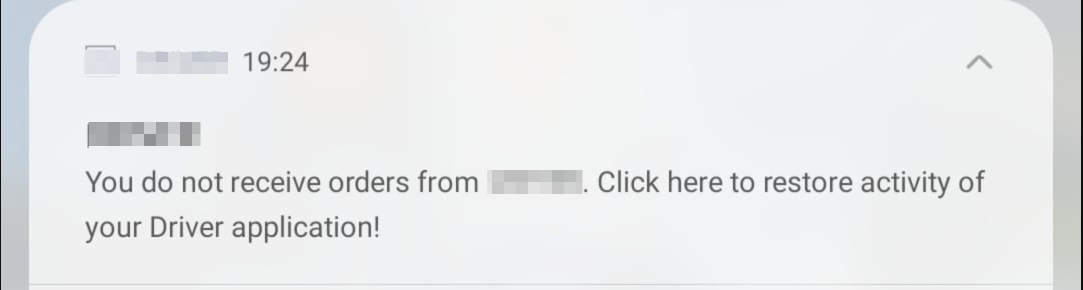
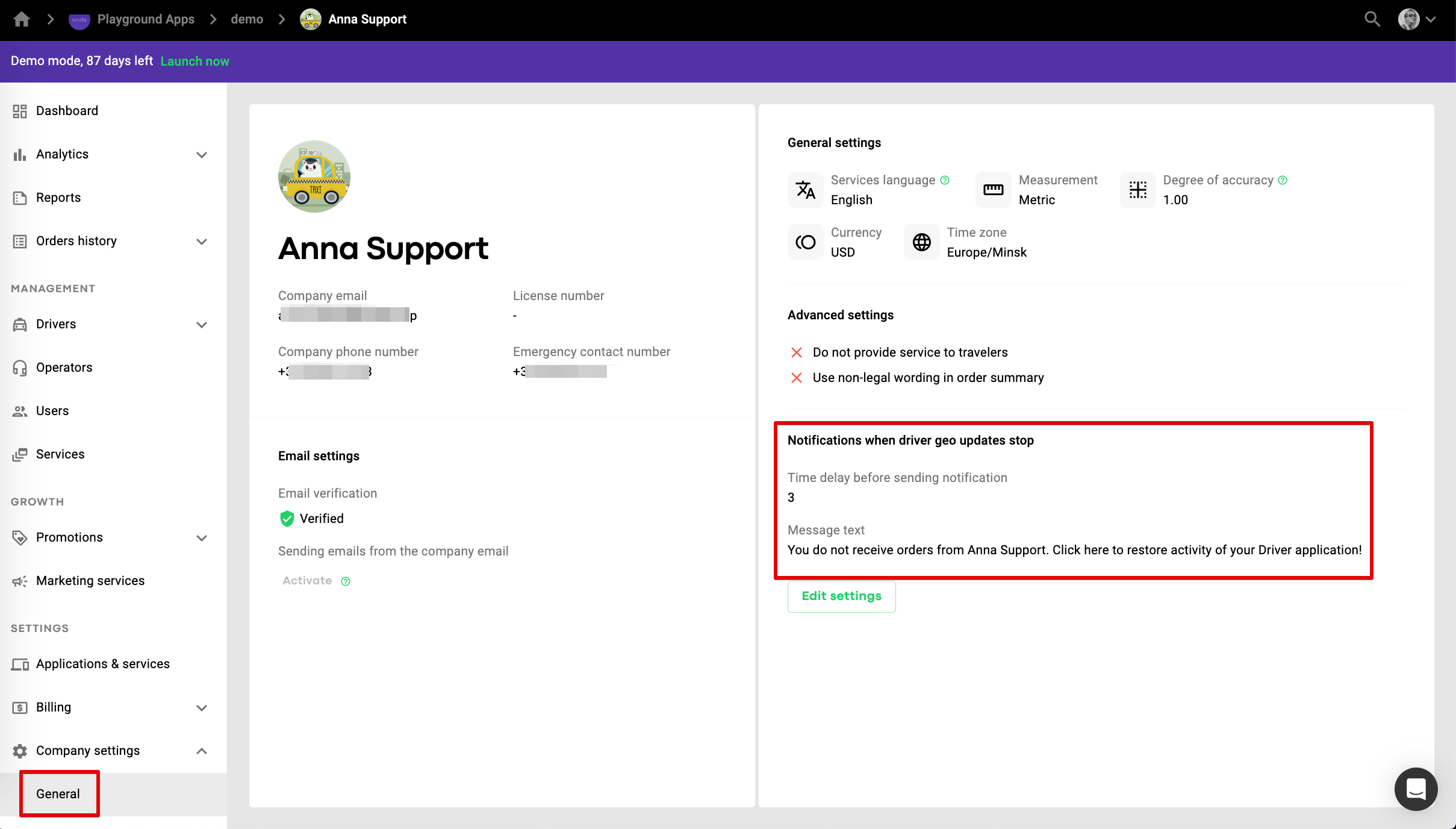
1. by default the feature is activated in Company settings > General.
2. the push is sent in 10 minutes after a driver becomes unavailable for orders (for instance as a result of temporary internet loss). Possible push delay can be set within a range of 3 to 30 minutes.
3. If a driver fails to respond to the first notification and “wake up” the system will keep sending him pushes as per the set interval until he clicks on one to revive.
A Company manager with full permission can disable this feature by switching the toggle off for “Send push notifications”.
For your drivers to receive all the jobs they are offered make sure they have proper Phone notifications settings to get new jobs.