Coupon programs is another tool along with Referral programs to provide trip discounts for rides. The functionality is aimed at giving discounts to old clients who have used up their referral program option.
To activate a Discount coupons service, proceed to tab “Applications and services” in My Hub, find “Coupons” in available services and press “SUBSCRIBE”.
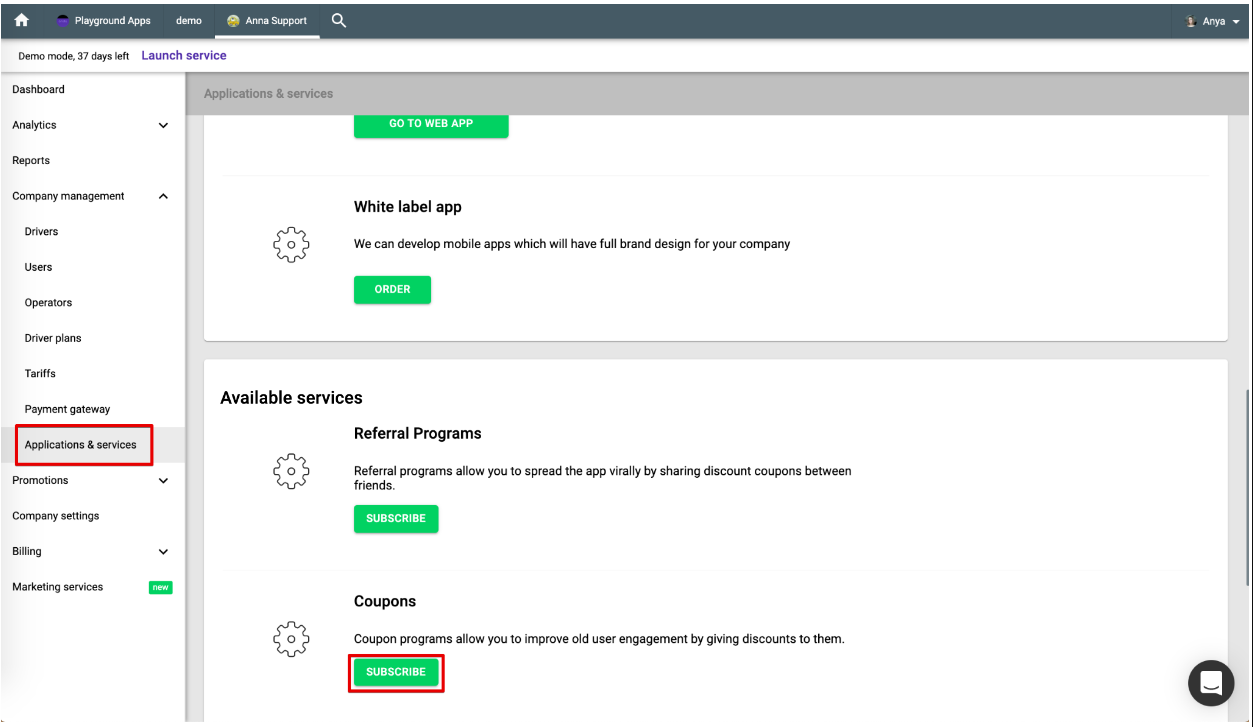
Once Coupon service is activated, the “Promotions” in the main menu will contain the sub-tab “Coupon programs” along with “Referral programs”.
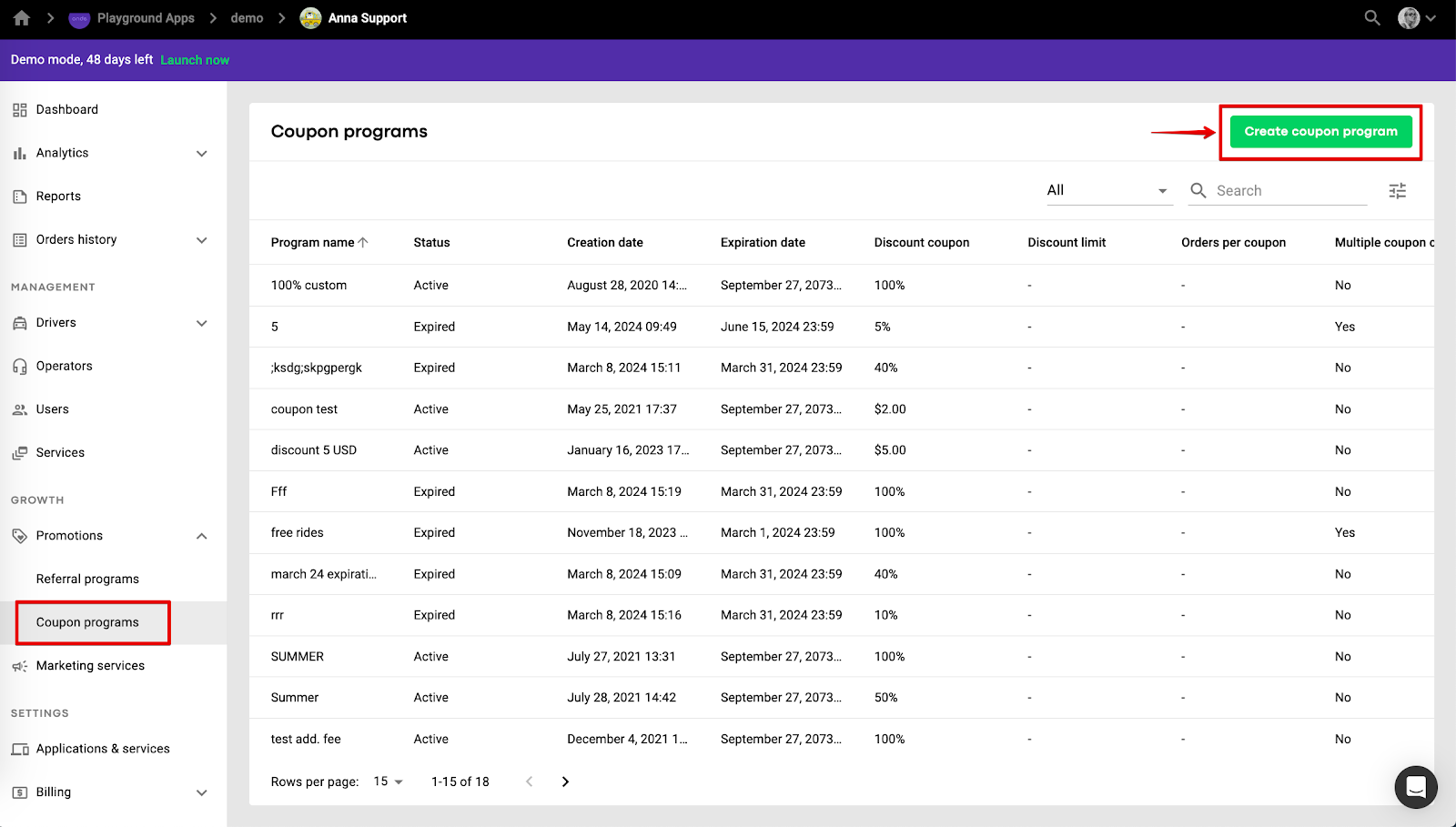
To configure a new coupon program press “Create coupon program”.
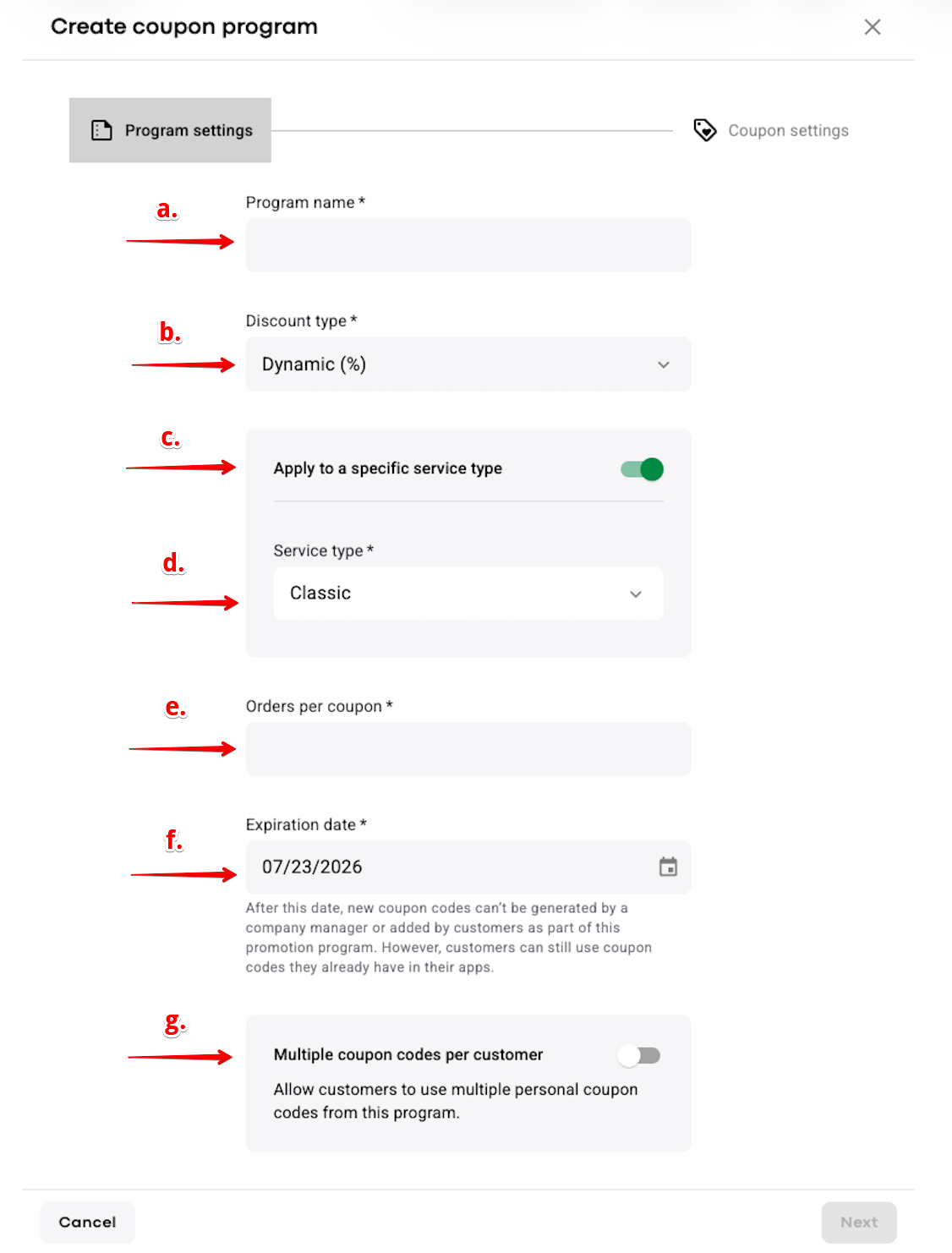
a. put in the program name
b. choose a discount type (fixed - discount is set as a fixed amount in company currency or dynamic - discount is set as a percent of an order value)
c. enable the toggle “Apply to a specific service type” in case you need the discount to be allowed for a specific service only
d. If “Apply to a specific service type” is enabled, select the Service type for which you want the coupon discount to apply.
e. Orders per coupon - specify the number of orders that can be discounted with one coupon created under the program
f. set the program expiration date. After the program expires you will not be able to add new batches of coupon codes to the program and your customers will not be able to add coupon codes from this program in the app. However the previously added coupon codes from an expired program will still be valid and can be applied to orders until their expiration date. Mind that expired coupon programs can not be reactivated.
g. Multiple coupon codes per customer - decide whether your customers will be allowed to add more than one coupon code from this program
Press NEXT to proceed with the program creation.
h. specify the coupon discount for the program (amount in the company currency if you selected the Fixed discount type or percent value if you selected a dynamic discount type).
i. create a discount limit for coupons if required (available for programs with Dynamic % coupons only). This means that the discount sum can only be less or equal the discount limit value. For that, toggle the switch “Discount’s coupon discount limit” and add the Maximum discount value.
j. define coupon lifetime.
The coupon lifetime countdown starts from the moment the client adds the coupon to his app.
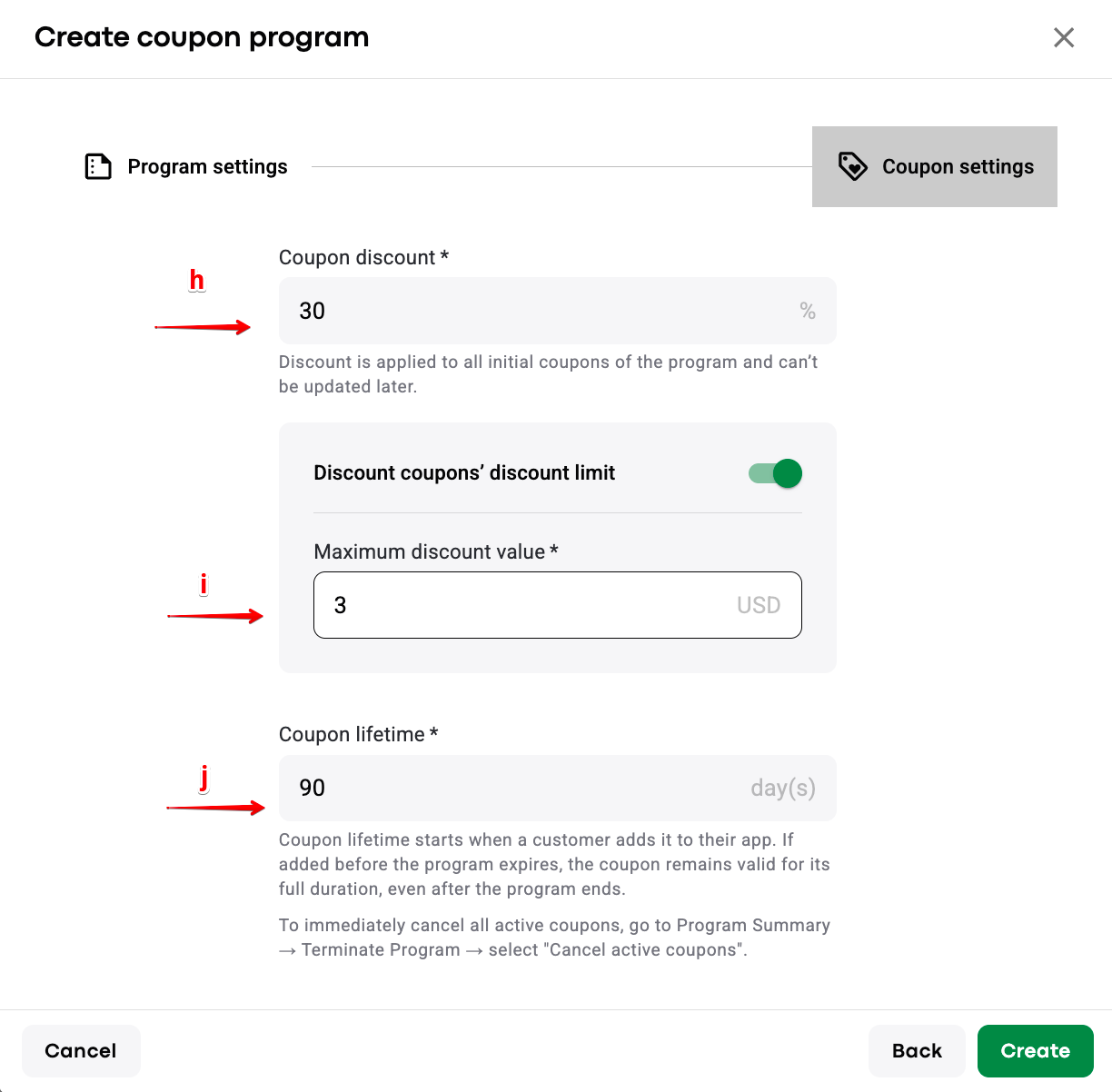
Once all is done press CREATE to finalize the program creation. A dialog to add the first batch of coupon codes for the program is opened.
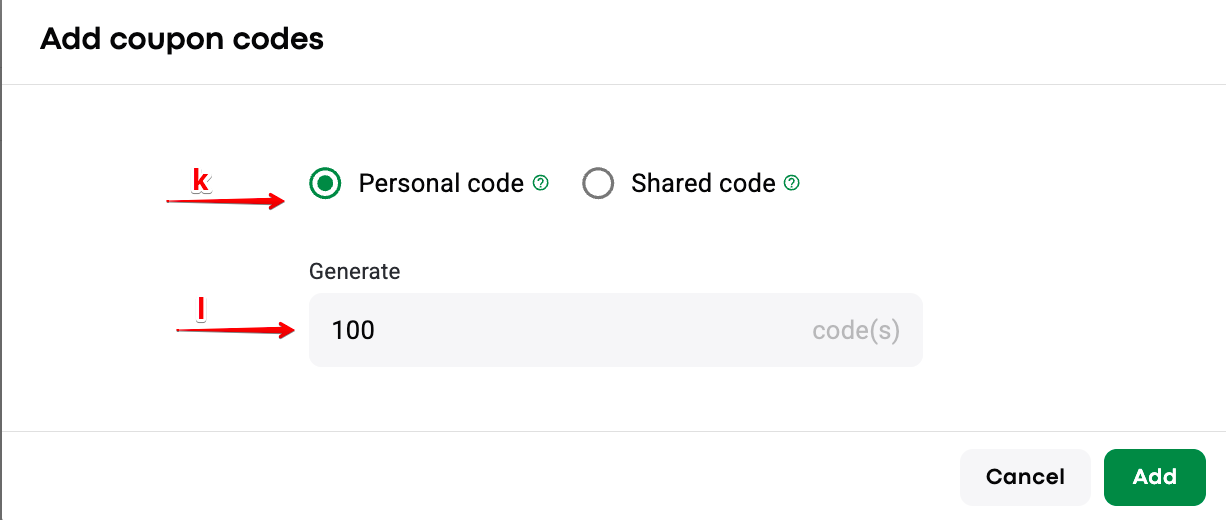
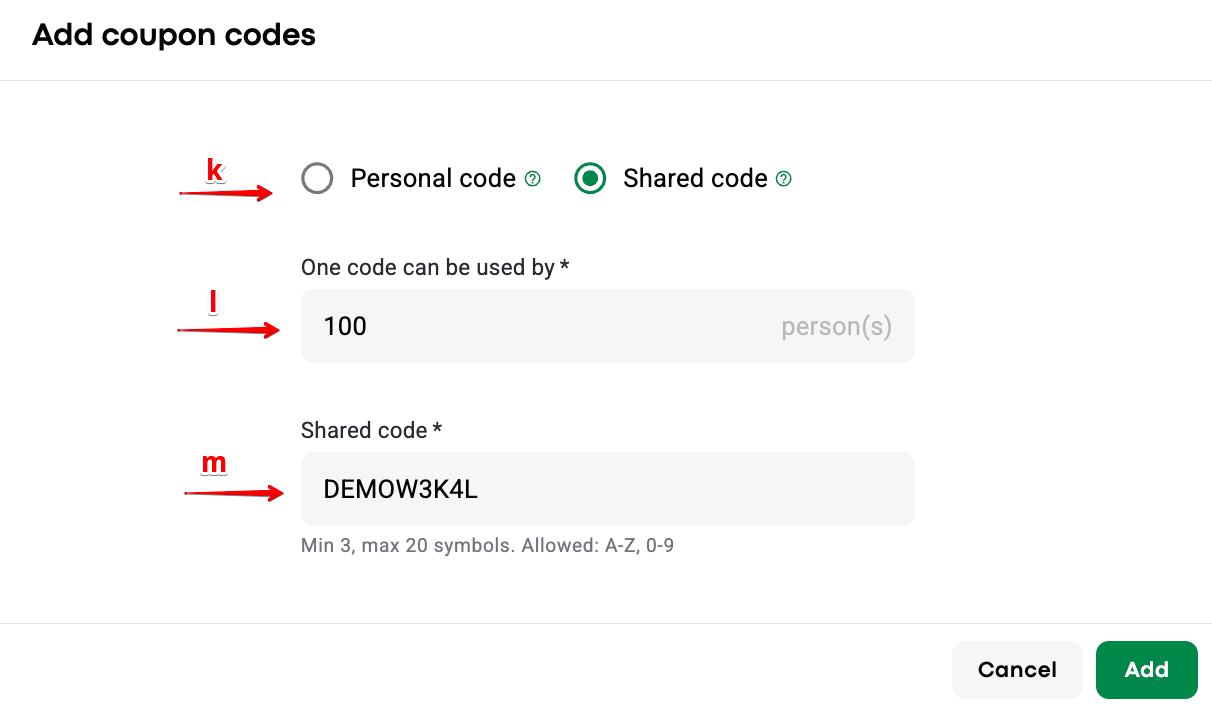
k. choose if the program will generate “Personal code” or “Shared code”.
“Personal code” means that every coupon code will have a unique combination of symbols.
“Shared code” means that all the coupons will have the same symbol code. “Shared code” program is great for promotion campaigns on Facebook and other social media.
l. put down the number of coupon codes to be generated (for Personal codes) or the number of customers who can add a code (for Shared codes).
m. For shared codes: put the name of the shared code.
IMPORTANT
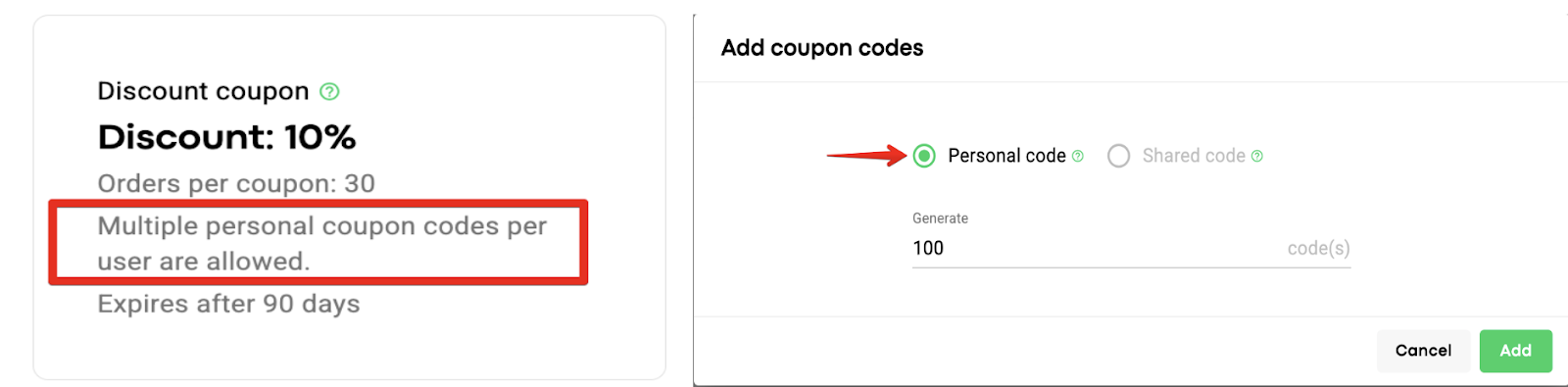
If one allows "Multiple coupon codes per customer" in a coupon program “Shared codes” option is disabled, one can only add “Personal codes” within such a campaign.
This is a safety measure to prevent customers from using the discount over and over again by entering the same code.
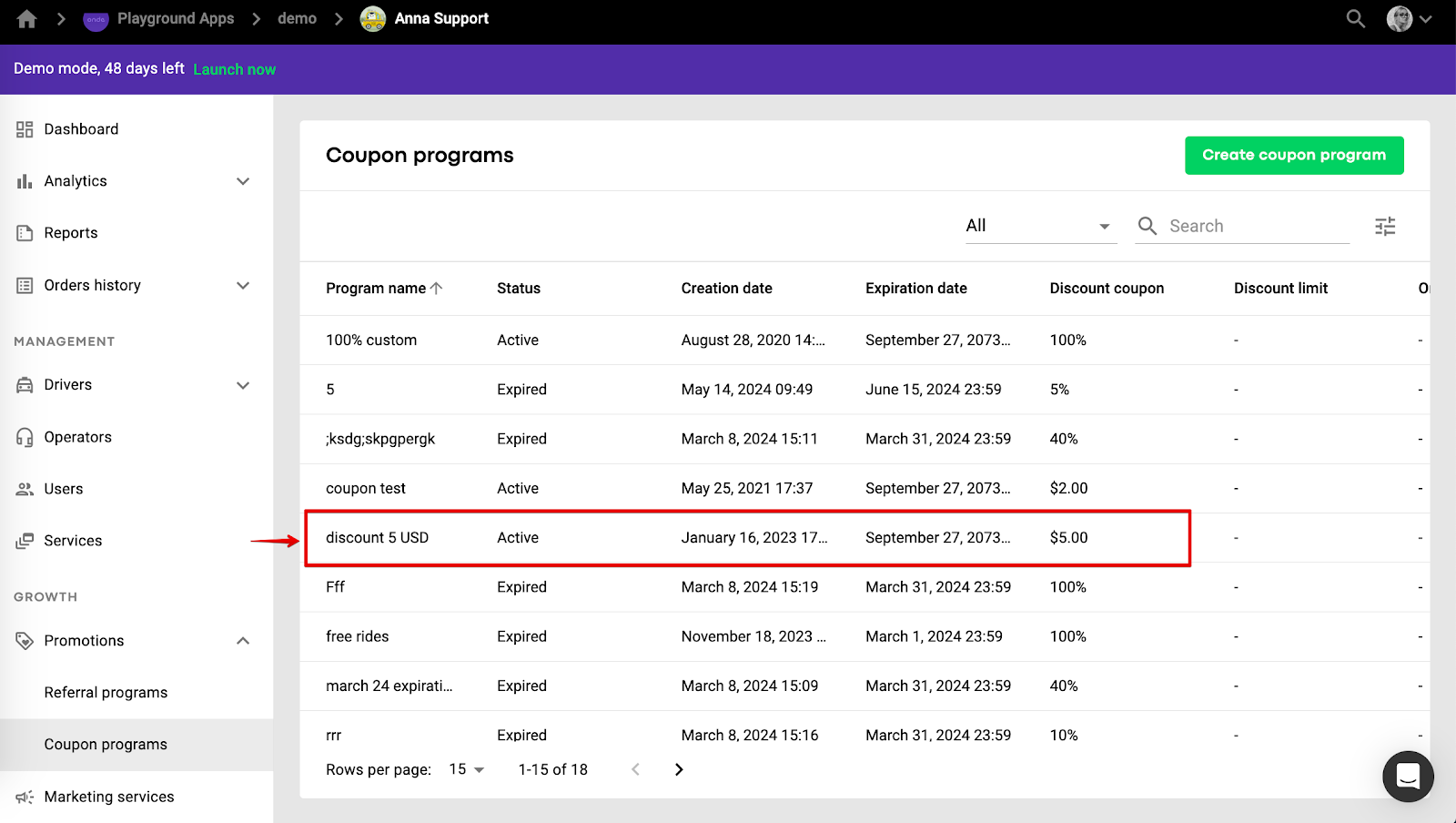
Tap on the line with the coupon program to open its details.
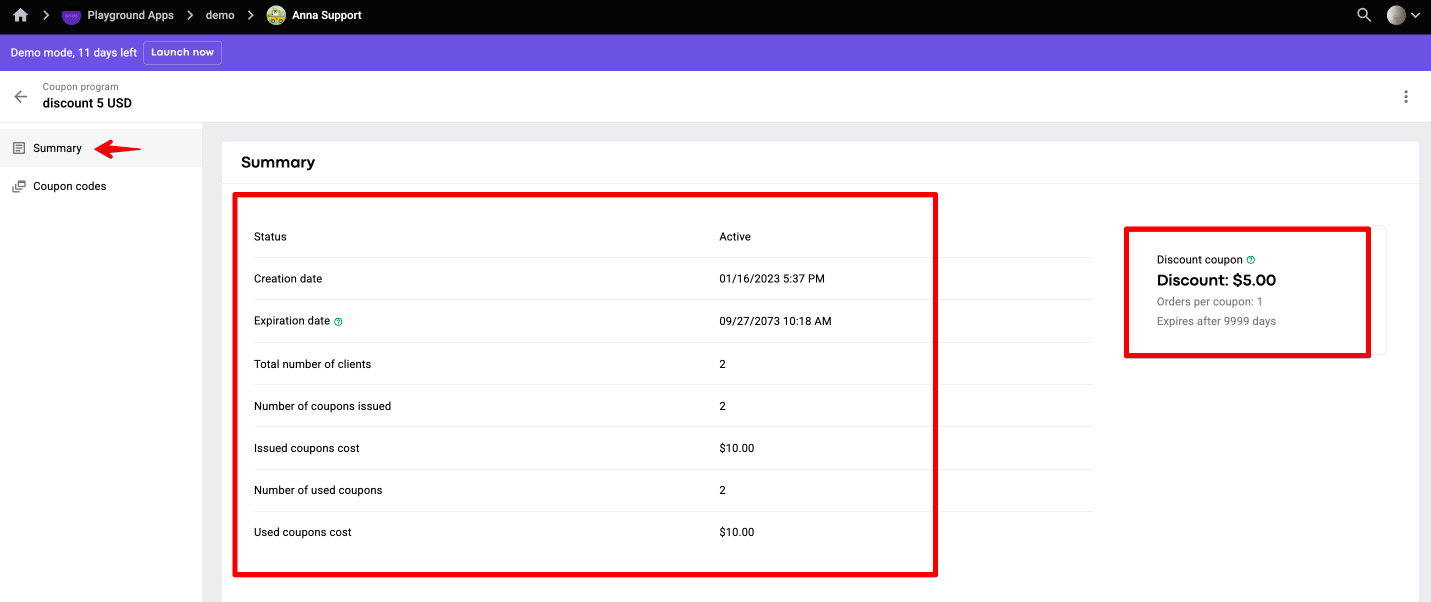
Tab SUMMARY allows to review general data on coupons and program statistics.
Statistics helps to analyse the following metrics:
Total number of clients: how many users in total participated in this coupon program.
Number of coupons issued: the total number of all the coupons added to the app Promo tab by customers.
Issued coupons cost - the total value of all issued coupons.
Number of used coupons: how many times a coupon discount has been applied. For example, if the program allows multiple orders per coupon, all the discounts are calculated.
Used coupons cost: total value of discounts applied for completed orders. Depends on discount type, fixed (adds exact values) or percentage (calculates from ride cost).
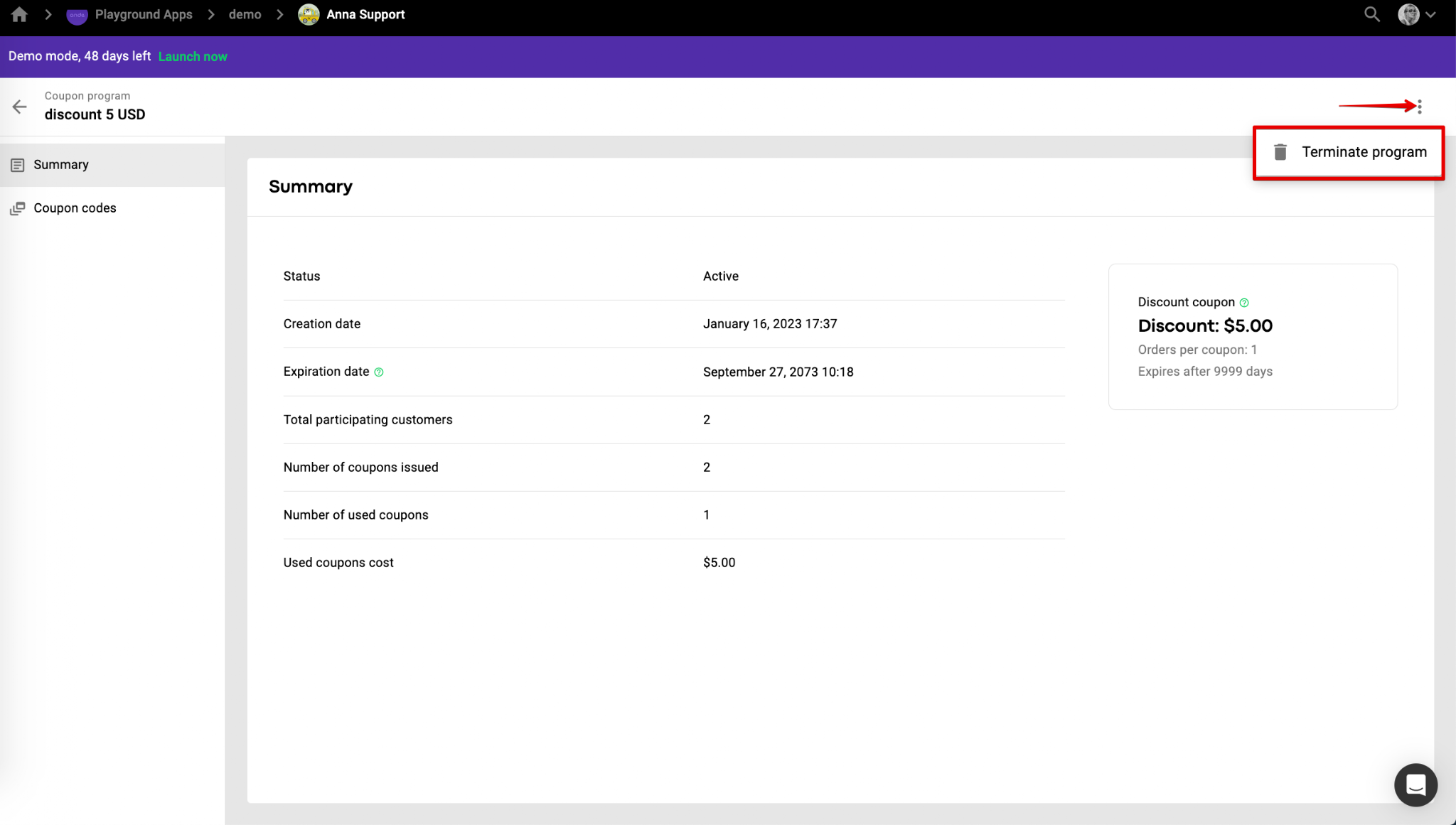
You can terminate a coupon program by selecting “Terminate program” in the menu of the top right screen corner.
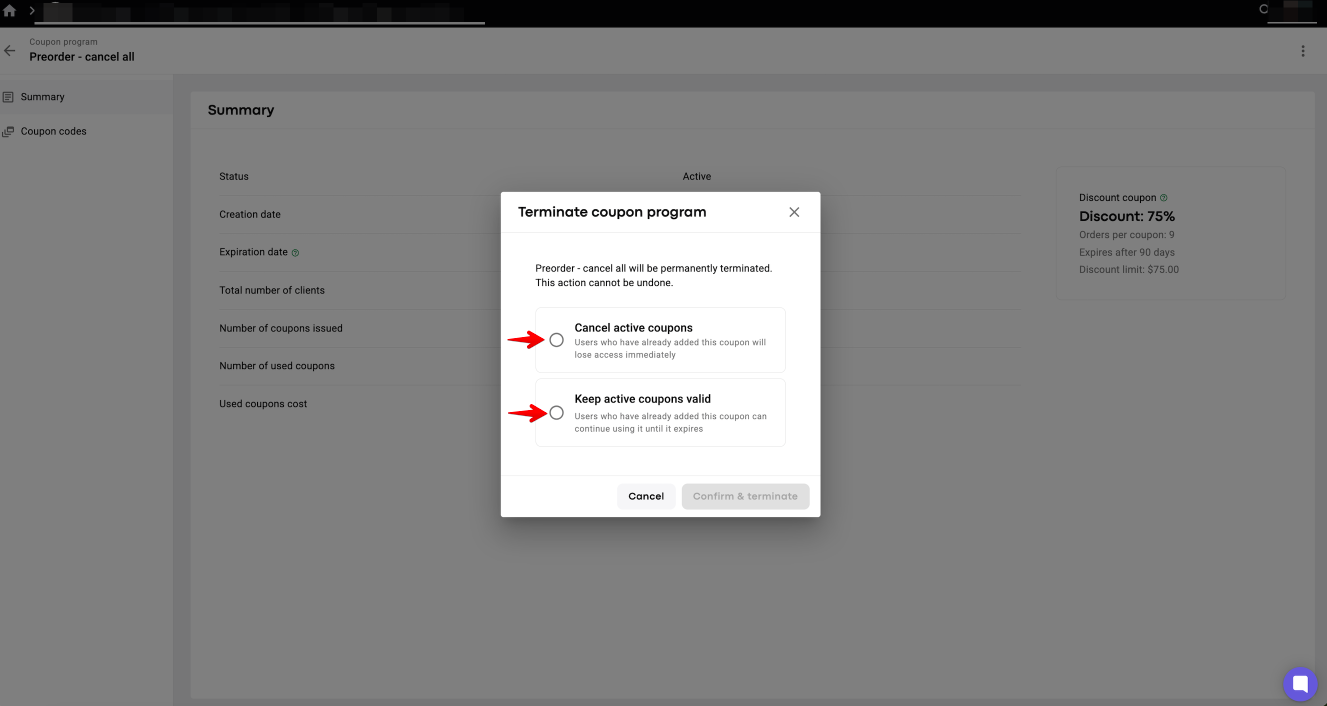
There are 2 options to terminate a Coupon program:
Cancel active coupons - users who had added coupons to the app before the program was terminated will lose access immediately. Coupon will disappear from tab Promo or will be cancelled if a user is on a ride.
Keep active coupons valid - users who had added coupons to the app before the program was terminated can still use coupons until their expiration date (starts counting from the moment the coupon has been introduced into the app).
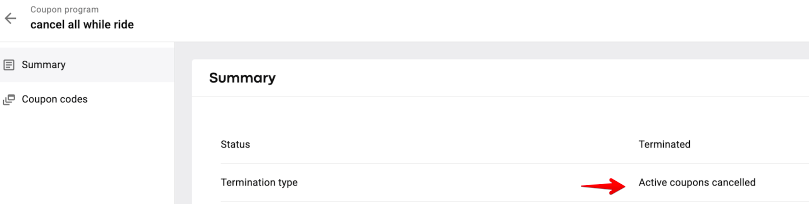
A company can review “Termination type” for any terminated Coupon program in tab “Summary”.
Termination type - “Active coupons cancelled” for “Cancel active coupons” termination option.
Termination type - “Active coupons valid” for “Keep active coupons valid” termination option.
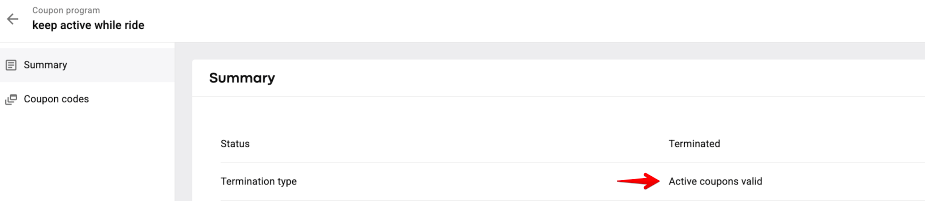
If a coupon program is terminated one can no longer add the codes of this program to the app.
Tab “COUPON CODES” displays data of the coupon codes generated for the program: code values and status of every code. To generate more coupons for active non expired programs press “ADD COUPON CODES”.
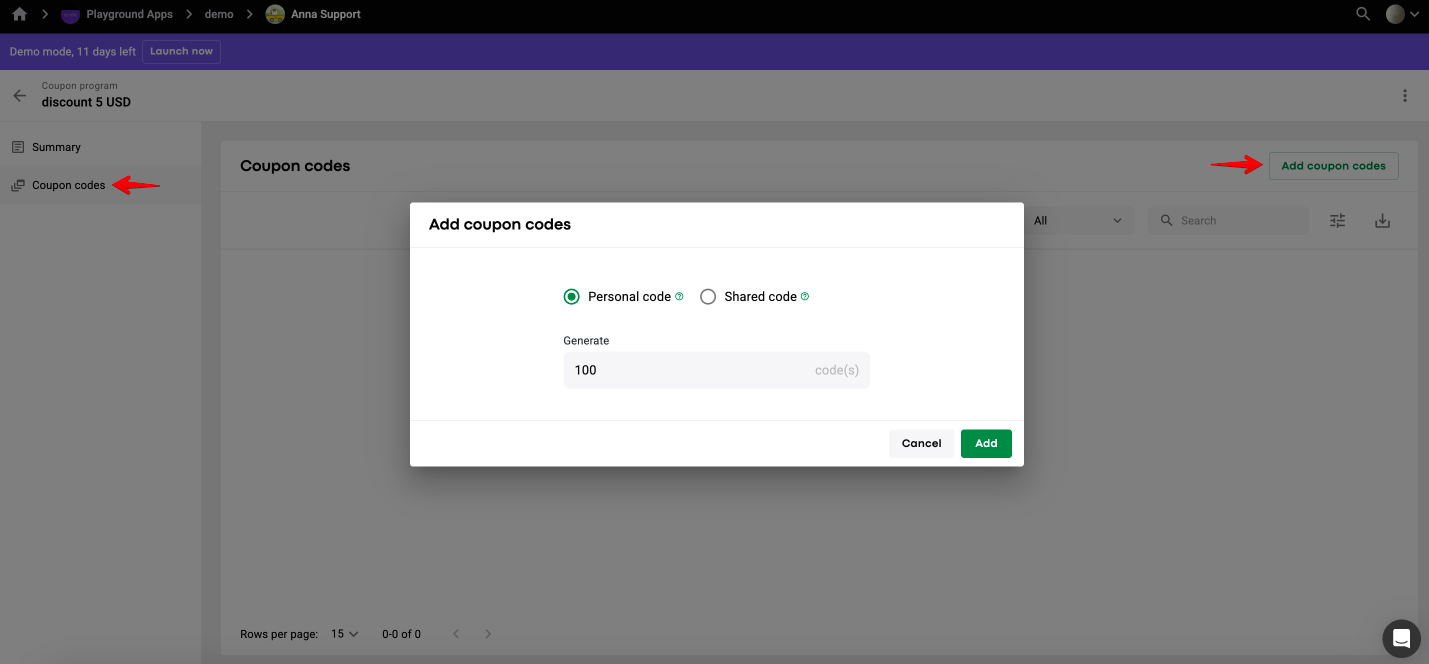
Mind that a new “Shared” coupon code must have a different combination of symbols from that generated initially. Personal coupon code symbol selection is random.
1. there is no sharing option as in Referral program.
2. coupon discount applies to any service of the company and is redeemed in its full value regardless of ride total. Say, the ride is $5 and the coupon is $6. The remaining $1 is not transferable for the next ride.
3. coupon discount value is added to the driver's balance as a separate transaction right after the trip.
Learn more on Referral program set up in our article Referral program sample.
