
Operators can reassign an order to another driver.
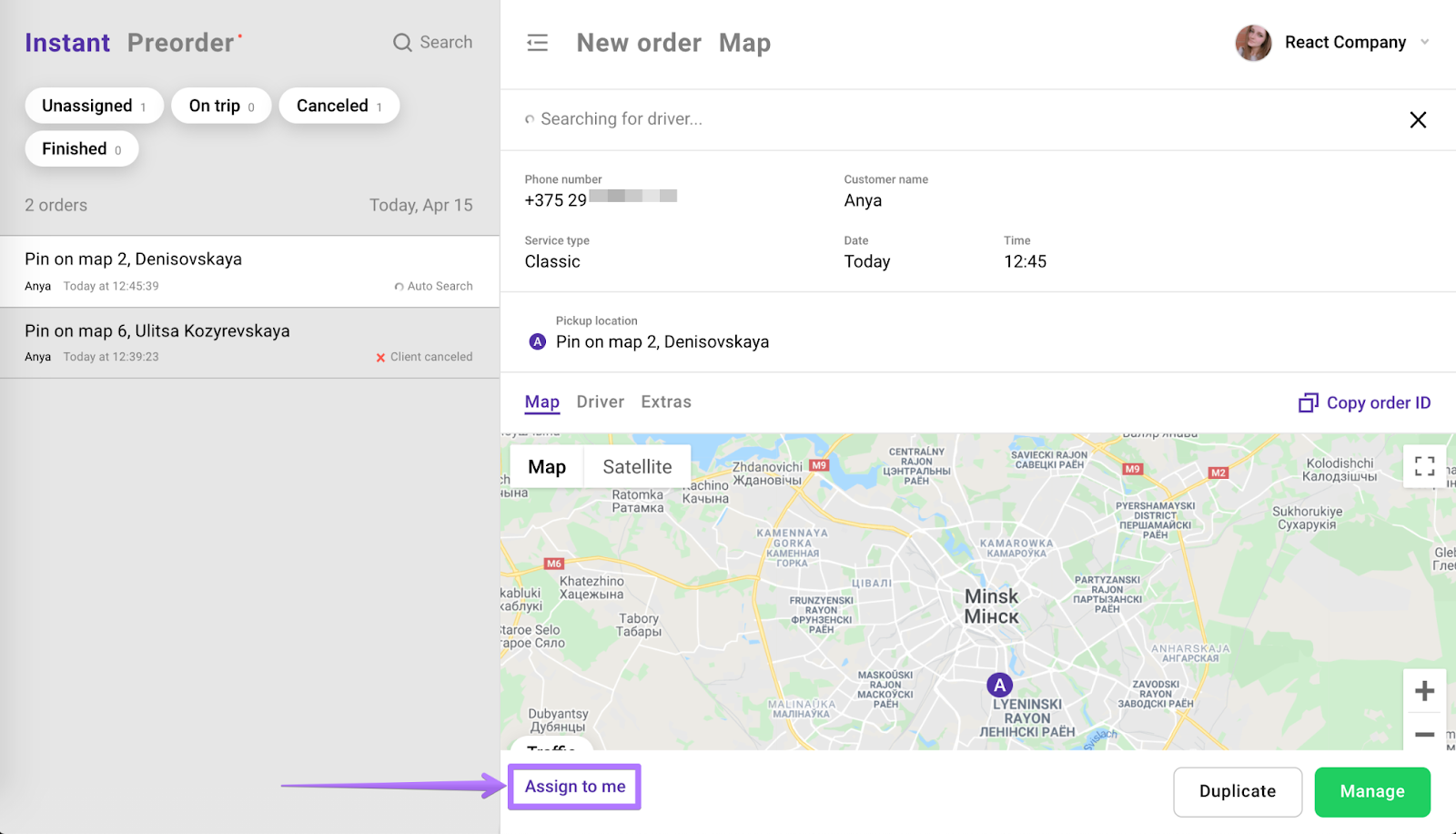
For all orders generated via operator app, customer app and web desk an operator is authorised to reassign the order to another operator by selecting “Assign to me” and manually change the driver. Order can be reassigned until the driver swipes to “Start a ride”.
1. Click “Assign to me”
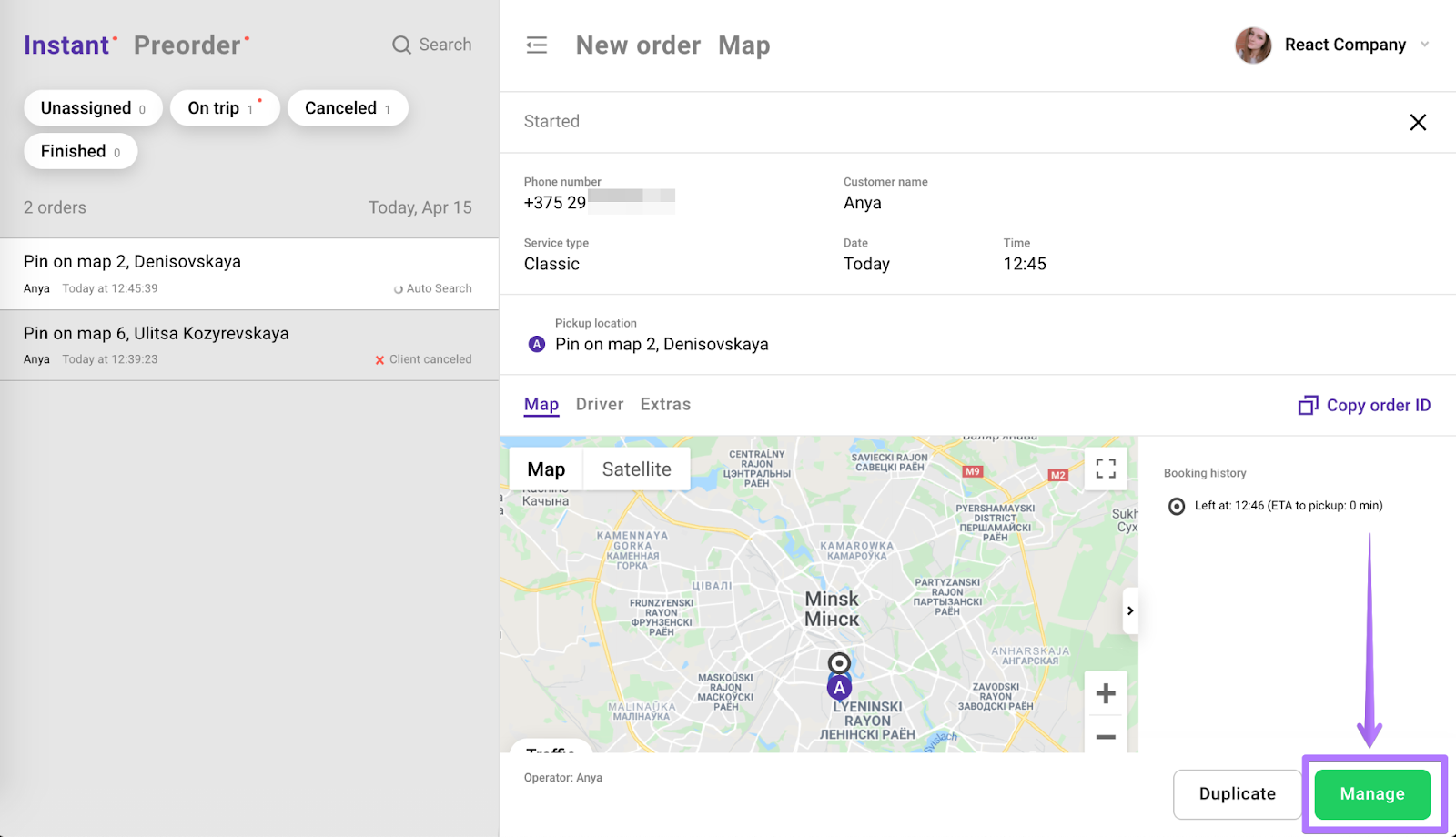
2. Press “Manage”
3. Open “Driver” section and change board number (phone number or driver’s name) for new driver details:
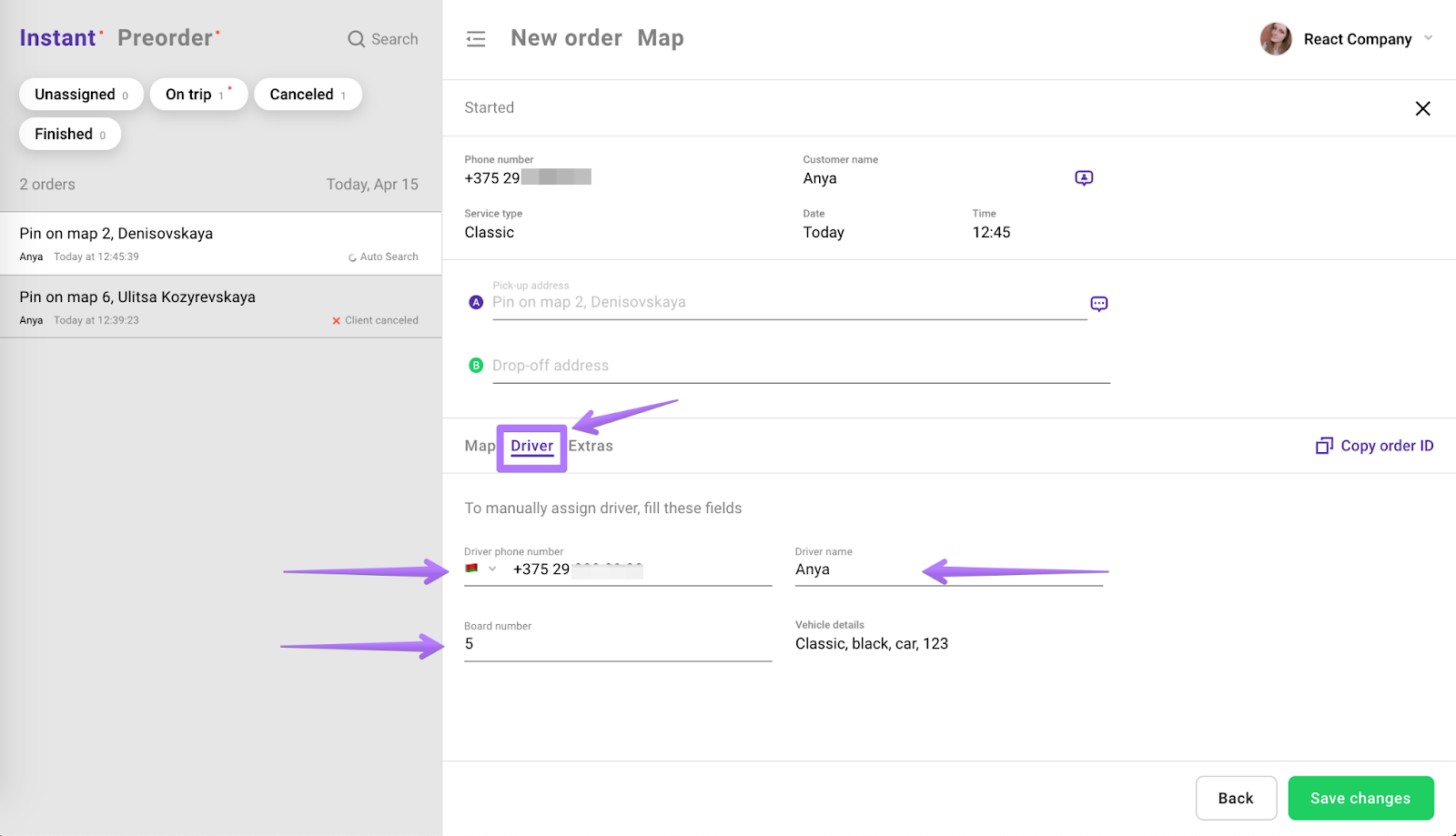
4. Click the “Save changes” button.
Learn more information on managing orders by operators in our article “Operator guide on managing orders”.