To start a referral campaign you should follow the next steps:
1. Go to My Hub >> "Applications & services". Scroll down the page and you will see "Referral programs".

2. Press the "Subscribe" button and the Referral programs will appear under “Active services” in this tab.

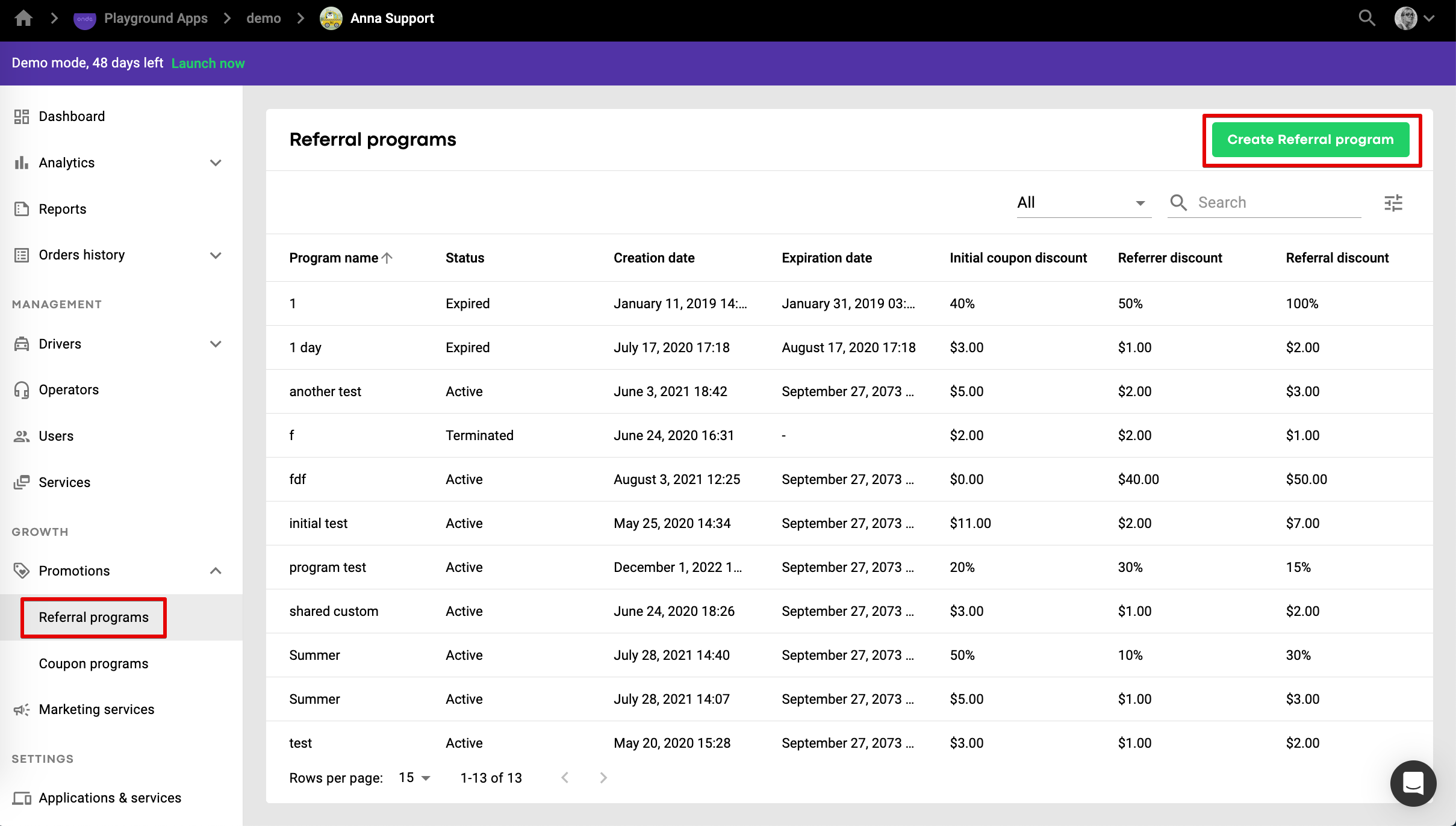
3. Then, go to "Promotions" >> "Referral programs" in the left side menu and click "Create Referral program".
4. The first configuration step is to make overall program settings.

a. a program has to be named. ”Christmas Referral” in our case.
b. Every participant of the program will get a % discount from the order cost.
c. every primary coupon holder can invite 3 friends.
d. Every user can take 2 trips on one coupon code (Orders per coupon = the number of orders that can be discounted with one coupon created under the program)
e. the program expires on January 1st , 2024.
5. After the "step 1" configurations are defined press “Next”. "Step 2" helps to set the detailed coupon settings for the program.
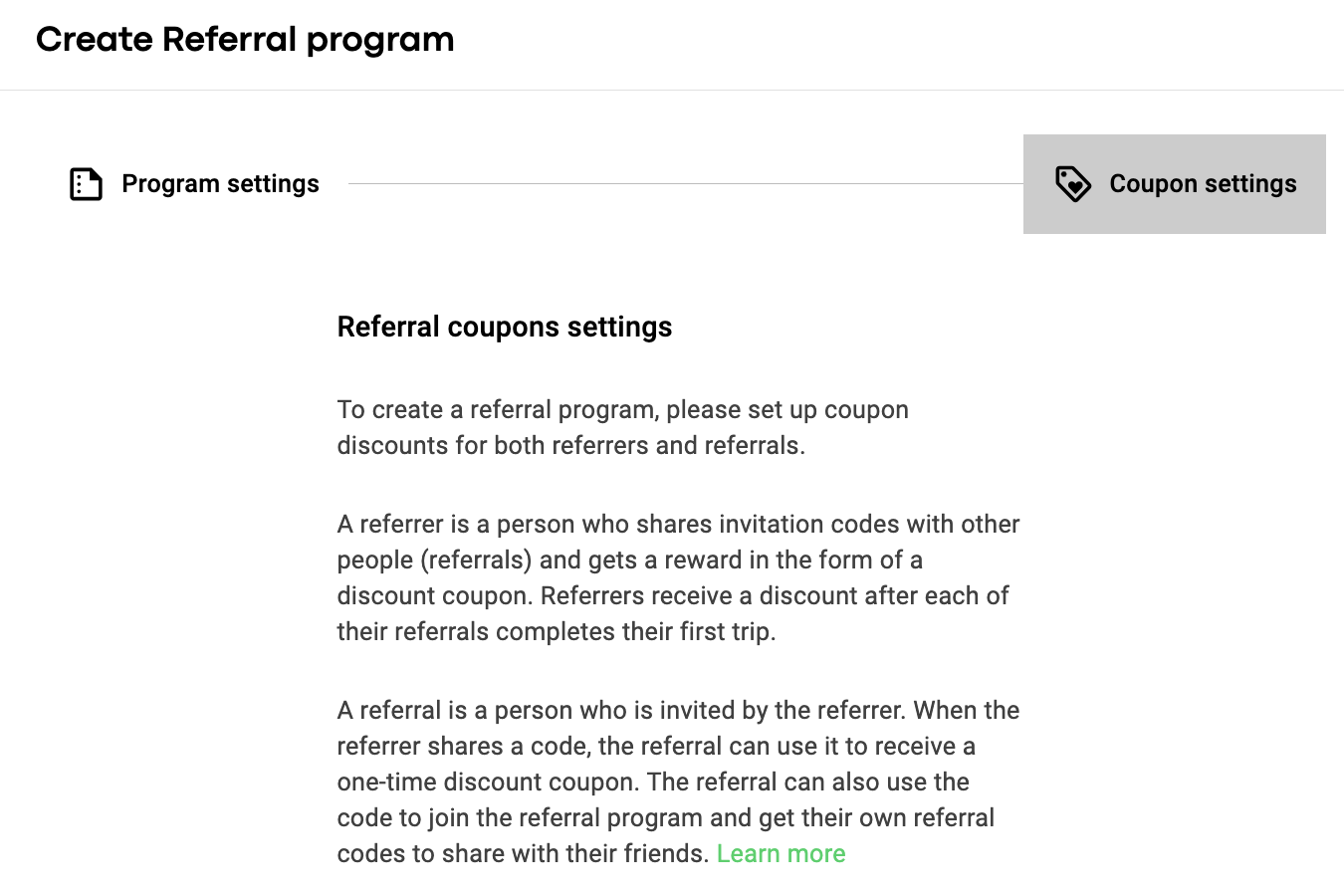

f. once the referral has taken a ride on the shared coupon, the inviter (referrer) will be given a 10% discount coupon.
g. discount limit for a referrer’s coupon is 1. This means that the discount sum can only be less or equal 1. Discount limit is available for programs with Dynamic % coupons only.
h. when the invitee (referral) takes a ride, he will get a 30% discount off the final trip cost.
i. discount limit for a referral’s coupon is 3. This means that the discount sum can only be less or equal 3 = the discount value.
The invitee (referral) can also invite 3 friends by giving them 30% discount coupons and the steps "h. f." repeat. The cycle of "h. f." constantly repeats itself unless the program is terminated or expired.
j. coupons expire in 90 days after they are added by the customers (i.e. after they are invited - for referrals, after a referral makes the first ride - for the referrers).
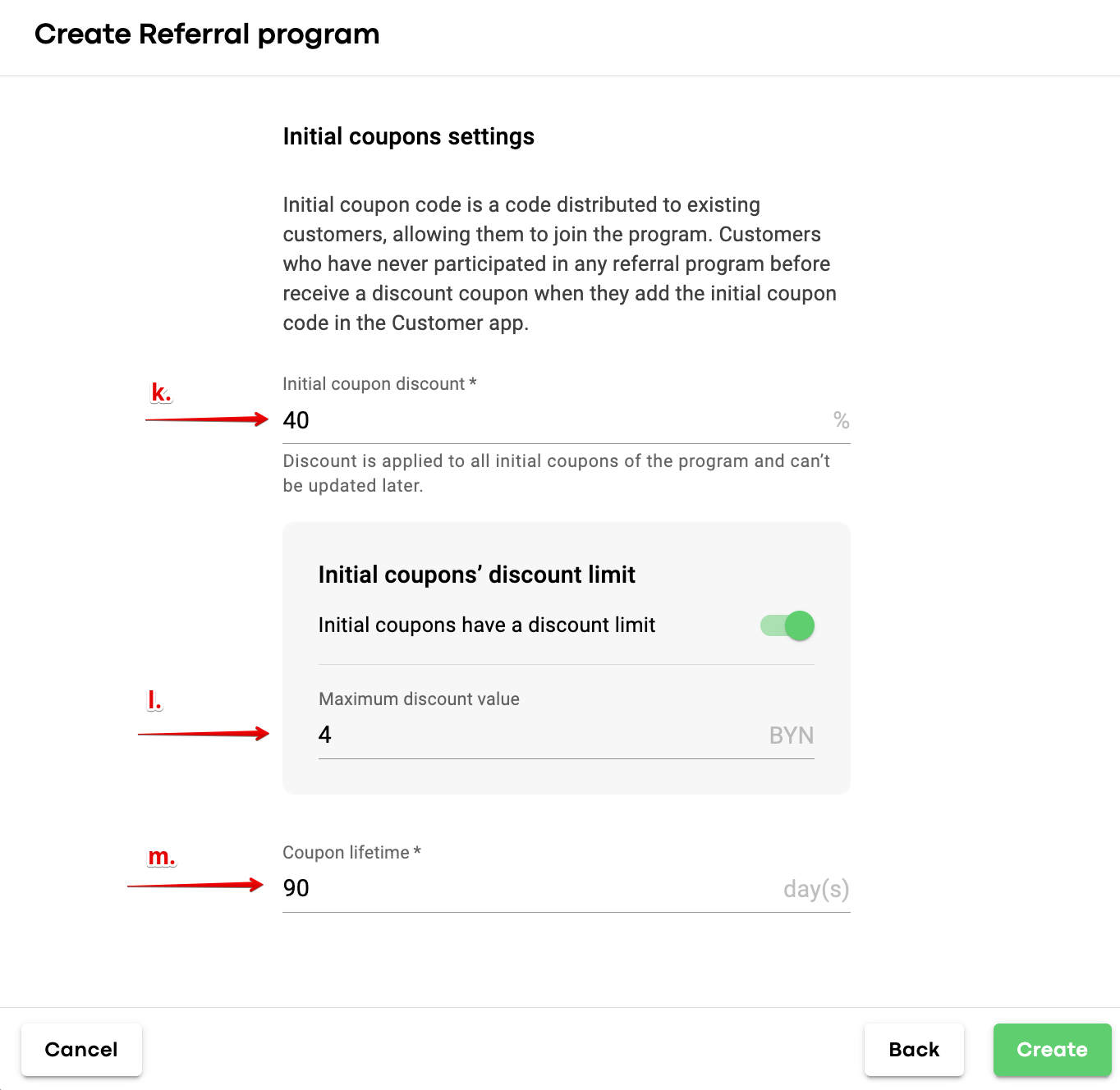
k. initial coupon value is set at 40% of the order cost.
l. discount limit for an initial coupon is 4. This means that the discount sum can only be less or equal 4.
m. initial coupons expire in 90 days after they are added by the referrers.
6. After the "Step 2" configuration press “Create”. The program will be created, however one still needs to add the first batch of initial coupons within step 3 (n).

n. initial coupons number is 100 and they will all have different codes. (choose "Shared code" option if you want to create one code for a certain number of coupons).
7. Press “Add” and you are transferred to the screen with your promotion program where all the statistics are stored and updated accordingly.
8. Tap on the line with the referral program to view its details. The page allows you two options:
terminate the program
manage initial coupons
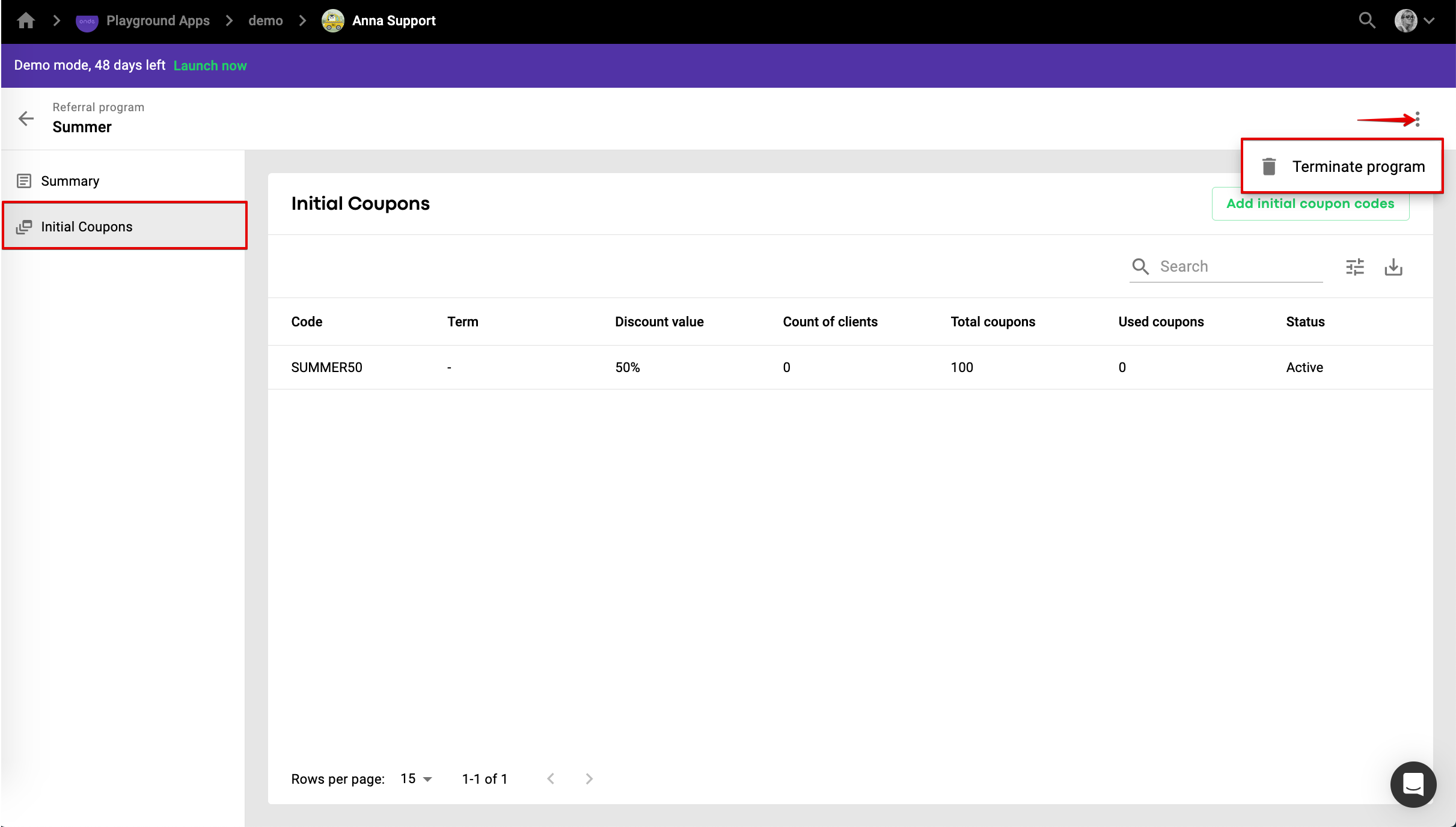
9. Press “Initial Coupons” and you will have the data on all the initial coupons as well as their codes.

10. Press “Add initial coupons” to create more initial coupons of the same value.

Choose how many coupons and codes you want to configure. In our case it’s 100 coupons under 1 code “CHRISTMAS”. Just press “Add” to save the settings.
11. Now you are all set to start and distribute your initial coupons. They can be given out through different online and offline channels.
12. Once the customer adds an initial coupon to his app his promo screen will show the info on his coupon as well as the number of coupons he has to invite friends (see the screenshot below).

Tap on the line with the referral program to open its details.
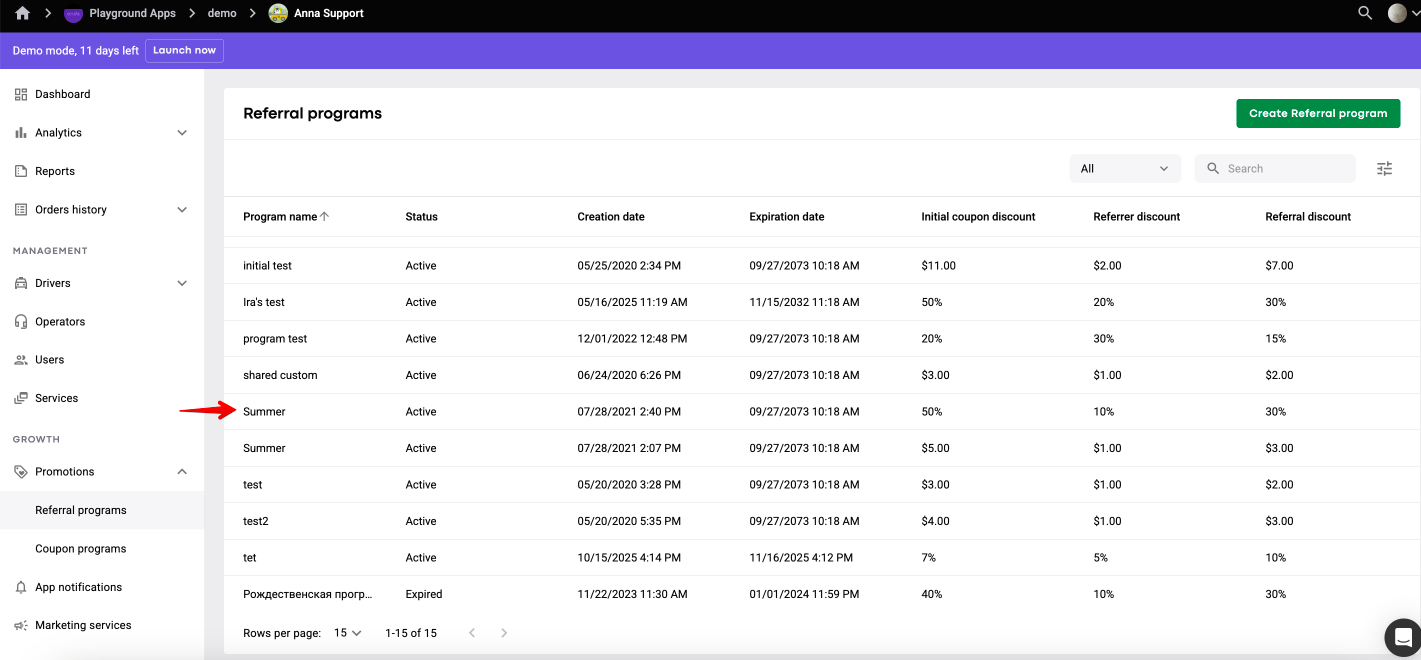

Tab SUMMARY allows to review general data on coupons and program statistics.
Statistics helps to analyse the following metrics:
Total number of clients: how many users in total participated in this referral program. It includes:
Initial users - users who joined the referral program using an initial coupon code
Referrals - users who added a referral coupon
New customers: a user is counted as new when they join the company's referral program for the first time, either with an Initial or a Referral code. This logic is not linked to the registration date or past orders.
Cost per new client: the average cost for the company to attract one new customer through this referral program. It’s calculated as:
Cost per new client = Used coupons cost ÷ New customers
Number of coupons issued: the total number of coupons created within this referral program, including for referrers, referrals and initial users.
Issued coupons cost - the total value of all issued coupons.
Number of used coupons: the data on how many times a coupon discount has been applied. For example, if the program allows multiple orders per coupon, all the discounts are calculated.
Used coupons cost: the total value of discounts actually used in completed orders. Depends on the discount type:
Fixed (USD) : adds up all fixed discount values (e.g. $10 + $10 = $20)
Dynamic (%): calculates the discount based on the ride price (e.g. 20% of $25 = $5)
You can terminate a Referral program by selecting “Terminate program” in the menu of the top right screen corner.
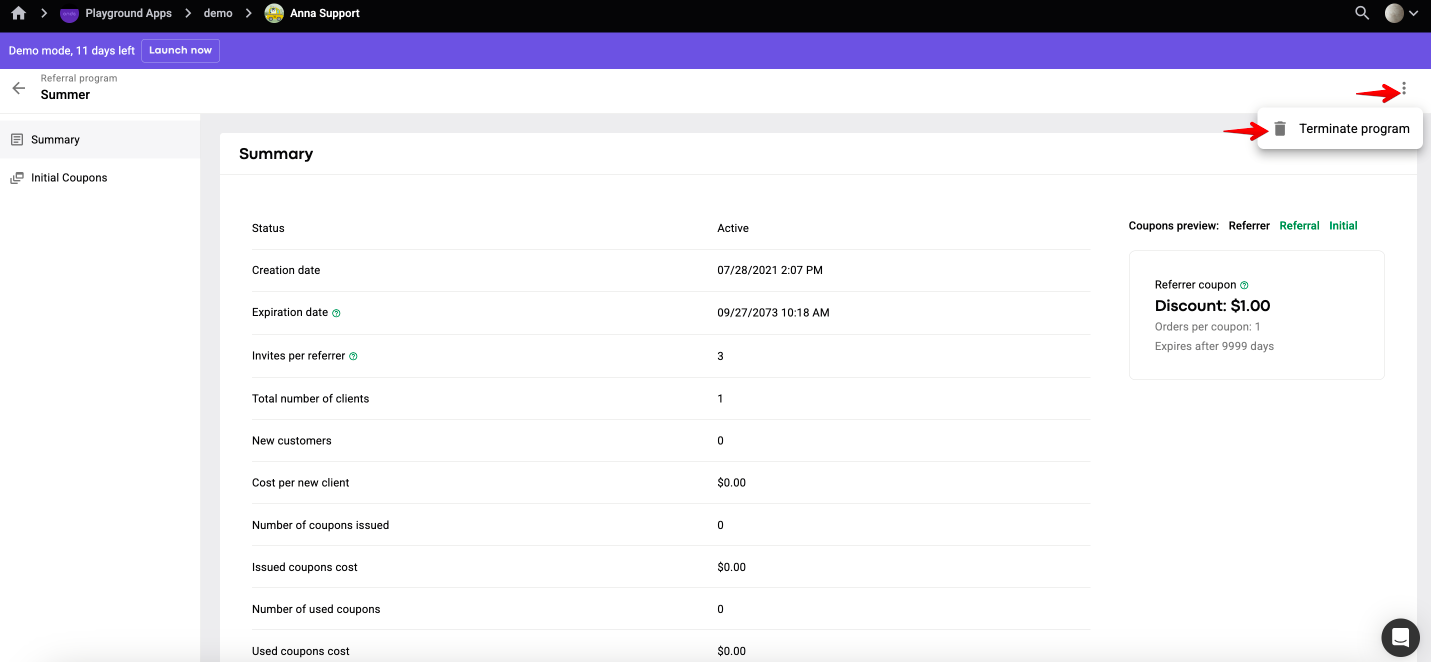
There are 2 options to terminate a Referral program:
Cancel active coupons - users who had added coupons to the app before the program was terminated will lose access immediately. Coupon will disappear from tab Promo or will be cancelled if a user is on a ride.
Keep active coupons valid - users who had added coupons to the app before the program was terminated can still use coupons until their expiration date (starts counting from the moment the coupon has been introduced into the app).
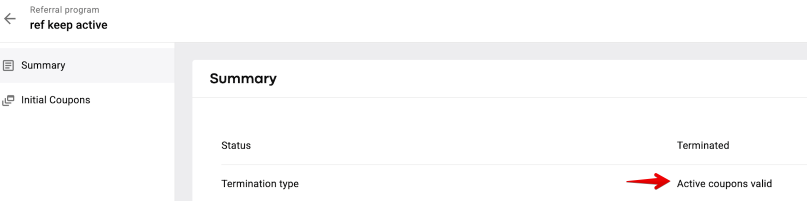
A company can review “Termination type” for any terminated Referral program in tab “Summary”.
Termination type - “Active coupons cancelled” for “Cancel active coupons” termination option.
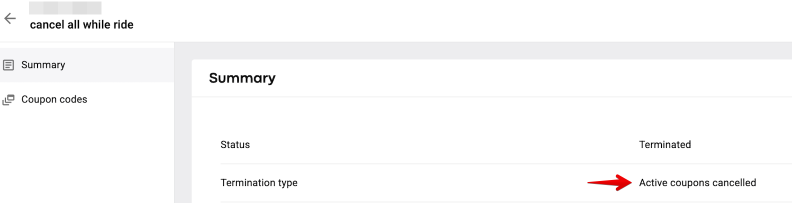
Termination type - “Active coupons valid” for “Keep active coupons valid” termination option.
If a referral program is terminated one can no longer add the codes of this program to the app.
Tab “INITIAL COUPONS” displays data of the coupon codes generated for the program: code values and status of every code. To generate more initial coupons for active non expired programs press “ADD INITIAL COUPON CODES”.

Mind that a new “Shared” coupon code must have a different combination of symbols from that generated initially. Personal coupon code symbol selection is random.
More details on the referral program can be found in the referral programs manual (long read).