Some companies have a business model which requires manual order assignment by operators.
To help operators track and manage the incoming orders from the Customer app efficiently, one can enable “Sound alerts” for incoming orders in the Operator app.
The feature is handy for small and medium size companies with limited operational resources, where operators do not monitor the Operator app continuously.
For larger companies with a huge order turnover, the feature is hardly beneficial as it may disturb an operator’s work by a continuous sound buzz
Sound alerts can be enabled for a Full access operator only, as this is the only operator type that can see and manage orders created in the Customer app.
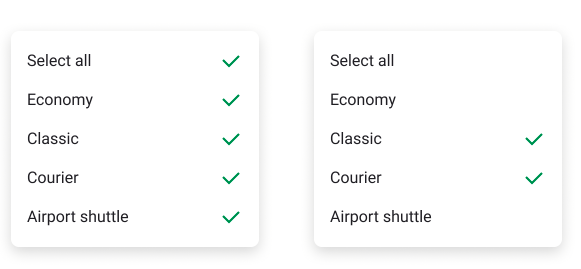
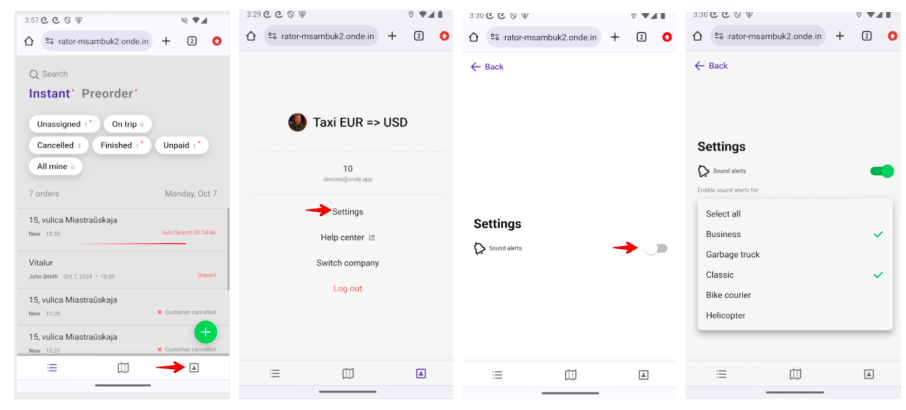
To enable sound alerts for incoming orders a Full access operator has to tap on the “Setting” icon, toggle the switch “Sound alerts” and specify the services for which sound alerts should arrive.
If “Select all” is selected, the operator will receive alerts for orders on all services.
“Sound alerts” can be enabled for both order types: Instant and Preorders. An operator can set a custom selection of services to receive alerts on for both order types.
How to enable sound alerts for Operator app on Desktop :
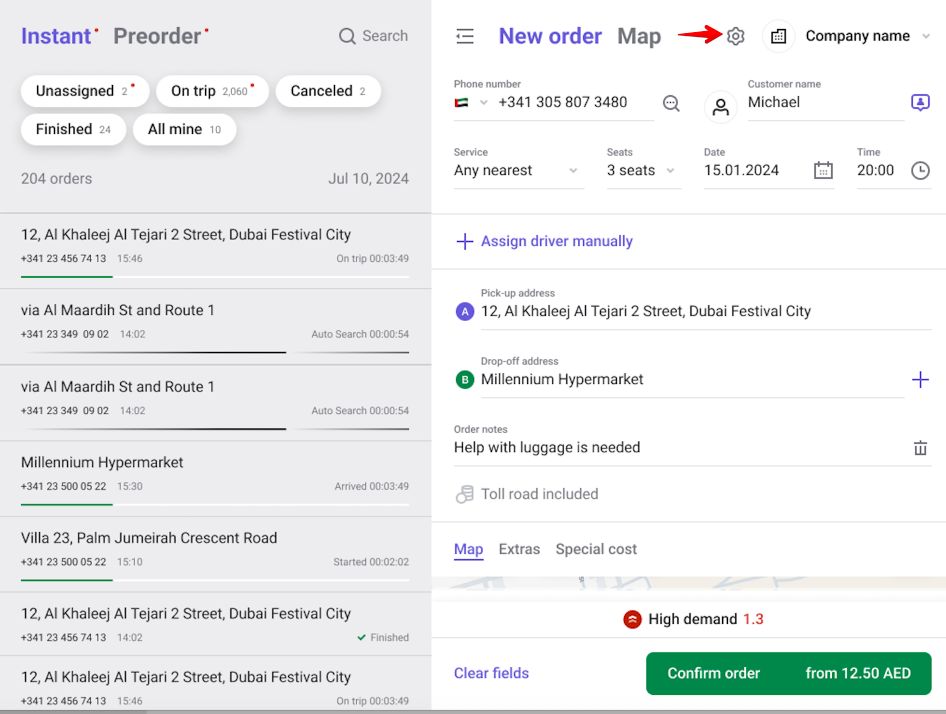
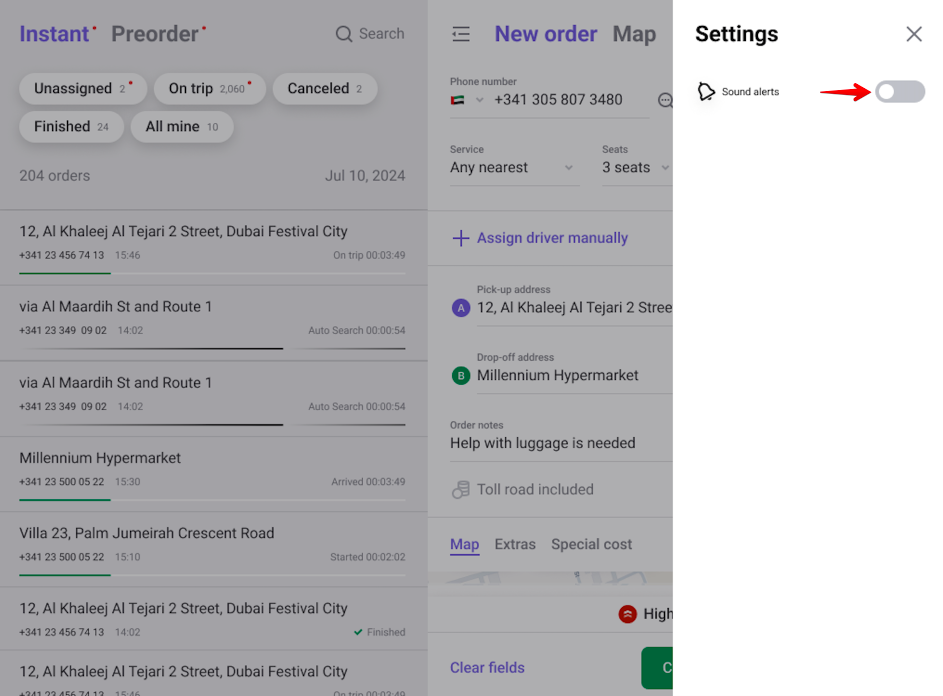
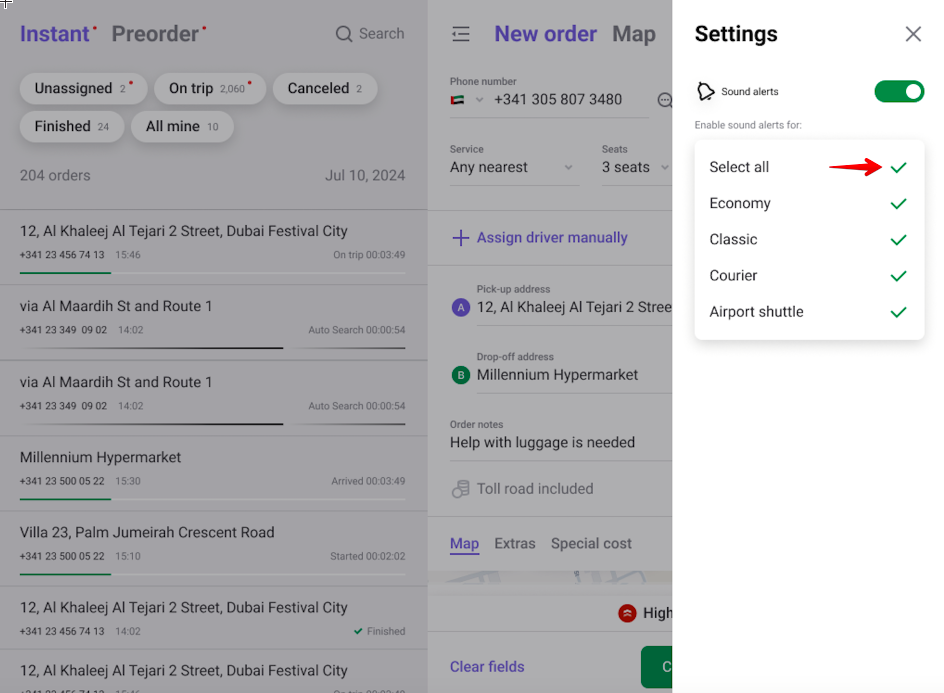
How to enable sound alerts for Operator app on Web mobile :
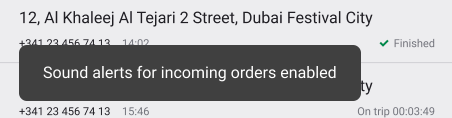
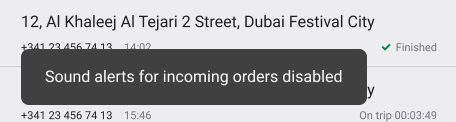
The Operator app shows a notification “Sound alerts for incoming orders enabled/disabled/updated” for any updates made in the “Sound alerts” settings.
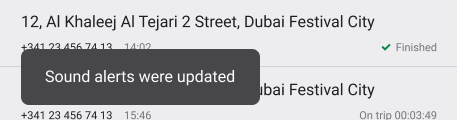
The selection of services remains for a current operator session.
Every operator re login resets sound alerts settings to default, i.e. disabled.
If a sound alert for a service is enabled, every order originated from the customer app will appear in the Operator app accompanied by a short sound notification.
If an accepted customer app order is cancelled by a driver and sent for a new round of search, it will be accompanied by the sound alert as well. The Operator app will also display a sound icon.
A sound alert comes as often as once in 5 seconds regardless of the number of incoming orders. This means that regardless of the number of orders arriving within 5 seconds, the alert will be one for all.
If enabled, sound alerts are generated even if the operator browses to another tab on the Desktop version of the operator app or folds the browser.
If the Operator app is open on Web mobile or tablet and the operator folds the browser or opens another app, there is no way to guarantee sound alerts. So, if an operator works on the Web mobile version of the Operator app it is recommended to keep it open at all times not to miss the alerts.
Enabled sound alerts for incoming customer app order in Operator app work for Google Chrome and Firefox by default.
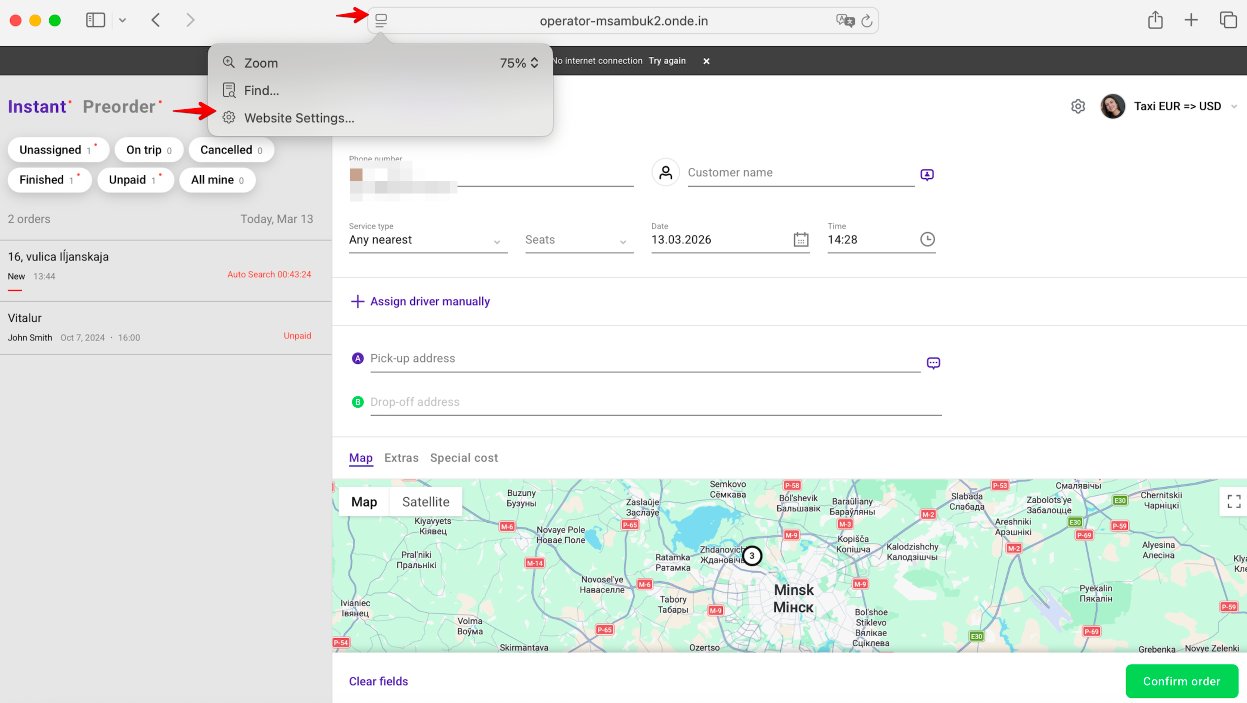
For Safari an operator has to access Website settings > tick the checkbox “Enable content blockers” > select “Allow all Auto-Play” option