
Sometimes an operator needs to duplicate an order for this or that reason.
Let’s say a driver cancels the order and an operator needs to duplicate it to send to another driver. Or a customer needs 2 cars to the same pick-up location etc.
“Duplicate” functionality is available exclusively for orders originated in operator app. This is logical as for customer and Web App orders both customer and Web App admin can submit another booking should the need arise.
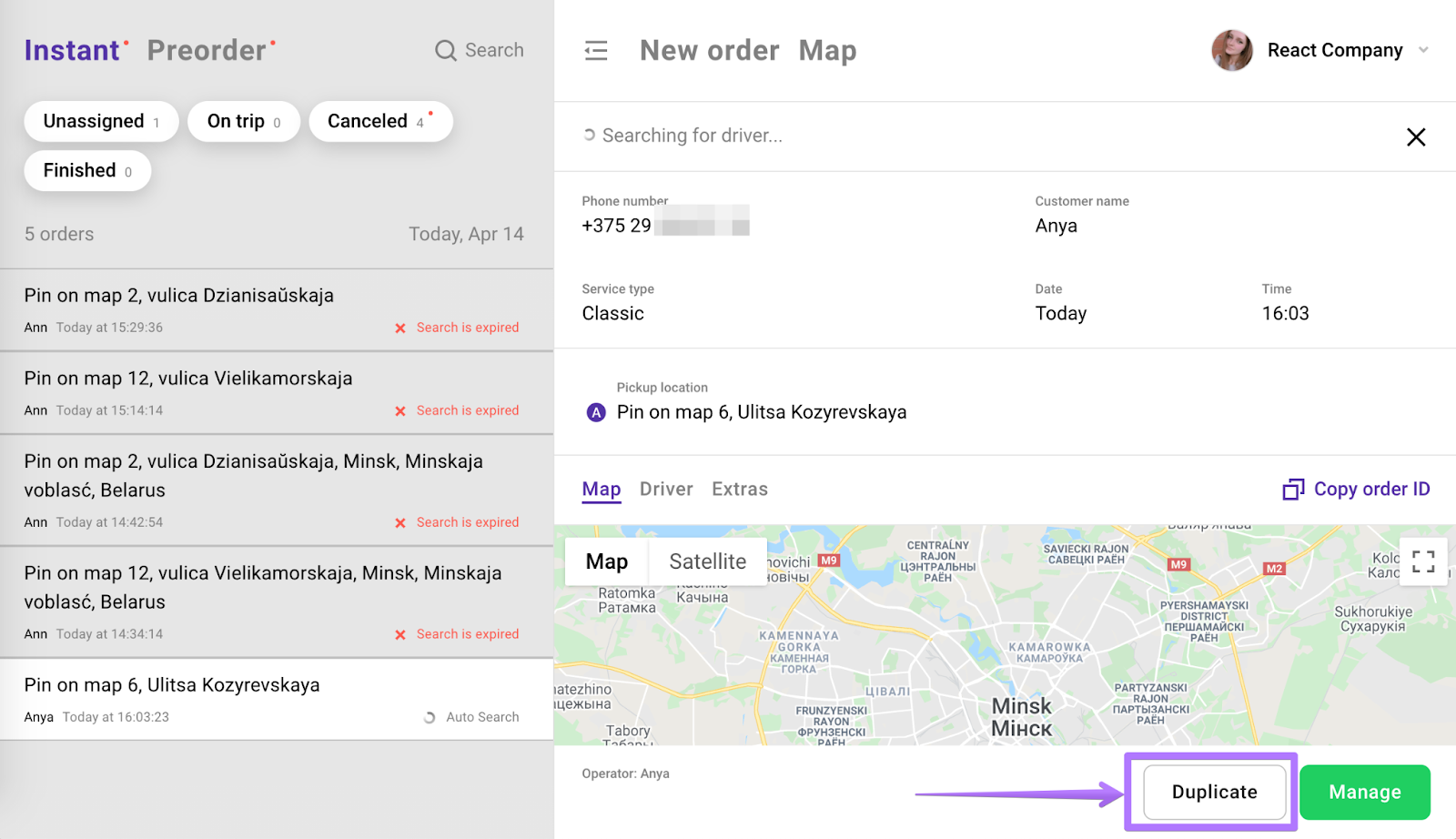
Once an operator submits a new order by registering it on the main screen or by choosing "NEW ORDER" he will see the option “Duplicate” in the right bottom corner of operator app.
In order to duplicate (create another order with the same credentials) an operator has to:
1. Press “Duplicate”
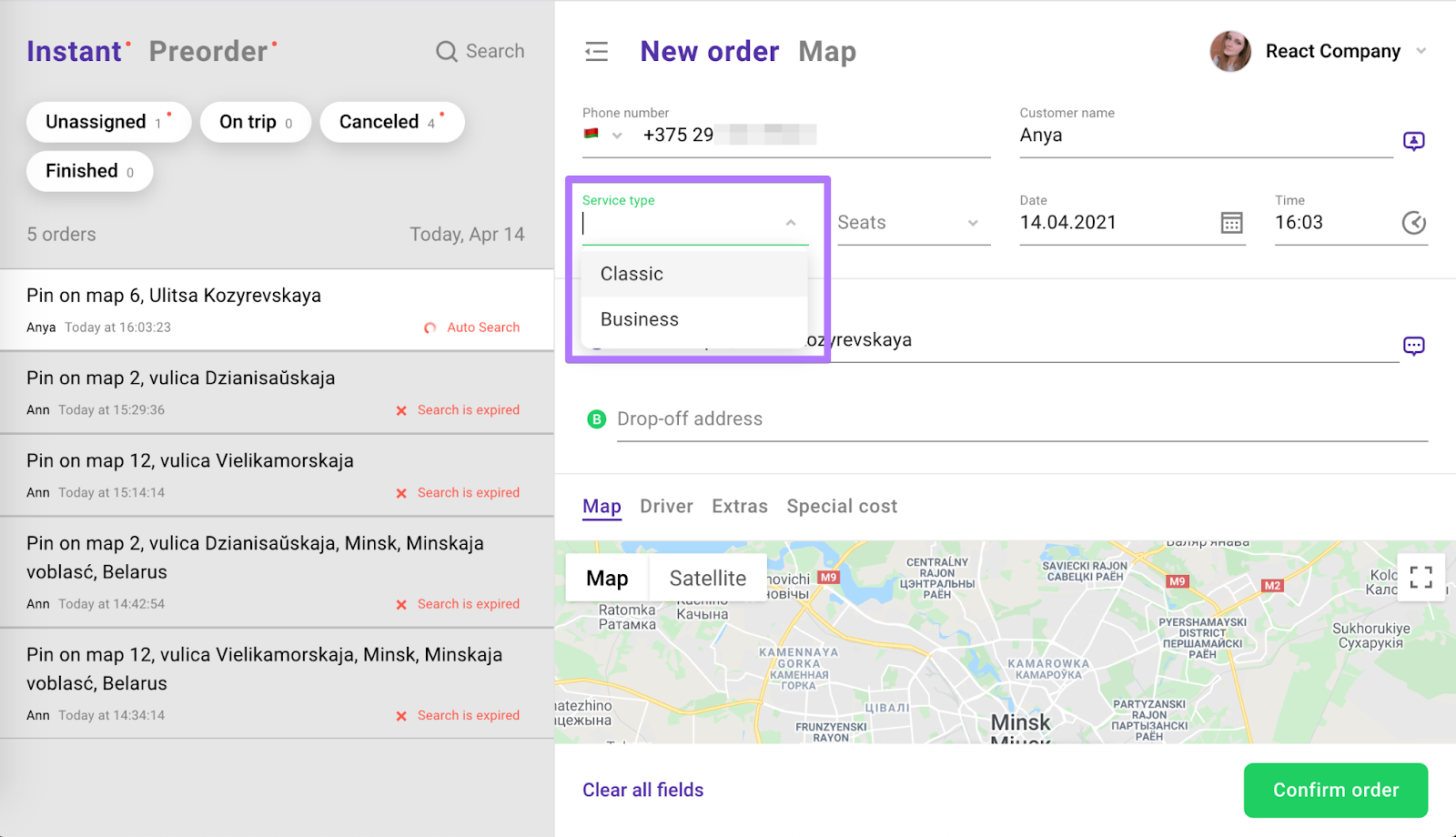
2. Choose a service for the new duplicated order
3. Press “Confirm order” in the right bottom corner of the screen.
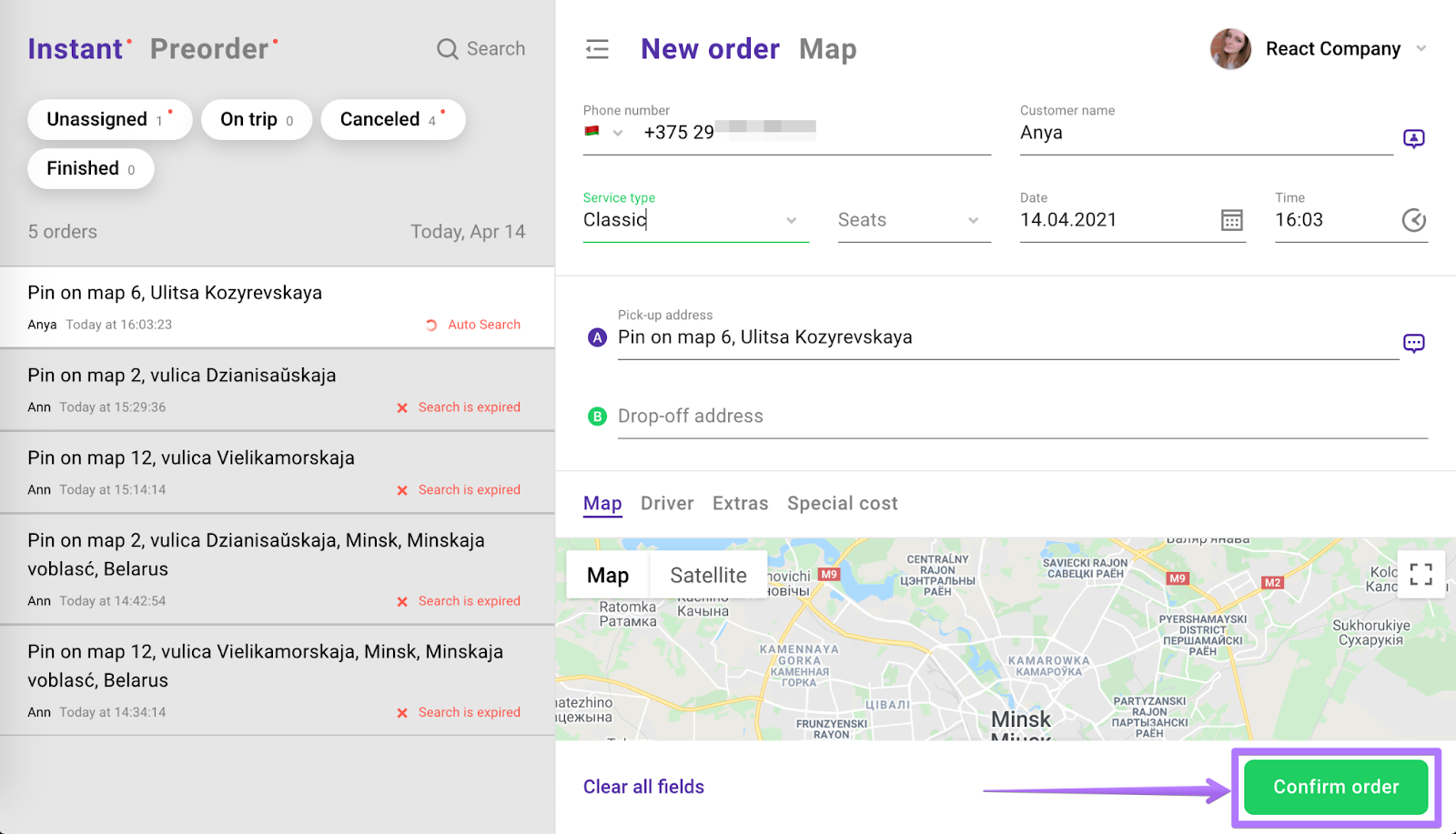
Voila! A duplicated order is created for driver search!