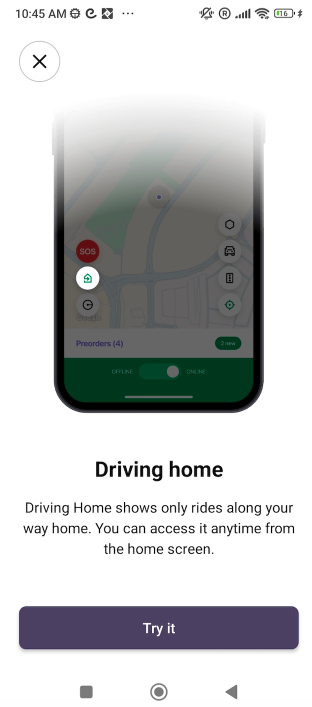
“Driving home” mode in the Driver app allows a driver to get orders with drop-off in the direction of his home address. This is particularly handy for scenarios where a driver is rounding up with his shift and can take up some orders on the way home.
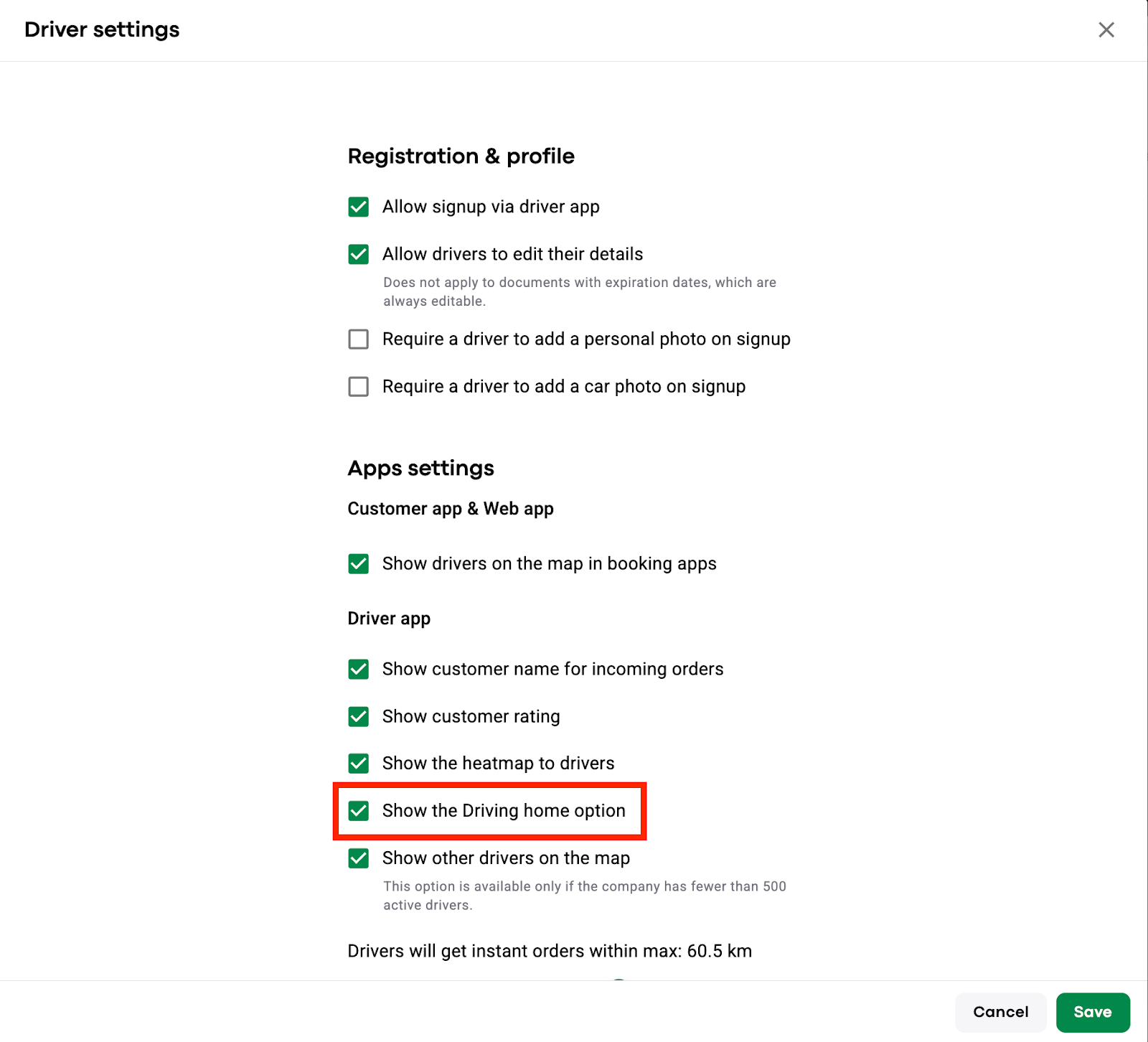
To allow drivers to use the “Driving home” mode a company has to activate “Show the Driving home option” in “Driver settings”.
In case “Show the Driving home option” in “Driver settings” is enabled a driver will be offered to try “Driving home” mode at each login.
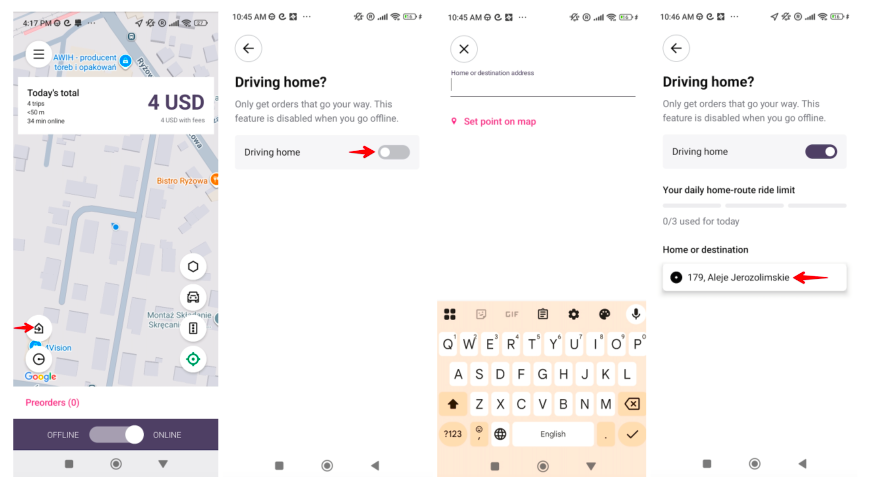
A driver can also enable the “Driving home” mode from the main App screen whether offline or online.
Just tap on the “Driving home” icon, toggle the switch “Driving home” and specify the home address on the set-up screen.
The home address can be updated and the “Driving home” mode switched off at any time.
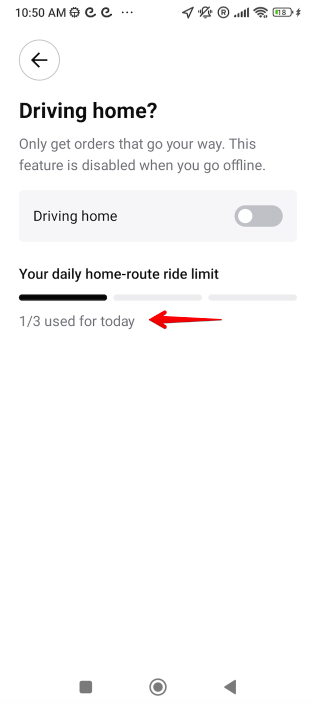
Every driver is given 3 rides in “Driving home” mode every 24 hours. The counter starts at midnight as per the timezone of the company.
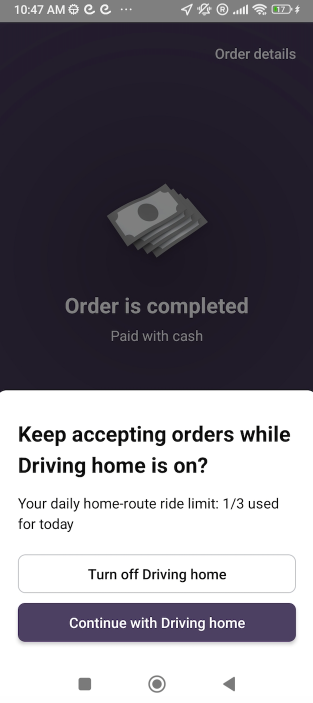
In “your daily home-ride limit” a driver can track the remaining rides that he has in this mode.
If the "Driving home” mode is on, the driver is only offered orders with a drop-off address that will get him closer to his “Home address”.
Any orders without a drop-off are not offered to the driver in “Driving home” mode.
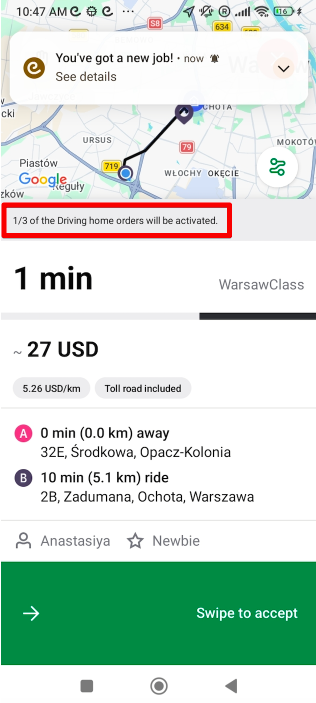
In case the “Driving home” mode is on, a driver is notified on a new offer screen “1,2,3/3 of the Driving home orders will be activated”.
Once an order in “Driving home” mode is completed a driver is offered to “Keep accepting orders while the Driving home is on or switch the mode off”.
The “Driving home” mode limit counter works for instant orders (including back-to-back rides) created from Customer/Web and Operator app and Operator API.
Orders that are not included in to “Driving home” mode limit counter:
- preorders
-orders manually assigned by Operators
- orders cancelled by customer or operator
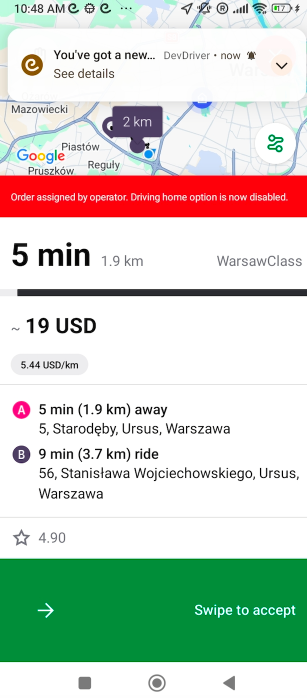
If a driver is in “Driving home” mode and the offer he receives is manually assigned by the Operator, he sees a notification on the new offer screen “Order assigned by operator. Driving home option is now disabled”.
Use the “Driving home” option to make sure your drivers stay online till the end of the shift and process more orders!
