Each taxi company has rush hours when demand exceeds supply. Allowing one service to receive orders from another helps to pass such situations smoothly. That is why we developed this option for our customers.
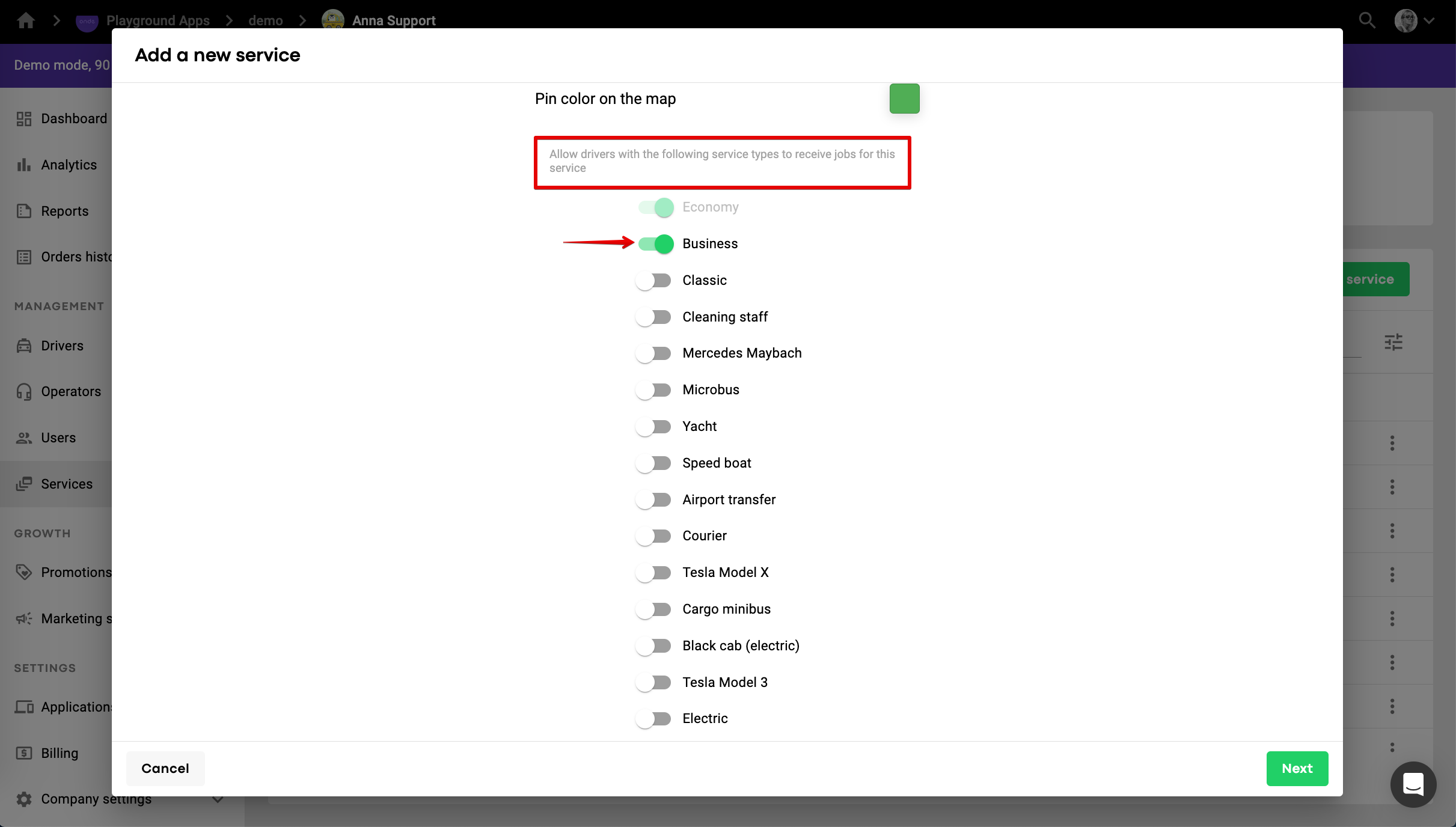
To allow service A to receive orders from service B you need to proceed to My hub >> Services >> service B >> scroll down in "General settings" tab >> Move slider of service A to the right side.
So if you want Business service to receive orders from the Economy, go to the Economy service and allow Business to work on the rate.
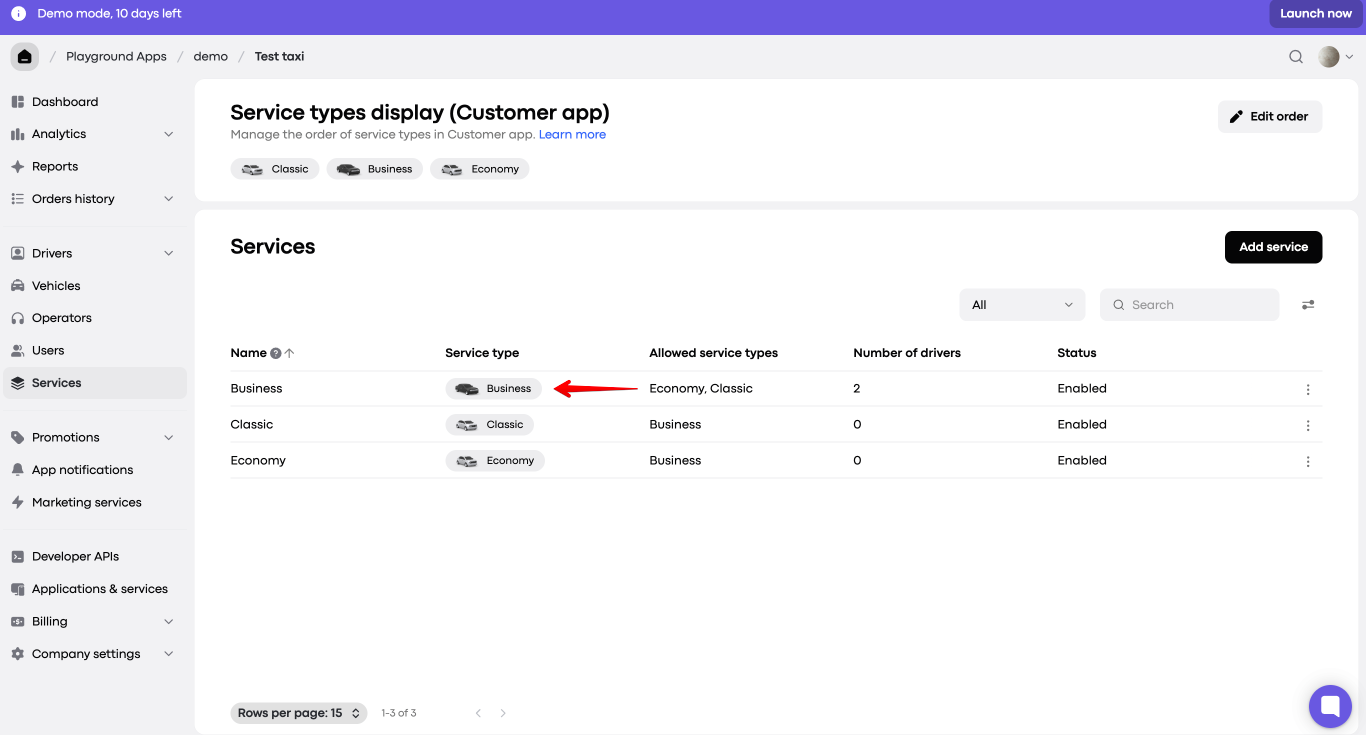
Let us create a sample set-up with cross-service allowance for the following services Business, Classic, Economy.
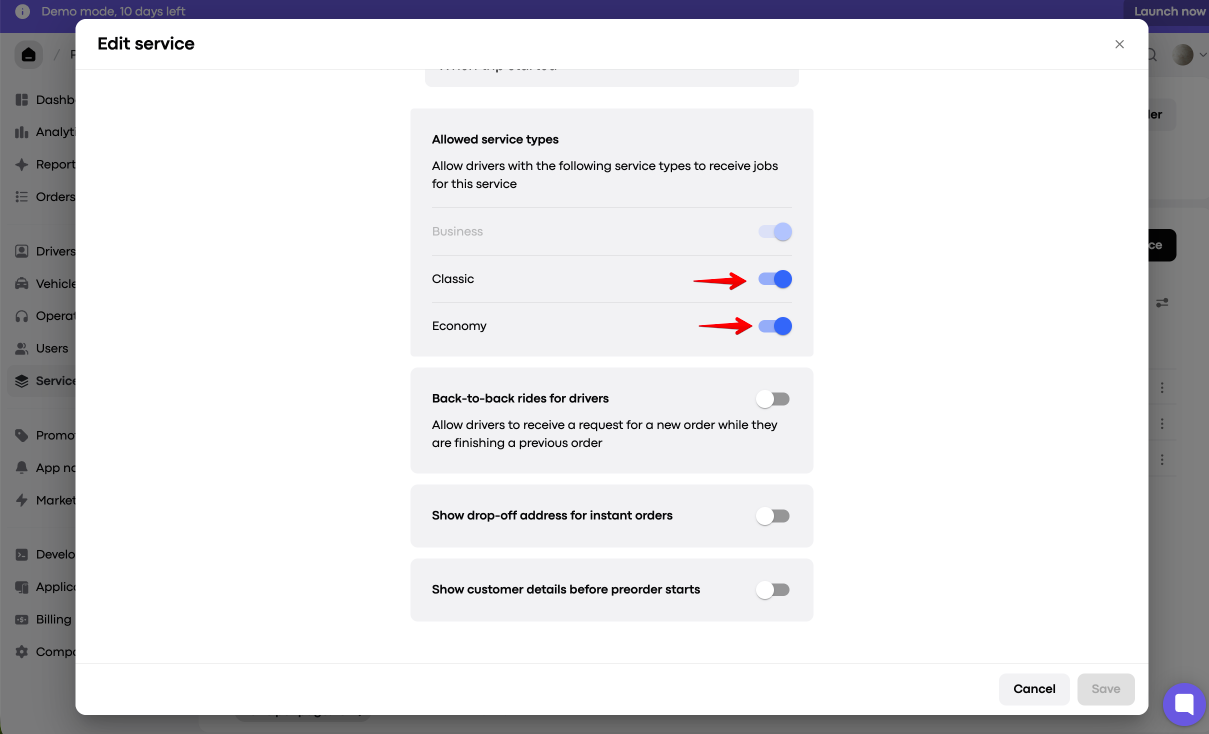
To allow drivers on Classic and Economy services to accept Business service requests, access Business service record > General settings > hover over to “Allowed service types” and enable Classic and Economy toggles.
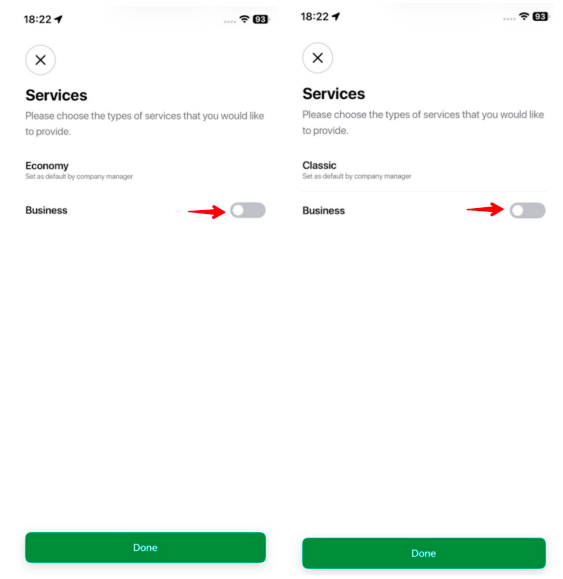
Now, the drivers, whose main service is Economy or Classic will see a secondary service - Business in the “Services” menu of the Driver app. They can activate the secondary service each time they go online, if they wish to receive orders on it along with their main service. Alternatively, the secondary service can be activated from Driver app side menu > Settings > Services
To allow drivers on Business services to accept Classic and Economy service requests, access Classic and Economy service records > General settings > hover over to “Allowed service types” and enable Business toggle.
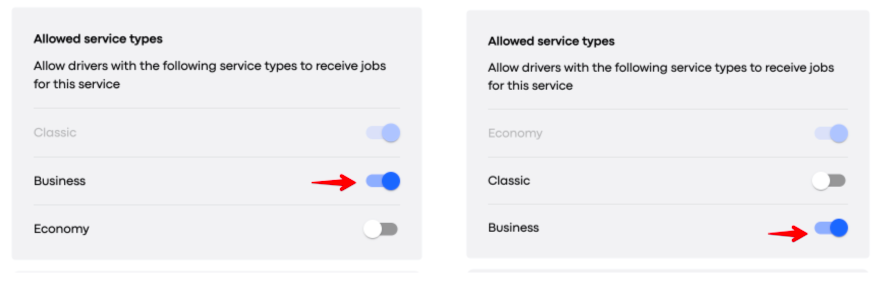
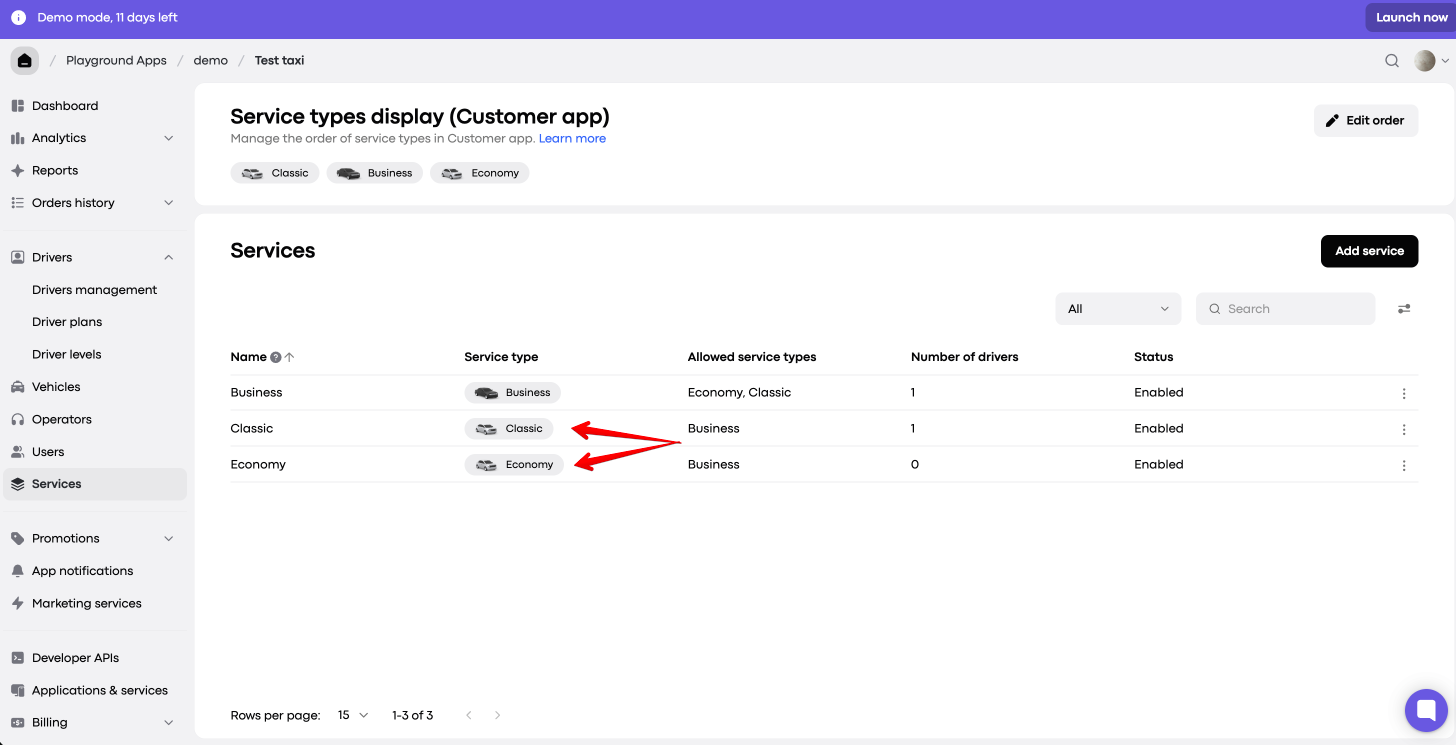
Now, the drivers, whose main service is Business, will see 2 secondary services - Classic and Economy in the “Services” menu of the Driver app. They can activate the secondary services each time they go online, if they wish to receive orders on them along with their main service. Alternatively, the secondary services can be activated from Driver app side menu > Settings > Services.
Let’s say Business service drivers are allowed to receive jobs at the Economy rate. Once a customer orders Economy service, the system checks if there are any suitable vehicles in the area. As we can see in the picture, there are 2 cars available: one Economy and one Business. The system will form a queue of these drivers depending on their karma, waiting time and ETA (please check our post intelligent queue algorithm for more details). The order will go to the first driver in the queue. If this driver ignores/rejects the order, it will be offered to the next driver in the queue.
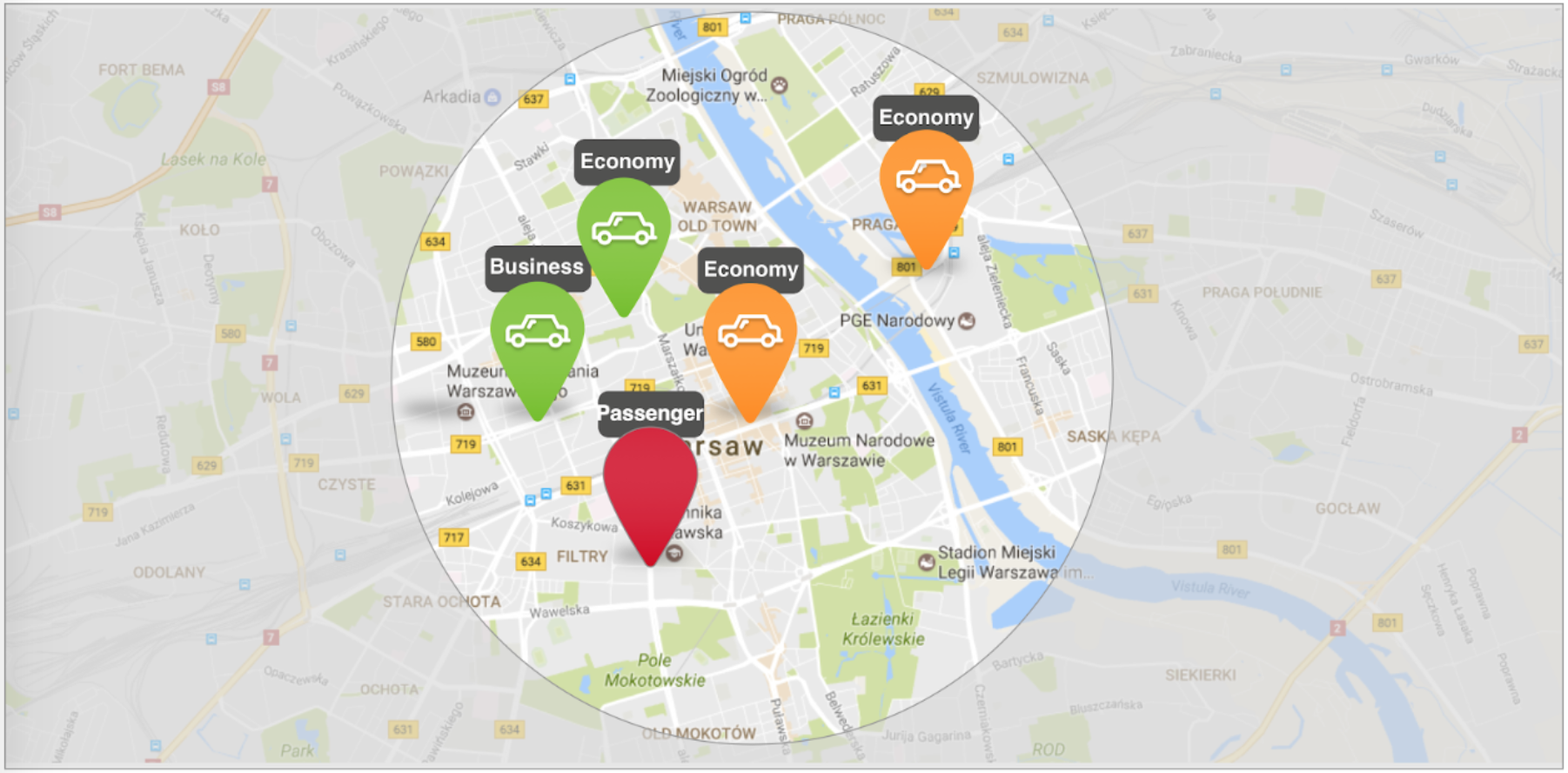
Job distribution if drivers of one service are allowed to receive orders on other services
Customer always pays for the service ordered, not the one he/she finally received. Once a Business driver accepts the order, the system will introduce him to the client as an Economy driver. The customer will pay for this ride according to the economy fares. We do not advise to enable the option "Allow drivers with the following service types to receive jobs for this service" for the services with higher level.
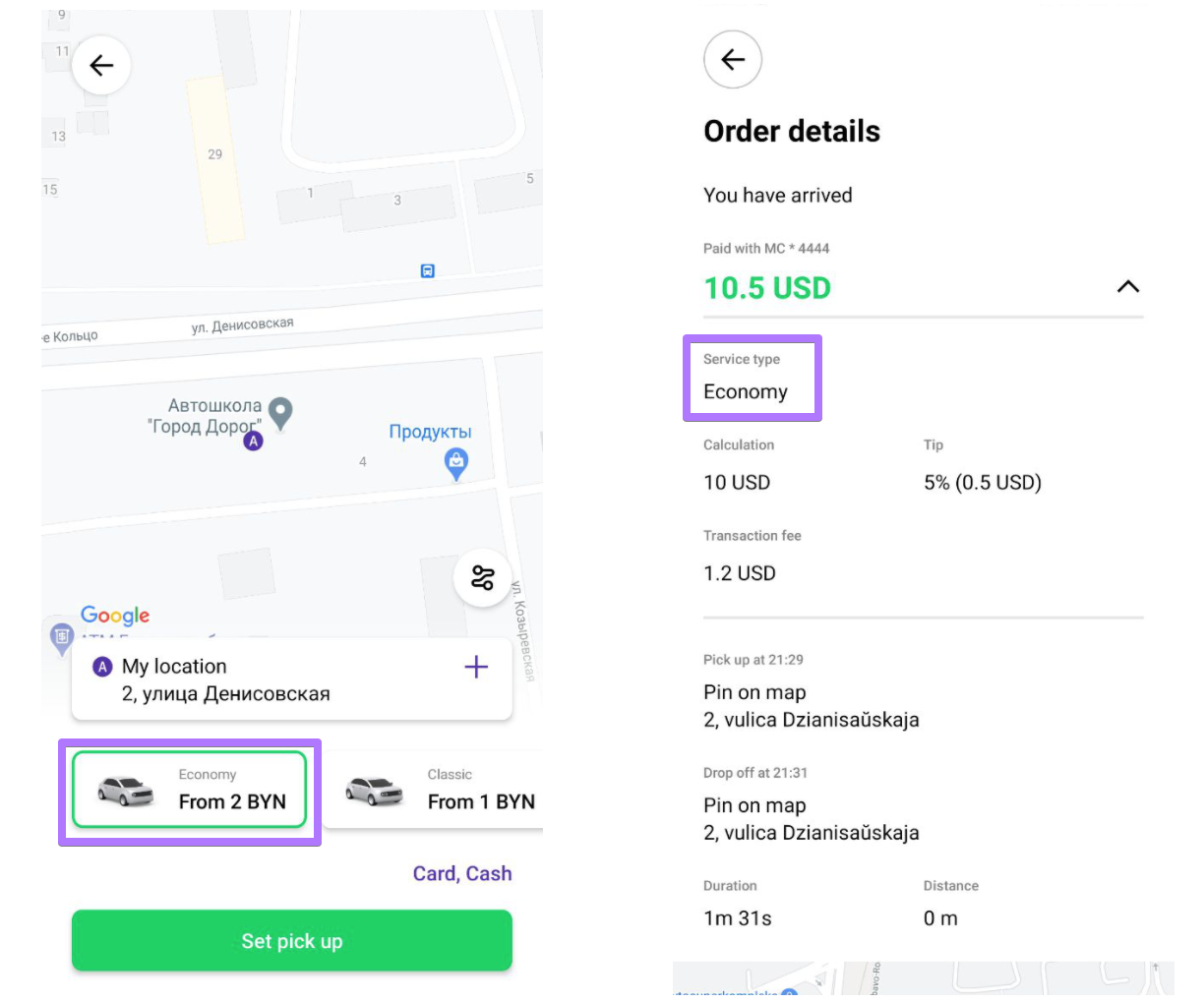
if a Business driver accepts the order of Economy, the client will see him as an Economy driver
Yes, definitely. Once the the system offers an order to the driver, on the top of the screen it will show a name of the service the client asked. So if the driver accepts the order, he agrees with its fares as well.
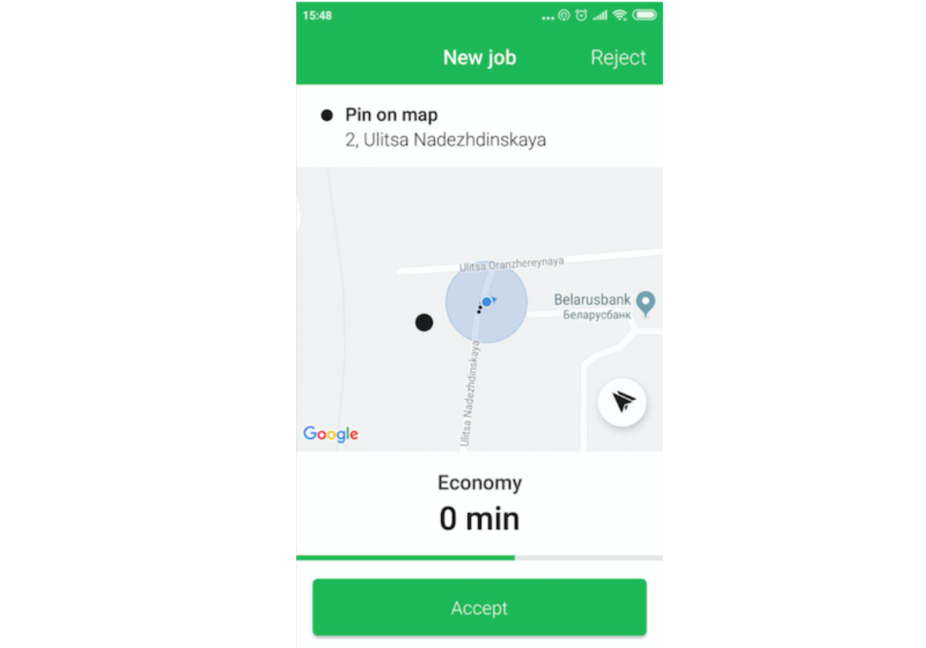
Driver app always shows the name of the service ordered by customer